Insights from Zee Palm's Team
We talk about products, app development, and next-generation apps.

ISO 27001 Certification Cost for SaaS in 2024
ISO 27001 is a global standard for Information Security Management Systems (ISMS), essential for SaaS companies to protect customer data, build trust, and maintain competitiveness. The certification costs vary based on the approach:
ApproachTotal CostDIY$20,000 - $40,000Consultant$30,000 - $60,000Automation Platform$10,000 - $20,000
The automation platform approach is the most cost-effective, offering a pre-built ISMS framework and structured implementation process.
Key benefits of ISO 27001 certification for SaaS companies:
- Improved security and risk management
- Increased customer trust and loyalty
- Compliance with data privacy regulations
- Competitive edge in the market
By achieving ISO 27001 certification, SaaS companies can enhance their security posture, demonstrate commitment to data protection, and gain a strategic advantage in the industry.
Related video from YouTube
1. DIY Approach
Preparation Cost
When taking the DIY approach to ISO 27001 certification, you'll need to invest time and resources in preparing your organization. This includes:
- Training your team on ISO 27001 and information security best practices
- Developing policies, procedures, and documentation to support your ISMS
- Implementing new security controls, such as access controls, encryption, and incident response plans
- Conducting a risk assessment and gap analysis to identify areas for improvement
Here's a breakdown of the preparation costs:
ActivityCostTraining and education$5,000 - $10,000Policy and procedure development$3,000 - $6,000Security control implementation$10,000 - $20,000Risk assessment and gap analysis$5,000 - $10,000
Audit Cost
In addition to preparation costs, you'll also need to factor in the cost of the certification audit itself. This includes:
- Auditor fees for the initial certification audit and subsequent surveillance audits
- Travel and accommodation costs for the auditor, if necessary
- Costs associated with any corrective actions or nonconformities identified during the audit
Here's a breakdown of the audit costs:
ActivityCostAuditor fees$10,000 - $20,000Travel and accommodation costs$2,000 - $5,000Corrective actions and nonconformities$5,000 - $10,000
Implementation Cost
Implementation costs can vary widely depending on the scope of your ISMS and the complexity of your security controls. Some of the implementation costs you may incur include:
- Hardware and software costs for new security controls, such as firewalls and intrusion detection systems
- Costs associated with implementing new policies and procedures, such as training and awareness programs
- Costs associated with maintaining and updating your ISMS, including ongoing training and education for your team
Here's a breakdown of the implementation costs:
ActivityCostHardware and software costs$20,000 - $50,000Policy and procedure implementation$10,000 - $20,000Ongoing training and education$5,000 - $10,000
Maintenance Cost
Once you've achieved ISO 27001 certification, you'll need to maintain your ISMS to ensure ongoing compliance. Some of the maintenance costs you can expect to incur include:
- Ongoing training and education for your team to ensure they remain up-to-date with the latest security best practices
- Costs associated with conducting regular internal audits and management reviews
- Costs associated with maintaining and updating your security controls, including hardware and software upgrades
Here's a breakdown of the maintenance costs:
ActivityCostOngoing training and education$5,000 - $10,000Internal audits and management reviews$10,000 - $20,000Security control maintenance and updates$10,000 - $20,000
By understanding these costs, you can better plan and budget for your ISO 27001 certification journey.
2. Consultant Approach
When considering ISO 27001 certification, many SaaS companies opt to work with a consultant to guide them through the process. This approach can be helpful, especially for organizations with limited experience in information security or those who want to ensure a smooth and efficient certification process.
Preparation Cost
Working with a consultant can reduce the preparation cost associated with ISO 27001 certification. The consultant will help you develop policies, procedures, and documentation, and implement security controls, which can save you time and resources.
ActivityCostConsultant fees$10,000 - $20,000Policy and procedure development$3,000 - $6,000Security control implementation$10,000 - $20,000
Audit Cost
The consultant can also help you prepare for the certification audit, which can reduce the audit cost. The consultant will work with you to identify areas for improvement, develop a corrective action plan, and ensure that your ISMS meets the requirements of ISO 27001.
ActivityCostAuditor fees$10,000 - $20,000Travel and accommodation costs$2,000 - $5,000Corrective actions and nonconformities$5,000 - $10,000
By working with a consultant, you can ensure that your ISO 27001 certification process is efficient and cost-effective. The consultant will provide expert guidance and support throughout the process, helping you to achieve certification quickly and easily.
sbb-itb-8abf120
3. Automation Platform Approach
The automation platform approach is a cost-effective and efficient way to achieve ISO 27001 certification. This approach involves using specialized software to automate the implementation and maintenance of an Information Security Management System (ISMS).
Preparation Cost
The preparation cost for the automation platform approach is lower compared to the DIY and consultant approaches. The automation platform provides a pre-built ISMS framework, which reduces the time and effort required to develop policies, procedures, and documentation.
ActivityCostAutomation platform subscription$5,000 - $10,000Policy and procedure development$1,000 - $2,000Security control implementation$5,000 - $10,000
Audit Cost
The automation platform approach also reduces the audit cost by providing a structured ISMS framework that is easy to audit. The platform provides real-time monitoring and reporting, which helps to identify and remediate security gaps quickly.
ActivityCostAuditor fees$5,000 - $10,000Travel and accommodation costs$1,000 - $2,000Corrective actions and nonconformities$2,000 - $5,000
By using an automation platform, you can reduce the overall cost of ISO 27001 certification and achieve certification quickly and efficiently. The platform provides a structured approach to implementing and maintaining an ISMS, which helps to reduce the risk of non-compliance and security breaches.
Cost Breakdown
The cost of ISO 27001 certification varies depending on the approach chosen. Here, we break down the costs associated with each approach: DIY, consultant, and automation platform.
Comparative Cost Table
The following table compares the costs of each approach:
ApproachPreparation CostAudit CostTotal CostDIY$10,000 - $20,000$10,000 - $20,000$20,000 - $40,000Consultant$20,000 - $40,000$10,000 - $20,000$30,000 - $60,000Automation Platform$5,000 - $10,000$5,000 - $10,000$10,000 - $20,000
The automation platform approach is the most cost-effective, with a total cost of $10,000 - $20,000. The DIY approach is the next most cost-effective, with a total cost of $20,000 - $40,000. The consultant approach is the most expensive, with a total cost of $30,000 - $60,000.
Factors Affecting Cost
Several factors can affect the cost of ISO 27001 certification, including:
- Organization size and complexity
- ISMS scope
- Expertise and resources required
- Auditor travel and accommodation costs
- Corrective actions and nonconformities
By understanding these factors and choosing the right approach, organizations can minimize the cost of ISO 27001 certification and achieve certification quickly and efficiently.
Benefits of ISO 27001 for SaaS Companies
ISO 27001 certification offers several advantages for SaaS companies, including enhanced security, increased trust, improved compliance, and a competitive edge in the market.
Improved Security
ISO 27001 certification helps SaaS companies protect sensitive information by identifying and mitigating potential security risks. This reduces the likelihood of data breaches and cyber attacks.
Increased Trust
Achieving ISO 27001 certification sends a strong message to customers, partners, and stakeholders that a SaaS company takes data security seriously. This increased trust can lead to stronger relationships and improved customer loyalty.
Improved Compliance
ISO 27001 certification helps SaaS companies comply with various data privacy regulations, such as GDPR, HIPAA, and CCPA. By implementing the standard's requirements, companies can ensure they meet the necessary regulatory requirements.
Competitive Edge
In a crowded SaaS market, ISO 27001 certification can be a key differentiator for companies. By demonstrating a commitment to data security and compliance, SaaS companies can stand out from competitors and attract customers who value security and trust.
Other Benefits
Additionally, ISO 27001 certification can lead to:
BenefitDescriptionEnhanced risk managementIdentify and mitigate potential security risksImproved incident responseDevelop a robust incident response planIncreased customer confidenceDemonstrate a commitment to data security
By achieving ISO 27001 certification, SaaS companies can reap these benefits and more, ultimately improving their overall security posture and competitiveness in the market.
Final Thoughts
In conclusion, achieving ISO 27001 certification is a vital investment for SaaS companies seeking to enhance their security posture, build trust with customers, and maintain a competitive edge in the market. While the certification process requires significant time and resources, the benefits far outweigh the costs.
Key Takeaways
By implementing ISO 27001, SaaS companies can:
- Identify and mitigate potential security risks
- Improve incident response
- Demonstrate a commitment to data security and compliance
Strategic Decision
The decision to pursue ISO 27001 certification is a strategic one that can have a lasting impact on a SaaS company's reputation, customer relationships, and bottom line. By understanding the costs and benefits associated with certification, SaaS companies can make an informed investment decision that aligns with their business goals and objectives.
Related posts

Service Worker Lifecycle Explained: Update, Version Control
Service workers are a crucial part of modern web applications, enabling offline capabilities and improving overall performance and user experience. They act as a middleman between web apps, the browser, and the network.
Related video from YouTube
Key Points
- Service workers are event-driven, registered against an origin and path, written in JavaScript, and can control web page/site behavior.
- The service worker lifecycle consists of registration, installation, activation, and updating.
- Updating service workers ensures apps remain secure, efficient, and feature-rich.
Updating Service Workers
A new service worker installation is triggered when the browser detects a byte-different version of the service worker script, such as:
TriggerDescriptionNavigationUser navigates within the service worker's scopeRegistrationnavigator.serviceWorker.register() called with a different URLScope changenavigator.serviceWorker.register() called with the same URL but different scope
Versioning Service Workers and Assets
To version service workers and assets:
- Append a version number or timestamp to asset URLs
- Implement a versioning system to track asset changes
- Use a service worker to cache assets with a specific version number
Best Practices
PracticeDescriptionClear versioning systemUse version numbers in file names or codeNotify users about updatesUse ServiceWorkerRegistration to show notificationsBalance user experienceConsider timing and approach for update notifications
By understanding the service worker lifecycle, implementing versioning, and following best practices, you can deliver a seamless user experience and optimal app performance.
sbb-itb-8abf120
Service Worker Lifecycle: Step-by-Step
The service worker lifecycle consists of several critical phases that ensure app functionality and performance. Let's break down each phase and its significance.
Starting the Registration
The service worker lifecycle begins with registration, which involves checking for browser compatibility and defining the scope for control over the app. To register a service worker, you need to call the navigator.serviceWorker.register() method, passing the URL of the service worker script as an argument.
Registration StepDescriptionCheck browser compatibilityEnsure the browser supports service workersDefine scopeDetermine the app pages or sites the service worker will controlRegister service workerCall navigator.serviceWorker.register() with the service worker script URL
Here's an example of registering a service worker:
if ('serviceWorker' in navigator) {
  navigator.serviceWorker.register('/sw.js')
  .then((registration) => {
      console.log('Service Worker registration completed with scope: ', registration.scope);
    }, (err) => {
      console.log('Service Worker registration failed', err);
    });
}
Installing and Caching Assets
Once registered, the service worker enters the installation phase, where it caches assets and prepares for activation. During this phase, the service worker can cache resources, such as HTML, CSS, and JavaScript files, using the Cache API.
Installation StepDescriptionCache resourcesStore resources, like HTML, CSS, and JavaScript files, using the Cache APIPrepare for activationGet ready to take control of the app and manage network requests
Here's an example of caching resources during installation:
self.addEventListener('install', (event) => {
  event.waitUntil(
    caches.open('static-v1').then((cache) => {
      return cache.addAll([
        '/',
        '/index.html',
        '/css/styles.css',
        '/js/app.js',
      ]);
    })
  );
});
Activating the New Service Worker
After installation, the service worker enters the activation phase, where it takes control of the app and begins managing network requests. During this phase, the service worker can remove old caches and implement strategies to ensure the new service worker takes charge without delay.
Activation StepDescriptionTake control of the appManage network requests and begin serving resourcesRemove old cachesDelete outdated caches to ensure the new service worker takes chargeImplement strategiesUse techniques to ensure a smooth transition to the new service worker
Here's an example of activating the new service worker:
self.addEventListener('activate', (event) => {
  event.waitUntil(
    caches.keys().then((keys) => {
      return Promise.all(
        keys.map((key) => {
          if (!expectedCaches.includes(key))
          // Remove old caches
        })
      );
    })
  );
});
Updating Service Workers
Updating service workers is crucial for maintaining a Progressive Web App (PWA). It ensures your app remains secure, efficient, and feature-rich, providing users with the best possible experience.
Why Update Service Workers?
Keeping service workers updated is vital for:
- Security: Fixing vulnerabilities to protect users' data
- Performance: Improving speed and reducing latency
- Features: Adding new functionalities to enhance the user experience
- Bugs: Resolving errors that may affect app functionality
Installing New Service Worker Versions
A new service worker installation is triggered when the browser detects a byte-different version of the service worker script. This can happen when:
TriggerDescriptionNavigationThe user navigates to a page within the service worker's scopeRegistrationnavigator.serviceWorker.register() is called with a URL different from the currently installed service workerScope changenavigator.serviceWorker.register() is called with the same URL as the installed service worker, but with a different scope
During the installation phase, the new service worker caches assets and prepares for activation. The install event is fired, allowing developers to cache resources and prepare for the new service worker to take control.
Here's an example of caching resources during installation:
self.addEventListener('install', (event) => {
  event.waitUntil(
    caches.open('static-v1').then((cache) => {
      return cache.addAll([
        '/',
        '/index.html',
        '/css/styles.css',
        '/js/app.js',
      ]);
    })
  );
});
By understanding the importance of updating service workers and the mechanics of the update process, developers can ensure their PWAs remain efficient, secure, and feature-rich, providing users with the best possible experience.
Versioning Service Workers and Assets
Versioning service workers and assets is crucial for maintaining a Progressive Web App (PWA). It ensures users receive the latest updates and features, while preventing outdated cached content from affecting the app's performance.
Versioning Web Assets
To version web assets, assign a unique identifier to each asset, such as a CSS or JavaScript file. This ensures browsers load the most recent version. You can achieve this by:
- Appending a query parameter with a version number to the asset URL
- Implementing a versioning system to track changes to assets
- Using a service worker to cache assets with a specific version number
By versioning web assets, you can ensure users receive the latest updates and features, while preventing outdated cached content from affecting the app's performance.
Tools for Cache Management
Automated tools, such as Workbox, can aid in managing caching strategies and maintaining the app's assets effectively. These tools provide features like:
FeatureDescriptionCache InvalidationAutomatically removing outdated cached assetsCache PrecachingPreloading assets to ensure they are available offlineCache OptimizationOptimizing cache storage to reduce storage size and improve performance
By utilizing these tools, you can simplify the process of managing caching strategies and ensure your app remains efficient and feature-rich.
In the next section, we will explore best practices for updates and versioning, including implementing a clear versioning system and notifying users about updates.
Best Practices for Updates and Versioning
Implementing a Clear Versioning System
When updating service workers, it's essential to have a clear versioning system in place. This helps you track changes and updates to your service worker and assets. One way to do this is to include a version number in your service worker file name or within the file itself. For example, you can name your service worker sw-v1.js, sw-v2.js, and so on, or store a version variable in your code.
Versioning MethodDescriptionFile name versioningInclude a version number in the service worker file nameCode versioningStore a version variable in the service worker code
This allows you to easily detect when a new version of your service worker is available and trigger the update process.
Notifying Users About Updates
Notifying users about updates is crucial to ensure they receive the latest features and security patches. You can use the ServiceWorkerRegistration interface to notify users about updates. This interface provides a showNotification method that allows you to display a notification to the user when a new version of the service worker is available.
Additionally, you can use other communication channels, such as in-app notifications or email notifications, to inform users about updates.
Balancing User Experience with Update Notifications
When notifying users about updates, it's crucial to balance the user experience with the need to inform them about new versions. You should consider the timing and approach to informing users about service worker updates.
Notification ApproachDescriptionImmediate notificationNotify users immediately about critical security patchesDelayed notificationNotify users about less urgent updates at a later time
It's also essential to ensure that update notifications do not disrupt the user experience. You can achieve this by providing a seamless update process that does not require users to restart the app or lose their progress.
Mastering the Service Worker Lifecycle
Mastering the service worker lifecycle is crucial for delivering a seamless user experience and optimal app performance. To achieve this, you need to understand the different stages of the lifecycle, including registration, installation, activation, and updating.
Understanding the Service Worker Lifecycle
The service worker lifecycle consists of four main stages:
StageDescriptionRegistrationRegistering the service worker with the browserInstallationCaching assets and preparing for activationActivationTaking control of the app and managing network requestsUpdatingUpdating the service worker to ensure the latest features and security patches
Best Practices for Updates and Versioning
To ensure a seamless user experience, it's essential to implement a clear versioning system and notify users about updates. Here are some best practices to follow:
Best PracticeDescriptionImplement a clear versioning systemUse a version number in the service worker file name or within the file itselfNotify users about updatesUse the ServiceWorkerRegistration interface to notify users about updatesBalance user experience with update notificationsConsider the timing and approach to informing users about updates
By following these best practices, you can ensure that your service worker is always running the latest version, providing the best possible experience for your users.
Troubleshooting and Optimization
Understanding the service worker lifecycle can also help you troubleshoot issues and optimize performance. By knowing how the service worker interacts with the Cache interface and caching strategies, you can optimize your caching approach to reduce latency and improve overall performance.
In conclusion, mastering the service worker lifecycle is critical for delivering a high-quality user experience and optimal app performance. By understanding the different stages of the lifecycle and implementing best practices for updates and versioning, you can ensure that your service worker is always running efficiently and providing the best possible experience for your users.
FAQs
How does a service worker detect a new version?
A service worker detects a new version by comparing the cached files with the resources coming from the network. The browser performs a byte-by-byte comparison to determine if an update is available.
What is the install event in serviceworker?
The install event is the first event a service worker receives, and it only happens once. A promise passed to installEvent.waitUntil() signals the duration and success or failure of your install. A service worker won't receive events like fetch and push until it successfully finishes installing and becomes "active".
How do I update the service worker version?
To update a service worker, you need to change its source code and trigger a new installation. This can be done by using a version number, a hash, or a timestamp in the service worker file name or URL.
How to upgrade a service worker?
Upgrading a service worker involves updating its source code and triggering a new installation. This can be done by using a version number, a hash, or a timestamp in the service worker file name or URL. Once the new version is installed, it will take control of the app and manage network requests.
Service Worker Update Methods
MethodDescriptionVersion numberUpdate the service worker file name or URL with a new version numberHashUse a hash of the service worker code to trigger an updateTimestampInclude a timestamp in the service worker file name or URL to trigger an update
By using one of these methods, you can ensure that your service worker is always up-to-date and providing the best possible experience for your users.
Related posts

7 Tips to Optimize App Development Resource Allocation
Efficient resource allocation is crucial for maximizing productivity, product quality, and business growth in app development. Here are the 7 key tips:
- Define Project Scope and Objectives: Set clear, measurable goals, list deliverables, outline tasks and milestones, identify constraints, and involve stakeholders. This establishes a solid foundation for effective resource allocation.
- Assess Resource Availability and Skills: Evaluate team members' technical skills, experience, soft skills, and availability. Identify skill gaps and allocate resources accordingly.
- Prioritize Tasks and Allocate Resources: Consider factors like complexity, urgency, impact, and dependencies to prioritize tasks. Allocate resources based on skills and availability.
- Implement Resource Leveling and Smoothing: Adjust project schedules and resource allocation to prevent over-allocation, distribute workload evenly, and improve resource utilization.
- Utilize Resource Allocation Software: Tools like Mosaic, Resource Planner, Runn, and Hub Planner streamline resource allocation, provide real-time visibility, and enable data-driven decisions.
- Monitor and Adjust Resource Allocation: Continuously monitor for signs of poor allocation like context switching, bottlenecks, and overload. Adjust resources and timelines as needed.
- Foster Open Communication and Collaboration: Encourage feedback, active listening, and use the right communication tools to promote collaboration and overcome challenges.
By following these tips, startup founders can optimize resource allocation, reduce costs, improve efficiency, and ensure high-quality app development outcomes.
1. Define Project Scope and Objectives
Clearly defining the project scope and objectives is crucial for effective resource allocation. This step ensures everyone involved understands the project's goals, deliverables, and boundaries, enabling you to allocate resources accurately.
Establish a Solid Foundation
To define the project scope and objectives, follow these steps:
1. Set SMART Objectives
Set specific, measurable, achievable, relevant, and time-bound objectives for your app development project. Well-defined objectives provide a clear roadmap for the team.
2. Identify Deliverables
List all the tangible and intangible deliverables expected from the project, such as features, functionalities, documentation, and support materials.
3. Outline Tasks and Milestones
Break down the project into smaller tasks and activities, and establish milestones or checkpoints to track progress.
4. Determine Constraints and Assumptions
Identify any constraints, such as budget, time, or technical limitations, that may impact resource allocation. Document any assumptions made about the project.
5. Involve Key Stakeholders
Engage key stakeholders, including clients, team members, and subject matter experts, in the scope definition process. Their input and buy-in ensure the project scope aligns with their expectations.
By following these steps, you establish a solid foundation for efficient resource allocation, enabling your team to work towards a shared vision and maximizing the chances of project success.
2. Assess Resource Availability and Skills
To optimize app development resource allocation, it's essential to assess the availability and skills of your team members. This step helps you identify the strengths and weaknesses of your team, ensuring that you allocate resources effectively.
Evaluate Team Members' Skills
Conduct a thorough evaluation of your team members' skills, including their technical proficiency, experience, and soft skills. Identify the skills required for each task and match them with the skills of your team members.
Key Factors to Consider
FactorDescriptionTechnical skillsEvaluate proficiency in specific programming languages, frameworks, and tools.ExperienceConsider experience in similar projects or tasks.Soft skillsAssess communication, collaboration, and problem-solving skills.AvailabilityDetermine workload, commitments, and potential conflicts.
Identify Skill Gaps
Identify any skill gaps or areas where your team members may require additional training or support. This will help you allocate resources effectively and ensure that your team has the necessary skills to complete tasks efficiently.
By assessing resource availability and skills, you can ensure that you're allocating resources effectively, minimizing waste, and maximizing productivity. This step is critical in optimizing app development resource allocation and ensuring the success of your project.
3. Prioritize Tasks and Allocate Resources
Prioritizing tasks and allocating resources is a crucial step in optimizing app development resource allocation. This step ensures that your team is working on the most critical tasks and allocating resources effectively to complete them efficiently.
Factors to Consider
When prioritizing tasks, consider the following factors:
FactorDescriptionComplexityEvaluate the complexity of each task and allocate resources accordingly.UrgencyIdentify the urgency of each task and prioritize them based on their deadlines.ImpactAssess the impact of each task on the overall project and allocate resources to tasks with the highest impact.DependenciesIdentify dependencies between tasks and allocate resources to tasks that have the most dependencies.
Agile Approach
Adopt an agile approach to resource management to prioritize tasks and allocate resources effectively. Break down the project into smaller, manageable chunks, and focus on delivering a minimum viable product (MVP) that can be tested and improved upon.
Task Allocation
Once you've prioritized tasks, allocate resources to each task based on the skills and availability of your team members. Ensure that each task is assigned to a team member with the necessary skills and experience to complete it efficiently.
By prioritizing tasks and allocating resources effectively, you can ensure that your team is working on the most critical tasks and allocating resources efficiently to complete them on time and within budget. This step is critical in optimizing app development resource allocation and ensuring the success of your project.
4. Implement Resource Leveling and Smoothing
Resource leveling and smoothing are two essential techniques in project management that can help optimize app development resource allocation. These techniques ensure that resources are utilized efficiently, and the workload is distributed evenly among team members.
What is Resource Leveling?
Resource leveling involves adjusting the project schedule to match the available resources. This technique helps to prevent overallocation of resources, which can lead to burnout and decreased productivity.
What is Resource Smoothing?
Resource smoothing involves adjusting the resource allocation to match the project schedule. This technique helps to ensure that resources are utilized consistently throughout the project, preventing peaks and troughs in resource demand.
Benefits of Resource Leveling and Smoothing
Implementing resource leveling and smoothing can bring several benefits to your app development project, including:
BenefitsDescriptionImproved resource utilizationEnsures resources are utilized efficiently and effectively.Reduced burnoutPrevents overallocation of resources, reducing the risk of burnout and decreased productivity.Improved project timelinesEnsures the project progresses smoothly and timelines are met.Enhanced team moraleDistributes the workload evenly, improving team morale and motivation.
By implementing resource leveling and smoothing, you can optimize app development resource allocation and ensure that your project is completed efficiently and effectively.
sbb-itb-8abf120
5. Utilize Resource Allocation Software and Tools
Effective resource allocation is crucial for the success of any app development project. One way to optimize resource allocation is by using resource allocation software and tools. These tools can help streamline the resource allocation process, improve project outcomes, and increase team efficiency.
Benefits of Resource Allocation Software
Resource allocation software provides several benefits, including:
- Improved resource utilization: These tools ensure resources are used efficiently and effectively.
- Enhanced project visibility: They provide real-time visibility into project progress, enabling informed decisions.
- Streamlined resource allocation: Resource allocation software automates the resource allocation process, reducing human error.
- Better decision-making: With access to real-time data and analytics, project managers can make data-driven decisions.
Popular Resource Allocation Software
Here are some popular resource allocation software options:
SoftwareDescriptionMosaicAI-powered resource allocation software that integrates with existing tools.Resource PlannerResource planning software that provides forecasting and budgeting tools.RunnResource allocation software that offers real-time visibility and scheduling tools.Hub PlannerResource planning software that provides resource tracking and reporting features.
When selecting a resource allocation software, consider factors such as customization, integration, ease of use, and technical support. By utilizing resource allocation software and tools, you can optimize resource allocation and improve the overall efficiency of your app development project.
6. Monitor and Adjust Resource Allocation
Effective resource allocation is an ongoing process that requires continuous monitoring and adjustment. As your app development project progresses, new challenges and opportunities arise, and your resource allocation strategy must adapt to these changes.
Why Monitor and Adjust?
Monitoring and adjusting your resource allocation strategy helps you:
- Identify bottlenecks and inefficiencies
- Reassign tasks and resources to optimize productivity
- Adjust project timelines to meet changing requirements
- Ensure your project is completed efficiently and effectively
Signs of Poor Resource Allocation
Watch out for these common signs of poor resource allocation:
SignDescriptionContext switchingTeam members frequently switch between multiple projects, decreasing productivity and quality.BottlenecksCritical resources are unavailable, blocking project progress.Too many active projectsTaking on too many projects simultaneously, leading to resource overload and inefficiency.Lack of visibilityNo single view of team capacity, making it difficult to manage resources effectively.
By monitoring and adjusting your resource allocation strategy, you can avoid these common pitfalls and ensure your app development project is completed efficiently and effectively.
Remember, resource allocation is a dynamic process that requires continuous attention and adaptation. By staying vigilant and making adjustments as needed, you can optimize your resource allocation and achieve project success.
7. Foster Open Communication and Collaboration
Effective communication and collaboration are crucial for successful app development. When team members can freely share ideas, discuss challenges, and work together seamlessly, projects are completed more efficiently and effectively.
To foster open communication and collaboration, consider the following strategies:
Clear Goals and Expectations
Ensure that all team members understand the project objectives, their roles, and how their tasks contribute to the overall project success.
Choose the Right Communication Tools
Utilize chat apps like Slack, Discord, or Microsoft Teams to facilitate quick questions, collaboration, issue resolution, and updates.
Encourage Feedback and Active Listening
Create a culture where team members feel comfortable sharing their thoughts, opinions, and concerns. Active listening helps to avoid misunderstandings and ensures that everyone is on the same page.
By implementing these strategies, you can create an environment that promotes open communication and collaboration, leading to more successful app development projects.
Remember, effective communication is key to overcoming challenges and achieving project goals. By fostering open communication and collaboration, you can ensure that your app development team works efficiently and effectively, resulting in high-quality products that meet user needs.
Summary
Effective resource allocation is crucial for successful app development projects. By following the seven tips outlined in this article, startup founders can optimize their resource allocation, leading to increased efficiency, productivity, and better app development outcomes.
To achieve this, startup founders should:
- Define project scope and objectives
- Assess resource availability and skills
- Prioritize tasks
- Implement resource leveling and smoothing
- Utilize resource allocation software and tools
- Monitor and adjust resource allocation
- Foster open communication and collaboration
By integrating these strategies into their project management practices, startup founders can overcome common resource allocation challenges, reduce costs, and improve the overall quality of their app development projects.
Remember, effective resource allocation is an ongoing process that requires continuous monitoring and adjustment. By staying vigilant and making adjustments as needed, startup founders can ensure their app development teams are working efficiently and effectively.
FAQs
What are the techniques used to manage resources effectively?
Effective resource management involves several techniques to optimize resource allocation and utilization. Here are some key techniques:
TechniqueDescriptionResource planning and data-driven resource allocationPlan resources and allocate them based on data-driven insights to ensure the right resources are assigned to the right tasks.Plan for uncertaintyIdentify potential risks and uncertainties that may impact resource allocation and develop contingency plans to mitigate these risks.Resource optimization techniquesImplement techniques like resource leveling and smoothing to optimize resource utilization.Manage resources' workloadMonitor the workload of resources and ensure they're not over- or under-allocated to prevent burnout and ensure efficient utilization.Manage employees' competencesDevelop a skills matrix to track the competences of resources and identify skill gaps to ensure resources are allocated to tasks that match their skills and expertise.Keep team members engagedFoster open communication and collaboration among team members to ensure resources are motivated and engaged, leading to better resource utilization and allocation.Leverage resource management softwareUtilize resource management software to streamline resource allocation and tracking, providing real-time visibility into resource utilization to make data-driven decisions.
By implementing these techniques, you can effectively manage your resources and optimize resource allocation to achieve your project goals.
Related posts

5 Lean Principles for Agile App Development
Lean principles combined with Agile methodologies lead to significant improvements in efficiency, quality, and customer satisfaction for app development. Here are the top 5 Lean principles to streamline processes and improve outcomes:
- Specify Value from the Customer's Perspective
- Understand customer needs and wants
- Prioritize features based on customer value
- Continuously deliver valuable software
- Gather and incorporate customer feedback
- Identify and Eliminate Waste
- Reduce partially done work, extra features, and unnecessary processes
- Implement WIP limits and prioritize features
- Streamline non-value-adding activities
- Create a Smooth Flow of Work
- Eliminate idle time and waiting periods
- Implement concurrent development and use Kanban boards
- Encourage continuous feedback and automate testing/deployment
- Pull Value from the Next Upstream Activity
- Align with customer needs and priorities
- Reduce waste and improve performance
- Enhance team collaboration and responsiveness
- Pursue Perfection through Continuous Improvement
- Embrace a culture of continuous improvement
- Identify opportunities through retrospectives and feedback loops
- Implement small, iterative changes to processes
By applying these principles, Agile teams can improve efficiency, deliver higher quality products, and increase customer satisfaction.
BenefitDescriptionImproved EfficiencyStreamline processes and reduce wasteHigher QualityFocus on delivering value to customersIncreased Customer SatisfactionMeet customer needs and expectations
Related video from YouTube
1. Specify Value from the Customer's Perspective
In Agile app development, it's crucial to specify value from the customer's perspective. This principle emphasizes understanding what the customer wants and needs. It's about delivering value to the customer, not just building a product.
The core purpose of each Lean-Agile team is to provide value to the customer. Everything the team does should be centered around doing so. This means understanding what the customer is willing to pay for and prioritizing work accordingly.
To specify value from the customer's perspective, teams should:
- Identify customer needs and wants
- Prioritize features and requirements based on customer value
- Continuously deliver valuable software to the customer
- Gather customer feedback and incorporate it into the development process
By specifying value from the customer's perspective, teams can ensure that they are building a product that meets the customer's needs, leading to higher customer satisfaction and loyalty.
2. Identify and Eliminate Waste
In Agile app development, waste refers to any activity or process that does not add value to the customer. Identifying and eliminating waste is crucial for optimizing efficiency, reducing costs, and delivering maximum value to the customer. Here are some common forms of waste:
Types of Waste
Type of WasteDescriptionPartially Done WorkUnfinished features or code that do not provide value to the customer until completed.Extra FeaturesDeveloping unnecessary features that the customer does not require or value.Unnecessary ProcessesOverprocessing, such as excessive documentation, meetings, or approvals, that hinder productivity and slow down development.
To eliminate these forms of waste, teams can implement the following strategies:
Eliminating Waste
- Implement WIP limits: Use Kanban boards or other visual management tools to focus on completing tasks before starting new ones, reducing partially done work.
- Prioritize features: Validate assumptions and prioritize features based on customer feedback to avoid developing unnecessary features.
- Streamline processes: Regularly review and eliminate or simplify non-value-adding activities that hinder productivity.
By identifying and eliminating waste, Agile teams can optimize their workflows, increase efficiency, and deliver high-quality applications that meet customer needs more effectively.
3. Create a Smooth Flow of Work
Creating a smooth flow of work is essential in Agile app development. This Lean principle aims to eliminate delays and bottlenecks, ensuring that teams can deliver high-quality applications quickly and efficiently.
Eliminate Idle Time
Idle time occurs when team members are waiting for others to complete their tasks or when there are unnecessary delays in the development process. To eliminate idle time, teams can:
- Implement concurrent development: Work on different aspects of the project simultaneously to reduce dependencies and wait times.
- Use Kanban boards: Visualize the workflow to identify bottlenecks and focus on completing tasks.
Reduce Waiting Periods
Waiting periods can occur when team members are waiting for feedback, approvals, or dependencies to be resolved. To reduce waiting periods, teams can:
StrategyDescriptionImplement continuous feedbackEncourage regular feedback and reviews to identify and address issues quickly.Automate testing and deploymentReduce the time spent on manual testing and deployment, enabling teams to focus on development.
By creating a smooth flow of work, Agile teams can increase productivity, reduce delays, and deliver high-quality applications that meet customer needs more effectively.
sbb-itb-8abf120
4. Pull Value from the Next Upstream Activity
In Agile app development, pulling value from the next upstream activity is crucial to streamline processes and improve efficiency. This Lean principle ensures that teams focus on delivering value to customers by working on what is needed when it's needed, avoiding overproduction and extra stock.
Aligning with Customer Needs
The pull system encourages teams to work closely with customers, involving them in the decision-making process and seeking their feedback regularly. This collaborative approach ensures that the team is always aligned with the customer's needs and priorities, resulting in a product that truly meets their expectations.
Reducing Waste and Improving Performance
By implementing a pull system, Agile teams can reduce waste and improve performance by ensuring that work is only done when it is needed. This approach facilitates:
BenefitsDescriptionDecreased lead timesReducing the time it takes to complete tasksElevated responsivenessQuickly responding to changing customer needsStepped-forward floatImproving the flow of work and reducing delays
Enhancing Team Collaboration
The pull system provides teams with the flexibility to address changing priorities while maintaining a steady flow of work. By visualizing the flow of work and identifying bottlenecks or areas for improvement, teams can continuously refine their practices and deliver higher quality products.
5. Pursue Perfection through Continuous Improvement
Pursuing perfection through continuous improvement is the fifth Lean principle essential for Agile app development. This principle emphasizes the importance of ongoing learning, experimentation, and refinement to achieve operational excellence. By embracing a culture of continuous improvement, Agile teams can identify areas for enhancement, eliminate waste, and optimize processes to deliver high-quality products that meet customer needs.
Embracing a Culture of Continuous Improvement
Continuous improvement is a mindset that encourages teams to regularly reflect on their processes, identify opportunities for growth, and implement changes to achieve better outcomes. This culture fosters a sense of ownership, accountability, and collaboration among team members, leading to increased motivation and job satisfaction.
Identifying Opportunities for Improvement
To pursue perfection, Agile teams must regularly assess their processes, tools, and practices to identify areas for improvement. This can be achieved through:
MethodsDescriptionRetrospectivesRegular team meetings to discuss successes, challenges, and areas for improvementFeedback loopsEncouraging customer and stakeholder feedback to refine products and processesData analysisAnalyzing metrics and data to identify trends, bottlenecks, and opportunities for improvement
Implementing Small, Iterative Changes
Agile teams can apply the principles of continuous improvement by implementing small, iterative changes to processes and practices. This approach encourages experimentation, learning from failures, and refining processes to achieve better outcomes.
Key Strategies
- Encourage experimentation and learning from failures
- Foster a culture of open communication and collaboration
- Implement small, iterative changes to processes and practices
- Continuously measure and evaluate the effectiveness of changes
By embracing continuous improvement and implementing small, iterative changes, Agile teams can strive for perfection, delivering high-quality products that meet customer needs and drive business success.
Conclusion
By applying the 5 Lean principles to Agile app development, teams can improve efficiency, quality, and customer satisfaction. These principles help teams focus on delivering value to customers, eliminating waste, creating a smooth flow of work, pulling value from the next upstream activity, and pursuing perfection through continuous improvement.
Here's a summary of the benefits:
BenefitsDescriptionImproved EfficiencyStreamline processes and reduce wasteHigher QualityFocus on delivering value to customersIncreased Customer SatisfactionMeet customer needs and expectations
By following these principles, Agile teams can achieve significant benefits and stay ahead of the competition.
FAQs
What is the Lean principle in agile?
Lean agile is a mindset that focuses on maximizing value and minimizing waste throughout the software development process. It emphasizes continuous improvement, streamlining workflows, and eliminating non-value-adding activities.
What are the 7 principles of lean software development?
The 7 key principles of Lean Software Development are:
PrincipleDescription1. Eliminate wasteIdentify and remove unnecessary activities2. Build quality inFocus on delivering high-quality products3. Create knowledgeContinuously learn and improve4. Defer commitmentMake decisions at the last responsible moment5. Deliver fastRapidly deliver value to customers6. Respect peopleEmpower and trust team members7. Optimize the wholeConsider the entire development process
What is the Lean Agile software development model?
The Lean Agile software development model combines the principles of Lean manufacturing with Agile methodologies like Scrum and Kanban. It focuses on delivering maximum value to customers through resource optimization, waste elimination, and continuous improvement.
What is the Lean approach in Agile software development?
The Lean approach in Agile software development involves:
- Identifying and eliminating waste
- Optimizing workflows and processes for efficiency
- Emphasizing continuous learning and improvement
- Delivering value to customers incrementally and rapidly
- Empowering cross-functional teams and fostering collaboration
The goal is to create a streamlined, customer-centric development process that maximizes value delivery while minimizing waste.
Related posts

Multi-Tenant vs Single-Tenant SaaS Architecture
When choosing a SaaS (Software as a Service) solution, the tenancy model is a critical decision that impacts scalability, security, customization, and cost. Here's a quick overview:
Multi-Tenant SaaS
- Multiple customers share the same software instance
- Advantages: Lower costs, simplified management, easy scalability
- Challenges: Potential security risks, limited customization, performance concerns
Single-Tenant SaaS
- Each customer has a dedicated software instance
- Benefits: Improved security, total customization, reliable operations
- Limitations: Higher costs, potential resource underutilization
Quick Comparison
FeatureMulti-TenantSingle-TenantSecurityHigher risk of data breachesEnhanced isolation and controlCustomizationLimited optionsFull capabilitiesScalabilityEasier and cost-effectiveMay require significant resourcesCostLower upfront and operational costsHigher due to dedicated resources
The right choice depends on your business needs, budget, security requirements, and customization preferences. Multi-tenant solutions are suitable for startups and small businesses, while single-tenant architectures are better for highly regulated industries or those requiring extensive customization.
Multi-Tenant SaaS Architecture
What is Multi-Tenancy?
In a multi-tenant SaaS architecture, a single instance of the software application serves multiple customers, known as tenants. Each tenant shares common features, while their private data and settings are isolated from others through permissions mechanisms.
Advantages of Multi-Tenant Systems
Multi-tenant SaaS solutions offer several benefits:
AdvantageDescriptionEconomies of scaleProviders can serve multiple customers using the same infrastructure, reducing costs and increasing efficiency.Simplified managementMaintenance and updates are applied to the entire system, benefiting all tenants simultaneously.ScalabilityResources can be easily scaled up or down to accommodate growing or fluctuating customer needs.
Challenges of Multi-Tenant Systems
While multi-tenant SaaS solutions offer many advantages, they also come with some challenges:
ChallengeDescriptionSecurity risksWith multiple tenants sharing the same infrastructure, there is a higher risk of data breaches or unauthorized access.Performance and reliability concernsThe "noisy neighbor" effect can occur when one tenant's activities impact the performance of others.Limited customizationProviders may need to balance the needs of multiple tenants, limiting the flexibility to customize the solution for individual customers.
By understanding the benefits and limitations of multi-tenant SaaS architecture, businesses can make informed decisions about their software solutions and choose the approach that best fits their needs.
Single-Tenant SaaS Architecture
Single-tenant SaaS architecture is a software delivery model where each customer has a dedicated instance of the application, running on a separate infrastructure. This approach provides businesses with maximum control, security, and customization capabilities.
What is Single Tenancy?
In a single-tenant SaaS environment, each customer's data and application instance are isolated from others, ensuring that no shared resources are utilized. This setup is often compared to a private cloud environment, where the customer has complete ownership and control over their infrastructure.
Benefits of Single-Tenant Systems
BenefitDescriptionImproved SecurityDedicated instances reduce the risk of data breaches or unauthorized access.Total CustomizationSingle-tenant architecture allows for extensive customization to meet individual business requirements.Reliable OperationsSince one customer's activities cannot impact others, single-tenant SaaS architectures are more reliable and less prone to performance issues.Easy Restoration and BackupDedicated databases make restoring or backing up data easier, as each client's database is isolated and stored in a dedicated component of the SaaS server.
Limits of Single-Tenant Systems
LimitationDescriptionHigher CostsDedicated infrastructure and resources for each customer result in higher costs.Resource UnderutilizationWith a dedicated instance, resources may be underutilized if the customer's needs are not fully utilizing the allocated resources.
sbb-itb-8abf120
Comparing Multi-Tenant and Single-Tenant SaaS
Security Aspects
When it comes to security, both multi-tenant and single-tenant SaaS models have their strengths and weaknesses. In a multi-tenant environment, the risk of data breaches or unauthorized access is higher due to shared resources and infrastructure. However, reputable providers implement robust security measures to mitigate these risks. On the other hand, single-tenant SaaS architectures offer enhanced isolation and control, reducing the risk of data breaches and unauthorized access.
Customization and Control
The level of customization and control varies significantly between multi-tenant and single-tenant SaaS models. Multi-tenant SaaS solutions typically offer limited customization options due to the shared environment. In contrast, single-tenant SaaS architectures provide full customization capabilities, allowing businesses to tailor the solution to their specific needs.
Scaling and Growth
Scalability is a crucial aspect of any SaaS solution. Multi-tenant SaaS models are generally more cost-effective and easier to scale, as resources can be allocated and reallocated efficiently. In contrast, single-tenant SaaS architectures may require significant resources and investment to scale, making them less suitable for businesses with rapidly changing needs.
Cost Factors
The cost of ownership and maintenance is a significant consideration for businesses. Multi-tenant SaaS solutions typically have lower upfront and operational costs, as the provider can spread the costs across multiple customers. Single-tenant SaaS architectures, on the other hand, require dedicated resources and infrastructure, resulting in higher costs.
Comparison Table
FeatureMulti-TenantSingle-TenantSecurityHigher risk of data breachesEnhanced isolation and controlCustomizationLimited customization optionsFull customization capabilitiesScalabilityEasier and more cost-effectiveMay require significant resourcesCostLower upfront and operational costsHigher costs due to dedicated resources
By carefully evaluating these factors, businesses can make an informed decision about which SaaS model best suits their needs.
Choosing the Right SaaS Model
When deciding between a multi-tenant and single-tenant SaaS architecture, it's essential to assess your business needs and choose an approach that aligns with your goals, budget, and security requirements. Here are some key factors to consider:
Business Needs and Tenancy Fit
Consider the nature of your business and the sensitivity of your customer data. If you operate in a highly regulated industry, a single-tenant architecture may be more suitable to ensure enhanced security and compliance. On the other hand, if you're a startup or small business with limited resources, a multi-tenant SaaS solution might be more cost-effective and scalable.
Budget and Cost Analysis
Evaluate the cost implications of each tenancy model. Multi-tenant SaaS solutions typically offer lower upfront and operational costs, as the provider can spread the costs across multiple customers. Single-tenant SaaS architectures, however, require dedicated resources and infrastructure, resulting in higher costs.
Security and Compliance
Consider regulatory compliance and security measures. If you operate in a highly regulated industry, you may need to adhere to specific security standards and compliance requirements. In such cases, a single-tenant architecture may provide enhanced security and control.
Customization vs. Scalability
Balance the desire for a tailored solution with the practicality and long-term needs for growth. Multi-tenant SaaS solutions may offer limited customization options, but they provide easier scalability and cost-effectiveness. Single-tenant SaaS architectures, on the other hand, offer full customization capabilities, but may require significant resources and investment to scale.
Hybrid SaaS Options
In some cases, a mixed approach that leverages the benefits of both single-tenant and multi-tenant environments may be feasible. This hybrid approach can provide the best of both worlds, offering customization and control while also ensuring scalability and cost-effectiveness.
FactorMulti-TenantSingle-TenantBusiness NeedsSuitable for startups and small businessesSuitable for highly regulated industriesBudgetLower upfront and operational costsHigher costs due to dedicated resourcesSecurityShared resources and infrastructureEnhanced security and controlCustomizationLimited customization optionsFull customization capabilitiesScalabilityEasier scalability and cost-effectivenessMay require significant resources and investment
By carefully considering these factors, you can make an informed decision about which SaaS tenancy model best suits your business needs and goals.
Conclusion
Key Takeaways
In conclusion, the choice between multi-tenant and single-tenant SaaS architectures depends on your business needs, budget, security requirements, and customization preferences. Here's a summary of the key differences:
FeatureMulti-TenantSingle-TenantSecurityShared resources and infrastructureEnhanced security and controlCustomizationLimited customization optionsFull customization capabilitiesScalabilityEasier scalability and cost-effectivenessMay require significant resources and investmentCostLower upfront and operational costsHigher costs due to dedicated resources
When deciding between these two approaches, consider the nature of your business, the sensitivity of your customer data, and your growth strategy. By weighing the pros and cons of each tenancy model, you can make an informed decision that aligns with your business goals and objectives.
Ultimately, the right SaaS tenancy model will depend on your specific needs and priorities. By understanding the key differences between multi-tenant and single-tenant SaaS architectures, you can choose the approach that best supports your business strategy and drives success.
Related posts

7 SaaS Security Risks & How to Prevent Them
SaaS applications offer convenience but introduce security risks. To protect your platform and customers, understand these 7 common SaaS security risks and implement preventative measures:
- Poor Configuration Management
- Misconfigurations like excessive permissions and unencrypted data
- Prevention: Least privilege access, regular audits, data encryption, timely patching
- Cross-Site Scripting (XSS) Vulnerabilities
- Attackers inject malicious scripts into web pages
- Prevention: Input validation, Content Security Policy, HTTPOnly cookies, software updates
- Insider Threats
- Malicious, accidental, or compromised insiders
- Prevention: Least privilege access, user monitoring, security training, access revocation
- API Security Risks
- Insecure endpoints, poor key management, lack of rate limiting, inadequate encryption
- Prevention: API gateways, encryption, key management, regular testing
- Personal Data Breaches
- Unauthorized access to sensitive personal data
- Prevention: Data encryption, access controls, security testing, employee education
- Account Hijacking
- Unauthorized access to user accounts
- Prevention: Multi-factor authentication, account monitoring, strong passwords, employee education
- Compliance Challenges
To ensure SaaS security, implement centralized user authentication, data encryption protocols, vendor security assessments, and continuous monitoring. Regular monitoring and adaptation are crucial to maintain security.
Understanding SaaS Security Risks
SaaS security risks are a growing concern for businesses as they move their operations to the cloud. It's essential to understand these risks to build trust with customers and ensure the long-term success of your business.
Shared Responsibility Model
In a SaaS environment, security is a shared responsibility between the provider and the customer. The provider is responsible for securing the infrastructure, platform, and application, while the customer is responsible for securing their data and user access.
ResponsibilityProviderCustomerInfrastructure SecurityPlatform SecurityApplication SecurityData SecurityUser Access Security
Recognizing Potential Vulnerabilities
SaaS applications are not immune to security threats. Common vulnerabilities include:
- Phishing attacks: Cybercriminals use phishing emails to trick users into revealing sensitive information.
- Data breaches: Unauthorized access to sensitive data can occur due to weak passwords, misconfigured access controls, or exploited vulnerabilities.
- Insufficient encryption: Failing to encrypt data in transit and at rest can lead to data exposure.
- Lack of visibility and control: Limited visibility into SaaS applications and data flows can make it difficult to detect and respond to security incidents.
To prevent security breaches, it's essential to recognize these potential vulnerabilities and implement robust security measures, such as multi-factor authentication, data encryption, and continuous monitoring.
By understanding SaaS security risks and the shared responsibility model, businesses can take proactive steps to protect their data and applications in the cloud. In the next section, we will explore the top 7 SaaS security risks and provide practical solutions to prevent them.
1. Poor Configuration Management
Poor configuration management is a common security risk in SaaS applications. It occurs when a SaaS provider or customer fails to secure the cloud environment, compromising data security. This can lead to various cyber threats, including cloud leaks, ransomware, malware, phishing, external hackers, and insider threats.
Common Misconfigurations
MisconfigurationDescriptionExcessive PermissionsProviding too many access rights to an end-user, resulting in a permissions gap.Unencrypted DataFailing to encrypt sensitive data both in transit and at rest, making it vulnerable to unauthorized access.
Prevention Measures
To prevent poor configuration management, follow these best practices:
1. Implement the Principle of Least Privilege
Grant users only the necessary access rights to perform their job functions.
2. Conduct Regular Security Audits
Monitor and audit configurations to identify deviations from established baselines.
3. Encrypt Sensitive Data
Encrypt data both in transit and at rest to prevent unauthorized access.
4. Establish a Systematic Approach for Timely Patching
Regularly patch software vulnerabilities to prevent exploitation by cybercriminals.
By implementing these measures, organizations can minimize the risk of poor configuration management and ensure the security of their SaaS applications.
2. Cross-Site Scripting (XSS) Vulnerabilities
Cross-Site Scripting (XSS) is a common security risk in SaaS applications. It allows attackers to inject malicious scripts into web pages, stealing user data, taking control of user sessions, or performing unauthorized actions.
Understanding XSS Attacks
XSS attacks occur when an attacker injects malicious code into a web page, which is then executed by the user's browser. This can happen when a web application does not properly validate user input.
Prevention Measures
To prevent XSS attacks, follow these best practices:
Prevention MeasureDescriptionValidate User InputValidate all user input to ensure it does not contain malicious code.Implement Content Security Policy (CSP)Define which sources of content are allowed to be executed within a web page.Use HTTPOnly CookiesPrevent attackers from accessing sensitive information by using HTTPOnly cookies.Keep Software Up-to-DateKeep all software up-to-date to prevent XSS attacks by patching known vulnerabilities.
By implementing these measures, organizations can minimize the risk of XSS attacks and ensure the security of their SaaS applications.
3. Insider Threats
Insider threats are a significant SaaS security risk, as they involve individuals with authorized access to an organization's systems and data. These individuals can be employees, contractors, or business partners who intentionally or unintentionally compromise security.
Understanding Insider Threats
Insider threats can occur in various ways:
- Malicious insiders: Authorized personnel who intentionally exploit their access for personal gain or to cause harm to the organization.
- Accidental insiders: Authorized personnel who unintentionally compromise security through negligence or lack of awareness.
- Compromised insiders: Authorized personnel whose credentials have been stolen or compromised by attackers.
Prevention Measures
To mitigate the risks of insider threats, organizations can implement the following best practices:
Prevention MeasureDescriptionLeast Privilege AccessLimit access to only necessary resources and data.User Activity MonitoringContinuously monitor user activity to detect and respond to suspicious behavior.Security TrainingEducate employees and contractors on security policies and best practices.Access RevocationImmediately revoke access to systems and data when an employee or contractor leaves the organization.
By implementing these measures, organizations can reduce the risk of insider threats and protect their SaaS applications from unauthorized access and data breaches.
4. API Security Risks
APIs are a crucial part of SaaS platforms, and securing them is essential. Here, we'll discuss API security risks, the consequences of breaches, and strategies to ensure API integrity.
API security risks are a significant concern for SaaS companies. Inadequately secured APIs can lead to data breaches, unauthorized access, and compromised application functionality. According to a recent study, 52% of SaaS apps used at enterprises were unsanctioned, highlighting the need for robust API security measures.
Understanding API Security Risks
API security risks can be categorized into several types:
Risk TypeDescriptionInsecure API endpointsUnprotected or poorly secured API endpoints can be exploited by attackers to gain unauthorized access to sensitive data or systems.API key managementPoorly managed API keys can lead to unauthorized access or data breaches.Rate limitingInsufficient rate limiting can allow attackers to overwhelm APIs with requests, leading to denial-of-service (DoS) attacks.EncryptionInadequate encryption can expose sensitive data in transit or at rest.
Prevention Measures
To mitigate API security risks, organizations can implement the following best practices:
Prevention MeasureDescriptionAPI GatewayImplement an API gateway to manage API traffic, authenticate requests, and enforce rate limiting.EncryptionUse encryption to protect data in transit and at rest.Key ManagementImplement robust API key management practices, including secure key storage and rotation.Regular Security TestingConduct regular security testing and vulnerability assessments to identify and address API security risks.
By implementing these measures, organizations can reduce the risk of API security breaches and protect their SaaS applications from unauthorized access and data breaches.
sbb-itb-8abf120
5. Personal Data Breaches
Personal data breaches are a significant concern for SaaS companies, as they can lead to severe consequences, including reputational damage, financial losses, and legal liabilities.
Understanding Personal Data Breaches
Personal data breaches occur when sensitive information, such as names, addresses, credit card numbers, or health records, is accessed, disclosed, or stolen without authorization. This can happen due to various reasons, including:
Causes of Personal Data Breaches
CauseDescriptionInsider threatsEmployees or contractors with access to personal data may intentionally or unintentionally leak or steal sensitive information.Phishing attacksCybercriminals may use phishing attacks to trick employees into revealing login credentials or other sensitive information.Unsecured databasesUnsecured databases or storage systems can be vulnerable to hacking, allowing unauthorized access to personal data.Third-party vulnerabilitiesWeaknesses in third-party applications or services can provide a backdoor for hackers to access personal data.
Prevention Measures
To prevent personal data breaches, SaaS companies can implement the following measures:
- Data encryption: Encrypting personal data both in transit and at rest can prevent unauthorized access.
- Access controls: Implementing strict access controls, such as multi-factor authentication and role-based access, can limit the risk of insider threats.
- Regular security testing: Conducting regular security testing and vulnerability assessments can help identify and address potential weaknesses.
- Employee education: Educating employees on the importance of data security and the risks of phishing attacks can help prevent human error.
By implementing these measures, SaaS companies can reduce the risk of personal data breaches and protect their customers' sensitive information.
6. Account Hijacking
Account hijacking is a serious security risk that can have severe consequences for SaaS companies. It occurs when an attacker gains unauthorized access to a user's account, allowing them to steal sensitive information, disrupt business operations, or even use the account for malicious activities.
Understanding Account Hijacking
Account hijacking can happen due to various reasons, including:
ReasonDescriptionWeak passwordsUsing easily guessable or weak passwords can make it easy for attackers to gain access to an account.Phishing attacksAttackers may use phishing attacks to trick users into revealing their login credentials.Unsecured devicesUsing unsecured devices or public Wi-Fi networks can make it easy for attackers to intercept login credentials.Insider threatsInsiders with access to user accounts may intentionally or unintentionally leak or steal sensitive information.
Prevention Measures
To prevent account hijacking, SaaS companies can implement the following measures:
Prevention MeasureDescriptionMulti-factor authenticationImplementing multi-factor authentication can add an extra layer of security, making it difficult for attackers to gain access to an account.Regular account monitoringRegularly monitoring account activity can help detect and respond to suspicious behavior.Strong password policiesEnforcing strong password policies, such as password rotation and complexity requirements, can help prevent weak passwords.Employee educationEducating employees on the importance of account security and the risks of phishing attacks can help prevent human error.
By implementing these measures, SaaS companies can reduce the risk of account hijacking and protect their users' sensitive information.
7. Compliance Challenges
Compliance is a critical aspect of SaaS security. Here, we'll explore the various compliance requirements, their operational implications, and ways to ensure adherence.
Understanding Compliance Challenges
SaaS companies face numerous compliance challenges, including data security, data ownership and control, integration issues, and regulatory concerns. These challenges can lead to security breaches, fines, and reputational damage if not addressed properly.
Compliance Frameworks
To ensure compliance, SaaS companies can implement various frameworks:
FrameworkDescriptionGDPRGeneral Data Protection Regulation, a European Union regulation that focuses on data protection and privacy.HIPAAHealth Insurance Portability and Accountability Act, a United States regulation that focuses on healthcare data security and privacy.PCI DSSPayment Card Industry Data Security Standard, a global standard that focuses on payment card data security.SOXSarbanes-Oxley Act, a United States regulation that focuses on financial data security and reporting.
Best Practices for Compliance
To ensure compliance, SaaS companies can follow best practices:
Best PracticeDescriptionAutomate compliance processesReduce manual errors and ensure consistency.Implement incident response plansRespond quickly and effectively in case of a security breach.Conduct regular auditsIdentify and address compliance gaps.Educate employeesPrevent human error by educating employees on compliance requirements.
By understanding compliance challenges, implementing compliance frameworks, and following best practices, SaaS companies can ensure adherence to regulatory requirements and protect their users' sensitive information.
SaaS Security Best Practices
To ensure the security of your SaaS applications, it's essential to implement proactive measures and best practices. This section outlines some key strategies to help you protect your SaaS environment.
Centralized User Authentication
Implementing a unified identity governance framework is crucial to control access rights across SaaS applications. This involves integrating multiple authentication systems into a single, centralized platform.
Best PracticeDescriptionMulti-Factor Authentication (MFA)Add an extra layer of security to prevent unauthorized access.Single Sign-On (SSO)Simplify the login process and reduce password fatigue.Strong Password PoliciesEnforce regular password rotation and complexity requirements.
Data Encryption Protocols
Encrypting data both in transit and at rest is essential to protect sensitive information from unauthorized access.
Best PracticeDescriptionEnd-to-End EncryptionEnsure data remains encrypted throughout its lifecycle.Encryption Key ManagementSecurely store and rotate encryption keys.Regular Security AuditsEnsure encryption protocols are up-to-date and effective.
Vendor Security Assessments
Evaluating SaaS providers' security practices is critical to avoid potential risks.
Best PracticeDescriptionRegular Security AuditsConduct regular security audits and risk assessments.Compliance with Regulatory RequirementsEvaluate vendors' compliance with regulatory requirements such as GDPR, HIPAA, and PCI DSS.Vendor Risk ManagementImplement a vendor risk management program to monitor and mitigate potential risks.
Continuous Monitoring
Implementing SaaS Security Posture Management (SSPM) solutions is essential to continuously monitor for security issues.
Best PracticeDescriptionAutomated Security MonitoringImplement automated security monitoring and alerting systems.Regular Security AuditsConduct regular security audits and risk assessments.Continuous MonitoringContinuously monitor for security issues and vulnerabilities to ensure prompt remediation.
Conclusion
In conclusion, understanding and addressing the seven common SaaS security risks is crucial to protecting your platform and customers. By recognizing potential vulnerabilities, you can take steps to prevent attacks and protect sensitive data.
Key Takeaways
To recap, the key takeaways from this article are:
TakeawayDescriptionUnderstand SaaS security risksRecognize the seven common SaaS security risks to protect your platform and customers.Implement preventative measuresUse measures like centralized user authentication and data encryption protocols to reduce the risk of security breaches.Regular monitoringContinuously monitor for security issues and adapt to new threats to maintain SaaS security.
By following these best practices, you can ensure the security and integrity of your SaaS applications and maintain customer trust.
Remember, SaaS security is an ongoing process that requires regular monitoring and adaptation to new threats. By staying vigilant and proactive, you can protect your customers' sensitive data and ensure the long-term success of your business.
FAQs
How to Ensure SaaS Security?
To ensure SaaS security, you need to understand the common security risks associated with SaaS applications. Implementing preventative measures such as centralized user authentication, data encryption protocols, and regular monitoring can help reduce the risk of security breaches.
How to Ensure Data Security in SaaS?
Ensuring data security in SaaS involves:
MeasureDescriptionStrong AuthenticationImplement strong authentication to prevent unauthorized access.Data EncryptionEncrypt data to protect it from unauthorized access.Monitoring Data SharingMonitor data sharing to prevent unauthorized access.Vetting ProvidersVet providers to ensure they have strong security measures in place.
How to Make Your SaaS Secure?
To make your SaaS secure, follow these steps:
1. Understand Security Risks: Understand the common security risks associated with SaaS applications.
2. Implement Preventative Measures: Implement preventative measures such as centralized user authentication, data encryption protocols, and regular monitoring.
3. Vet Providers: Vet providers to ensure they have strong security measures in place.
How to Assess SaaS Security?
Assessing SaaS security involves evaluating the security measures in place to protect sensitive data. Ask questions such as:
QuestionDescriptionWhere is data stored?Evaluate the security of the data storage location.What security measures are in place?Evaluate the security measures in place to protect data.Are providers up-to-date with data protection rules and certificates?Evaluate the provider's compliance with regulatory standards.
Related posts

10 Tips to Reduce App Launch Time on iOS & Android
App launch speed is crucial for user satisfaction. Slow launch times lead to frustrated users, negative reviews, and app abandonment. 49% of users expect apps to start in 2 seconds or less, and 60% abandon an app after one usage if they face performance issues.
Here are 10 tips to optimize app launch times:
- Optimize Resource Loading
- Use resource qualifiers for different devices
- Compress and cache images
- Load resources only when needed
- Minimize Cold Start Time
- Defer expensive work until after first frame
- Use placeholder content
- Prioritize work and reduce heavy initialization
- Efficient Memory Management
- Avoid unnecessary allocations
- Use efficient data structures
- Optimize bitmap usage
- Detect and fix memory leaks
- Async Operations and Threading
- Move heavy operations off the main thread
- Analyze CPU/memory usage spikes
- Optimize code with efficient data structures
- Image Compression and Optimization
- Compress image sizes
- Reduce number of images
- Use WebP image format
- Lazy Initialization and Caching
- Delay object creation until needed
- Useful for database connections, resource-intensive objects, caching
- Minimize Network Calls
- Batch requests, cache data, optimize API calls
- Use efficient data formats like JSON or Protocol Buffers
- Implement caching mechanisms
- Effective UI/UX Design
- Minimize work and prioritize tasks
- Optimize view hierarchy and lazy loading
- Reduce dependencies on external frameworks
- Profile and Benchmark
- Use profiling tools to identify bottlenecks
- Benchmark regularly to track progress
- App Launch Strategy
-   Analyze app startup
-   Prioritize critical tasks
-   Optimize resource loading
-   Implement efficient data storage
By following these tips, developers can significantly reduce app launch times, resulting in higher user engagement and satisfaction.
1. Optimize Resource Loading
Optimizing resource loading is a crucial step in reducing app launch time. This involves managing how your app loads and utilizes resources such as images, videos, and other media.
Effective Resource Loading Strategies
Here are some tips to help you optimize resource loading:
StrategyDescriptionUse Resource QualifiersSpecify different versions of resources for different screen densities, languages, and orientations to ensure your app loads the correct resources for the user's device.Compress and Cache ImagesCompress images to reduce their file size, making them faster to load. Cache images to reduce the number of network requests.Smart Resource LoadingLoad resources only when they are needed. For example, load images only when they come into view, rather than loading all images at once.
By implementing these strategies, you can reduce the amount of data that needs to be loaded, making your app launch faster and providing a better user experience. In the next section, we will discuss how to minimize cold start time.
2. Minimize Cold Start Time
Cold start time is the time it takes for your app to launch from scratch. Minimizing this time is crucial for a seamless user experience.
Identify Slow Startup Stages
To minimize cold start time, you need to identify the slow startup stages in your app. Use an app performance monitoring tool to track the time taken by each stage of the app launch process. This will help you pinpoint the areas that need optimization.
Strategies to Minimize Cold Start Time
Here are some strategies to help you minimize cold start time:
StrategyDescriptionDefer Expensive WorkDefer expensive work, such as network requests or heavy computations, until after the first frame is rendered.Use Placeholder ContentUse placeholder content for items that are not critical for launch.Prioritize WorkPrioritize work and reduce heavy activity initialization to minimize cold start time.
By implementing these strategies, you can minimize cold start time and provide a faster and more seamless user experience. In the next section, we will discuss efficient memory management techniques to further optimize app launch time.
3. Efficient Memory Management
Efficient memory management is crucial for reducing app launch time. When an app consumes too much memory, it can lead to slow performance, crashes, and even app termination. Here are some strategies to help you manage memory efficiently:
Avoid Unnecessary Allocations
Avoid creating unnecessary objects, especially in performance-critical sections of your code. This can help reduce memory allocation and garbage collection, which can slow down your app.
Use Efficient Data Structures
Choose data structures that minimize memory usage. For example, use arrays instead of linked lists when possible.
Optimize Bitmap Usage
Bitmaps can consume a significant amount of memory. Optimize bitmap usage by:
StrategyDescriptionCompressing ImagesReduce image file size to minimize memory usage.Using Efficient Image FormatsUse image formats that require less memory.Releasing Bitmaps PromptlyRelease bitmaps when they are no longer needed to free up memory.
Detect Memory Leaks
Memory leaks can occur when objects are not properly released from memory. Use tools like Android Studio Profiler or Systrace to detect memory leaks and fix them promptly.
By implementing these strategies, you can reduce memory usage, prevent crashes, and improve overall app performance. In the next section, we will discuss async operations and threading to further optimize app launch time.
4. Async Operations and Threading
Async operations and threading are crucial techniques to reduce app launch time. By moving heavy operations off the main thread, you can significantly improve your app's performance and responsiveness. Here's how to do it:
Analyze CPU/Memory Usage Spikes
Use tools like Profiler to analyze CPU and memory usage spikes during app startup. This will help you identify which method calls are causing performance bottlenecks.
Optimize Code
Once you've identified the performance bottlenecks, analyze the code to determine the root cause. It could be due to inefficient memory management, unnecessary allocations, or inefficient data structures. Optimize your code by:
Optimization TechniqueDescriptionEfficient Data StructuresChoose data structures that minimize memory usage.Avoid Unnecessary AllocationsAvoid creating unnecessary objects, especially in performance-critical sections of your code.Efficient Image FormatsUse image formats that require less memory.
By implementing async operations and threading, you can reduce app launch time, improve performance, and provide a better user experience. In the next section, we will discuss image compression and optimization to further optimize app launch time.
5. Image Compression and Optimization
Image compression and optimization are crucial steps in reducing app launch time. Large image files can slow down your app's performance, leading to a poor user experience.
Compress Image Sizes
Compressing image sizes reduces the memory footprint of your app. You can use tools like Online Image Optimizer, SuperGIF, JPEG & PNG Stripper, or Smush it to compress your images. Be careful not to compromise on quality.
Reduce the Number of Images
Using too many images can slow down your app's performance. Instead of using multiple images to decorate your app, try to use color palettes and other lighter elements.
Use WebP Images
WebP is an image file format from Google that provides lossy compression (like JPEG) as well as transparency (like PNG). Using images in WebP format instead of PNG can reduce the size of an image by about 75%, resulting in less memory consumption and better performance.
Here are some image compression and optimization techniques:
TechniqueDescriptionCompress Image SizesReduce image file size to minimize memory usage.Reduce the Number of ImagesUse fewer images to decorate your app.Use WebP ImagesUse WebP format instead of PNG to reduce image size.
By implementing these image compression and optimization techniques, you can significantly reduce your app's launch time and improve overall performance. In the next section, we will discuss lazy initialization and caching to further optimize app launch time.
6. Lazy Initialization and Caching
Lazy initialization and caching are essential techniques to reduce app launch time on iOS and Android. By deferring the initialization of objects until they are actually needed, lazy initialization conserves memory and other system resources, leading to faster application startup times and improved response times.
What is Lazy Initialization?
Lazy initialization is a technique that delays the creation of objects until they are first requested. This approach helps to:
- Conserve Resources: Avoid premature allocation of objects that may never be used.
- Improve Performance: Reduce the overhead associated with resource allocation and initialization.
When to Use Lazy Initialization
Lazy initialization is useful in scenarios where:
ScenarioDescriptionDatabase ConnectionsDelay initializing database connections until they are first requested.Resource-Intensive ObjectsDefer creating objects that require significant computational resources or have complex initialization logic.Caching MechanismsInstantiate cache objects only when a cache miss occurs, minimizing memory overhead.
By implementing lazy initialization and caching, you can significantly reduce your app's launch time and improve overall performance. In the next section, we will discuss minimizing network calls to further optimize app launch time.
sbb-itb-8abf120
7. Minimize Network Calls
Minimizing network calls is crucial to reduce app launch time on iOS and Android. Network requests can significantly slow down your app's startup time, leading to a poor user experience.
Optimize Network Request Frequency
Limit the number of network requests made during app launch. You can achieve this by:
Optimization TechniqueDescriptionBatching requestsCombine multiple requests into a single request to reduce the number of network calls.Caching frequently accessed dataStore frequently accessed data locally to avoid making repeated network requests.Optimizing API callsEnsure API calls are optimized for minimal data transfer and efficient processing.
Use Efficient Data Formats
Choose efficient data formats to reduce the payload size of network requests. You can achieve this by:
Data FormatDescriptionJSON or Protocol BuffersThese formats are more efficient than XML and can reduce payload size.Compressed dataUse compression techniques like Gzip to reduce the size of data transferred over the network.
Implement Caching Mechanisms
Implement caching mechanisms to store frequently accessed data locally. You can achieve this by:
Caching MechanismDescriptionHTTP cachingImplement HTTP caching to store responses locally and avoid repeated network requests.Cache invalidationEnsure cache invalidation mechanisms are in place to update cached data when necessary.
By minimizing network calls and optimizing network requests, you can significantly reduce your app's launch time and improve overall performance. In the next section, we will discuss effective UI/UX design principles to further optimize app launch time.
8. Effective UI/UX Design
Effective UI/UX design is crucial for reducing app launch time on iOS and Android. A well-designed user interface can significantly improve the overall user experience.
Minimize Work and Prioritize Tasks
To optimize app launch time, minimize work and prioritize tasks. Defer non-essential tasks until after the app has launched. Identify critical tasks and focus on those first.
Optimize View Hierarchy and Lazy Loading
Optimize the view hierarchy and implement lazy loading to reduce app launch time. Defer loading non-essential views and data until they are needed.
Reduce Dependencies on External Frameworks and Dynamic Libraries
External libraries and frameworks can increase app launch time. Reduce dependencies on external frameworks and dynamic libraries by identifying and removing non-essential ones.
Here are some effective UI/UX design principles to reduce app launch time:
PrincipleDescriptionMinimize WorkDefer non-essential tasks until after the app has launched.Optimize View HierarchyDefer loading non-essential views and data until they are needed.Reduce DependenciesRemove non-essential external frameworks and dynamic libraries.
By implementing these effective UI/UX design principles, you can significantly reduce app launch time and improve the overall user experience. In the next section, we will discuss the importance of profiling and benchmarking to further optimize app launch time.
9. Profile and Benchmark
To optimize app launch time, it's essential to profile and benchmark your app's performance. This helps identify areas that need improvement.
Profile Your App
Use profiling tools to measure the time spent on different tasks during app launch. This information helps you identify areas that need optimization.
Benchmark Your App
Benchmarking involves measuring your app's launch time under different conditions. This helps you set a target launch time and track progress.
Tips for Profiling and Benchmarking
TipDescriptionUse Profiling ToolsIdentify performance bottlenecks and optimize accordingly.Benchmark RegularlyTrack progress towards your target launch time.Profile and Benchmark TogetherIdentify areas for improvement and optimize app launch time.
By profiling and benchmarking your app, you can identify areas for improvement and optimize app launch time, leading to a better user experience. In the next section, we will discuss app launch strategy and how to implement it effectively.
10. App Launch Strategy
A well-planned app launch strategy is crucial for optimizing app launch time. Here are some tips to help you develop an effective strategy:
Analyze App Startup
Use profiling tools to analyze CPU and memory usage during app startup. This helps identify areas that need optimization.
Prioritize Tasks
Prioritize tasks based on their importance and complexity. Focus on critical tasks that are essential for the app's functionality and delay non-essential tasks until later.
Optimize Resource Loading
Optimize resource loading by using lazy loading, caching, and compressing resources. This reduces the amount of data that needs to be loaded, resulting in faster app launch times.
Efficient Data Storage
Implement efficient data storage solutions, such as using a database or file storage, to reduce the amount of data that needs to be loaded during app startup.
Here are some key considerations for an effective app launch strategy:
ConsiderationDescriptionAnalyze App StartupIdentify areas that need optimization.Prioritize TasksFocus on critical tasks and delay non-essential tasks.Optimize Resource LoadingReduce the amount of data that needs to be loaded.Efficient Data StorageImplement efficient data storage solutions.
By following these tips, you can develop an effective app launch strategy that improves app performance, reduces launch times, and enhances the overall user experience.
Conclusion
Optimizing app launch time is crucial for a good user experience. By following the 10 tips outlined in this article, developers can significantly reduce app launch times, resulting in higher user engagement and satisfaction.
Key Takeaways
Here are the main points to remember:
TipDescriptionMinimize cold start timeReduce the time it takes for your app to launch from scratch.Optimize resource loadingManage how your app loads and utilizes resources such as images, videos, and other media.Prioritize tasksFocus on critical tasks and delay non-essential tasks until later.Profile and benchmarkMeasure and track your app's performance to identify areas for improvement.
By implementing these tips, developers can create a faster, more efficient, and more engaging app launch experience that delights users and sets their app apart from the competition.
Remember, every second counts when it comes to user satisfaction. By continuously measuring and optimizing app performance, developers can ensure a seamless user experience that keeps users coming back for more.
FAQs
How to Optimize App Startup Time?
To optimize app startup time, you need to analyze the overall thread state, select the app startup time, and look at overall thread slices. The main thread needs to be responsive at all times. Tools like the Android Studio Profiler and Perfetto provide a detailed overview of the main thread and how much time is spent in each stage.
How to Reduce App Launch Time on iOS?
To reduce app launch time on iOS, you need to:
StepDescriptionUnderstand app activationsLearn about cold and warm launchesGather metricsMeasure your app's launch timeProfile your appIdentify areas for improvementReduce dependenciesMinimize external frameworks and dynamic librariesUse mergeable dynamic librariesOptimize your codeRemove static initializersSimplify your code
How to Load Apps Faster?
To load apps faster, follow these tips:
TipDescriptionEfficient code practicesWrite clean and optimized codeOptimize images and mediaReduce file sizesLeverage caching techniquesStore frequently accessed dataAsynchronous loadingLoad data in the backgroundImprove server response timesOptimize your serverModern web technologiesUse the latest technologies
By following these tips, you can significantly reduce app launch times and improve the overall user experience.
Related posts

Kivy vs BeeWare: Python Mobile App Frameworks 2024
Kivy and BeeWare are two popular Python frameworks for developing mobile apps. Here's a quick comparison:
AspectKivyBeeWareUI ComponentsCustom, non-nativeNative, platform-specificCross-PlatformYes, with limitationsYes, with full native supportGraphics EngineOpenGL ES 2Depends on platformDevelopment EaseSteeper learning curveEasier, more PythonicCommunityLarge, establishedGrowing, active
When to Choose Kivy:
- Need high customization and custom UI components
- Require fast GPU-accelerated graphics
- Okay with non-native UI and some platform limitations
When to Choose BeeWare:
- Want native UI components for Android and iOS
- Prefer a more Pythonic development experience
- Require full native platform support
- Have limited resources for development and maintenance
Ultimately, the choice depends on your project's requirements, development preferences, and long-term support needs. Kivy is ideal for complex, highly customized apps, while BeeWare is better suited for native apps with fewer resources.
What are Python Mobile App Frameworks?

Python has become a popular choice for mobile app development, allowing developers to create cross-platform applications. But what exactly are Python mobile app frameworks, and why are they important?
A Python mobile app framework is a set of tools, libraries, and structures that provide a foundation for building mobile applications using the Python programming language.
Key Benefits
Here are some key benefits of using Python mobile app frameworks:
BenefitDescriptionCross-platform compatibilityDevelop applications that can run on multiple platforms, including Android, iOS, and Windows.Rapid developmentPython's simplicity and flexibility make it ideal for rapid prototyping and development.Easy maintenancePython's syntax and nature make it easier to maintain and update applications.
Kivy and BeeWare are two popular Python mobile app frameworks that have gained significant traction in recent years. While they share some similarities, they also have distinct differences that make them suitable for different projects and use cases. In the following sections, we'll delve deeper into the features, advantages, and disadvantages of Kivy and BeeWare to help you make an informed decision for your mobile app project.
Kivy: An In-Depth Look

Kivy is a popular Python mobile app framework that allows developers to create cross-platform applications with a single codebase. In this section, we'll explore the features, advantages, and disadvantages of Kivy to help you make an informed decision for your mobile app project.
Key Features of Kivy
Kivy is known for its simplicity, speed, and native aesthetics. Here are some of its standout features:
FeatureDescriptionCross-platform compatibilityDevelop applications that can run on multiple platforms, including Android, iOS, Windows, and Linux.GPU-accelerated graphics engineFast and smooth graphics rendering.Extensive widget libraryWide range of customizable UI elements and widgets.Event-driven programmingDefine event handlers and respond to user interactions.MIT-licensedOpen-source and available for usage and modification under the MIT license.
Pros and Cons of Using Kivy
Here are the key benefits and drawbacks of using Kivy:
ProsConsEasy to useNon-native UIFast developmentLimited platform-specific featuresCustomizable
Real-World Kivy App Examples
Kivy has been successfully used in various industries and applications. Here are a few examples:
- Venture management app: A venture management app was developed using Kivy in a short time frame, showcasing its rapid development capabilities.
- Rock-paper-scissors game: A rock-paper-scissors game was developed using Kivy during a lockdown period, demonstrating its ease of use and accessibility.
These examples demonstrate Kivy's versatility and potential for developing a wide range of applications. In the next section, we'll explore BeeWare, another popular Python mobile app framework.
BeeWare: A Closer Look

BeeWare is another popular Python mobile app framework that enables developers to create native-looking applications with a single codebase. In this section, we'll explore BeeWare's capabilities, focusing on its features, advantages, and disadvantages.
Key Features of BeeWare
BeeWare is known for its native UI components, which provide a seamless user experience across various platforms. Here are some of its standout features:
FeatureDescriptionNative UI componentsUtilizes platform-specific UI elements for a native look and feel.Cross-platform compatibilityDevelop applications that can run on multiple platforms, including Android, iOS, Windows, and Linux.Toga and Briefcase toolsProvides specialized tools for building and packaging native applications.Open-source and community-drivenActive community support and contributions ensure the framework's continuous improvement.
Pros and Cons of Using BeeWare
Here are the key benefits and drawbacks of using BeeWare:
ProsConsNative UI experienceSteeper learning curve due to platform-specific components.Fast developmentLimited customization options for UI elements.Community support
Successful BeeWare Use Cases
BeeWare has been successfully used in various industries and applications. Here are a few examples:
- Podium: A markup-based slide presentation tool that uses BeeWare tools and libraries, notably Toga and Briefcase.
- Custom enterprise apps: Several companies have used BeeWare to develop custom native applications for their business needs, showcasing its versatility and potential.
These examples demonstrate BeeWare's capabilities and potential for developing a wide range of native applications.
sbb-itb-8abf120
Kivy vs. BeeWare: A Comparison
Feature Comparison
Here's a comparison of Kivy and BeeWare's key features:
FeatureKivyBeeWareUI ComponentsCustom, non-nativeNative, platform-specificCross-Platform CompatibilityYes, with some limitationsYes, with full native supportGraphics EngineOpenGL ES 2Depends on platformDevelopment EaseSteeper learning curveEasier to learn, more PythonicCommunity SupportLarge, established communityGrowing, active community
Community and Support
Both Kivy and BeeWare have dedicated communities and support systems. Kivy's community is larger and more established, with a wealth of resources available. BeeWare's community, while smaller, is growing rapidly and is known for its responsiveness and helpfulness.
Suitable Use Cases
Here's when to choose each framework:
- Kivy: Ideal for applications that require custom, non-native UI components, fast GPU-accelerated graphics, and cross-platform compatibility with some limitations.
- BeeWare: Suitable for applications that require native, platform-specific UI components, full native support for Android and iOS, and a more Pythonic development experience.
Pros and Cons Table
Here's a concise table outlining the pros and cons of each framework:
FrameworkProsConsKivyFast GPU-accelerated graphics, Custom UI components, Large communitySteeper learning curve, Non-native UI components, Limited native supportBeeWareNative UI components, Full native support, Easier to learn, Growing communityLimited customization options, Smaller community
By understanding the features, communities, and use cases of Kivy and BeeWare, you can make an informed decision about which framework best suits your project needs.
Choosing the Right Framework
When deciding between Kivy and BeeWare for your Python mobile app development project, consider the following factors:
Project Requirements
Project AspectKivyBeeWareCustomizationHigh degree of customization possibleLimited customization optionsNative SupportLimited native supportFull native support for Android and iOSResourcesMore resources required for development and maintenanceFewer resources required for development and maintenance
Development Ease
Development AspectKivyBeeWareLearning CurveSteeper learning curveEasier to learnDevelopment ExperienceCustom UI components and graphics engineMore Pythonic development experience
Long-Term Support
Support AspectKivyBeeWareCommunity SizeLarger, established communitySmaller, growing communitySupport ResourcesMore resources availableFewer resources available
By evaluating these factors, you can make an informed decision about which framework best suits your project needs.
Remember to consider the following:
- The complexity and scope of your project
- The ease of development and learning curve
- The level of long-term support and maintenance required
By carefully weighing these factors, you can choose the right framework for your Python mobile app development project.
Conclusion
In conclusion, Kivy and BeeWare are two powerful Python mobile app frameworks that offer unique advantages and disadvantages. When choosing between the two, it's essential to consider the project's requirements, development ease, and long-term support.
Choosing the Right Framework
Here's a summary of when to choose each framework:
FrameworkIdeal ForKivyProjects that require a high degree of customization, a custom UI, and a robust graphics engine.BeeWareProjects that require native support, a Pythonic development experience, and fewer resources for development and maintenance.
Key Takeaways
- Kivy is suitable for complex projects that require a high degree of customization and a robust graphics engine.
- BeeWare is perfect for projects that prioritize native support and ease of development.
- The choice between Kivy and BeeWare depends on your project's goals, preferences, and requirements.
By understanding the strengths and weaknesses of each framework, you can make an informed decision about which tool is best for your Python mobile app development project. Remember to consider the project's requirements, development ease, and long-term support to ensure the success of your project.
FAQs
Is Kivy worth using?
Kivy is a great choice if you're comfortable with a non-native UI toolkit in your apps. It allows you to write mobile applications using your Python programming skills without having to learn another platform-specific language.
Here are some key points to consider:
ProsConsWrite mobile apps using PythonNon-native UI toolkitNo need to learn another language
Ultimately, whether Kivy is worth using depends on your project's specific needs and your personal preferences as a developer.
Related posts

10 Secure Coding Practices for App Developers
Secure coding practices are crucial for protecting your applications from security threats and vulnerabilities. This article outlines the top 10 practices every app developer should follow:
- Validate Input: Check all user input to prevent injection attacks like SQL injection and cross-site scripting (XSS).
- Encode Data: Translate special characters into a safe format to prevent injection attacks when displaying data.
- Implement Least Privilege: Ensure users and applications have only the necessary permissions to perform their tasks.
- Secure Password Storage: Use secure hashing algorithms like Argon2id, scrypt, bcrypt, or PBKDF2 to store passwords.
- Keep Software Updated: Regularly update libraries and dependencies to prevent security vulnerabilities.
- Handle Errors Securely: Catch exceptions, log errors securely, and prevent sensitive information from being revealed.
- Secure Communication: Use end-to-end encryption, mutual SSL authentication, and secure protocols like HTTPS.
- Secure File Uploads: Validate file types, implement size limits, and require user authentication.
- Regular Security Testing: Perform static, dynamic, and interactive testing to identify and fix vulnerabilities.
- Security Awareness and Training: Educate developers on secure coding practices and foster a culture of security.
By following these best practices, you can significantly reduce the risk of security breaches and build secure, reliable, and trustworthy applications.
1. Validate Input
Validating input is a crucial step in secure coding practices. It helps prevent malicious data from entering an application. This is done by checking user input to ensure it conforms to expected formats and patterns.
Why is input validation important?
- Prevents SQL injection, cross-site scripting (XSS), and command injection attacks
- Reduces the risk of security vulnerabilities
Best practices for input validation:
MethodDescriptionUsing regular expressionsValidate input data using regular expressionsImplementing strict data type checksEnsure input data matches expected data typesLimiting input length and formatRestrict input data to expected lengths and formatsSanitizing input dataRemove special characters to prevent code injection
Remember:
- Validate input on the server-side, as client-side validation can be easily bypassed
- Use a whitelist approach, allowing only expected input formats
- Validate all input data, including form data, query strings, and HTTP headers
By following these guidelines, developers can significantly reduce the risk of security vulnerabilities and protect their applications from malicious attacks.
2. Encode Data
Encoding data is a crucial secure coding practice that helps prevent injection attacks. It involves translating special characters into a safe format that is no longer dangerous in the target interpreter.
Why is encoding data important?
- Prevents injection attacks, such as SQL injection and cross-site scripting (XSS)
- Ensures data is safely displayed to users without compromising the application's security
Best practices for encoding data:
MethodDescriptionApply output encoding just before content is passed to the target systemEnsures data is safely encoded for the target systemConduct all output encoding on a trusted systemPrevents unauthorized access to sensitive dataUtilize a standard, tested routine for each type of outbound encodingEnsures consistency and reliability in encoding dataSpecify character sets, such as UTF-8, for all outputsEnsures data is correctly interpreted by the target systemApply canonicalization to convert Unicode data into a standard formEnsures data is consistently encoded and displayed
Contextual output encoding is also essential, as it takes into account how the output data will be used by the target system. This involves using specific encoding methods, such as HTML entity encoding, to ensure data is safely displayed to users.
By following these guidelines, developers can effectively encode data and prevent injection attacks, ensuring the security and integrity of their applications.
3. Implement the Least Privilege Principle
The Principle of Least Privilege is a crucial secure coding practice that ensures users, applications, and systems have only the necessary permissions to perform their tasks. This principle is essential in preventing unauthorized access, data breaches, and other security threats.
Why is the Principle of Least Privilege important?
- It reduces the attack surface by limiting access to sensitive data and resources.
- It prevents privilege escalation attacks, where an attacker gains elevated access to a system.
- It enhances the overall security posture of an application or system.
Best practices for implementing the Principle of Least Privilege:
MethodDescriptionAssign necessary permissionsEnsure users and applications have only the necessary permissions to perform their tasks.Use role-based access control (RBAC)Simplify permission management and reduce the risk of privilege escalation.Regularly review and update permissionsPrevent privilege creep and ensure permissions are aligned with changing business needs.
By implementing the Principle of Least Privilege, developers can significantly reduce the risk of security breaches and protect their applications and systems from unauthorized access.
4. Secure Password Storage
Secure password storage is critical to application security. When storing passwords, use a secure hashing algorithm to protect them from unauthorized access.
Why Hashing is Better than Encryption
Hashing is a one-way function that transforms a password into a fixed-length string of characters, making it difficult to reverse-engineer the original password. Encryption, on the other hand, is a two-way function that can be decrypted, making it less secure for password storage.
Recommended Hashing Algorithms
Choose a hashing algorithm that is resource-intensive and slow, making it difficult for attackers to brute-force the hashes. The following algorithms are recommended:
AlgorithmConfigurationArgon2idMinimum 19 MiB of memory, 2 iterations, and 1 degree of parallelismscryptMinimum CPU/memory cost parameter of (2^17), 8 block size (1024 bytes), and 1 parallelization parameterbcryptWork factor of 10 or more, with a 72-byte password limitPBKDF2Work factor of 600,000 or more, with HMAC-SHA-256 as the internal hash function
Additional Security Measures
In addition to using a secure hashing algorithm, consider implementing the following security measures:
- Pepper: A random value added to the password before hashing, providing additional defense in depth.
- Mechanism Pinning: Clients should implement mechanism pinning to prevent downgrade attacks and ensure strong authentication.
- Secure Communication: Use a strong security layer, such as TLS, to protect passwords during transmission.
By following these guidelines, developers can ensure that their applications store passwords securely, protecting users from unauthorized access and potential security breaches.
5. Keep Software and Libraries Updated
Keeping your software and libraries up-to-date is crucial for ensuring the security and functionality of your application. Outdated libraries can introduce security vulnerabilities, which can be exploited by attackers to gain unauthorized access to your application.
Stay Current with Regular Updates
Regularly update your libraries to their latest versions. It's essential to review changelogs for any breaking changes or security patches. Automating updates can streamline the process, but manual review is crucial for ensuring compatibility and understanding the impact of changes.
Understand the Code
Incorporating a library with an understanding of its functionality can be safe. Take time to review the source code to identify any suspicious elements or unnecessary features that could be potential security risks.
Minimize Dependencies
Adopt a minimalist approach to dependencies. Scrutinize each library to determine if it's essential. Use tools to detect and eliminate unused or redundant libraries, reducing the overall attack surface. This practice not only enhances security but also improves application performance and maintainability.
Best Practices for Keeping Software and Libraries Updated
PracticeDescriptionRegularly update librariesStay current with the latest versions to prevent security vulnerabilities.Review changelogsUnderstand the impact of changes and identify potential security risks.Automate updatesStreamline the process, but ensure manual review for compatibility and security.Minimize dependenciesEliminate unused or redundant libraries to reduce the attack surface.
By following these best practices, you can ensure that your application remains secure and functional, reducing the risk of security breaches and vulnerabilities.
6. Error and Exception Handling
Error and exception handling is a critical aspect of secure coding practices. It's essential to anticipate and handle errors and exceptions properly to prevent attackers from exploiting vulnerabilities in your application.
Handle Errors Effectively
Use try-catch blocks to catch exceptions and log errors for further analysis. Ensure that error messages do not reveal sensitive information about your application or infrastructure.
Log Errors Securely
Log errors in a secure location, and ensure logs are encrypted and access-controlled.
Test Error Handling
Test error handling mechanisms thoroughly to ensure they work as expected. Simulate different error scenarios and verify that your application handles them correctly.
Best Practices for Error and Exception Handling
PracticeDescriptionHandle errors effectivelyCatch and handle errors and exceptions to prevent security breaches.Log errors securelyLog errors in a secure location, and ensure logs are encrypted and access-controlled.Test error handlingThoroughly test error handling mechanisms to ensure they work as expected.
By following these best practices, you can ensure that your application is robust against errors and exceptions, reducing the risk of security breaches and vulnerabilities.
sbb-itb-8abf120
7. Secure Communication
Secure communication is essential for protecting data exchanged between the app and the server. To achieve secure communication, app developers should follow these best practices:
End-to-End Encryption
Use end-to-end encryption to protect data in transit. This ensures that only the intended recipient can access the data.
Mutual SSL Authentication

Implement mutual SSL authentication to ensure that both the client and server authenticate each other.
Secure Protocols
Use secure protocols like HTTPS (TLS/SSL) for data transmission. Avoid using insecure protocols like HTTP.
Certificate Validation
Validate certificates to ensure they are issued by a trusted Certificate Authority (CA) and have not expired.
Best Practices for Secure Communication
PracticeDescriptionEnd-to-End EncryptionProtect data in transit with encryption.Mutual SSL AuthenticationAuthenticate both client and server.Secure ProtocolsUse HTTPS (TLS/SSL) for data transmission.Certificate ValidationValidate certificates to ensure trust and security.
By following these best practices, app developers can ensure that their app's communication is secure and protected from unauthorized access, tampering, and eavesdropping.
8. Secure File Uploads
Secure file uploads are crucial for protecting user data and preventing malicious attacks. When implementing file uploads, app developers should follow best practices to ensure the security and integrity of the system.
Validate File Types
Validate file types to prevent users from uploading malicious files. Check the file's extension and contents to ensure it matches the expected file type.
Implement File Size Limitations
Set file size limits to prevent resource exhaustion attacks and ensure efficient server operation. Define maximum and minimum file sizes, and use progressive file upload techniques to allow users to upload files in smaller chunks.
User Authentication and Access Control
Incorporate user authentication and access control in the file upload process to add an extra layer of security. Limit file uploads to authenticated users, and define different levels of access based on user roles.
Best Practices for Secure File Uploads
PracticeDescriptionValidate File TypesCheck file extensions and contents to prevent malicious file uploads.Implement File Size LimitationsSet file size limits to prevent resource exhaustion attacks.User Authentication and Access ControlLimit file uploads to authenticated users and define access levels based on user roles.
By following these best practices, app developers can ensure that their app's file uploads are secure and protected from unauthorized access, tampering, and eavesdropping.
9. Regular Security Testing
Regular security testing is crucial for app developers to ensure the security and integrity of their applications. This involves identifying vulnerabilities and weaknesses in the code, and addressing them before they can be exploited by attackers.
Why Regular Security Testing is Important
Regular security testing helps to:
- Identify security risks and vulnerabilities
- Prevent attacks and data breaches
- Meet compliance and regulatory requirements
- Improve the overall security posture of the application
Types of Security Testing
TypeDescriptionStatic Application Security Testing (SAST)Analyze source code to identify security vulnerabilities and weaknesses.Dynamic Application Security Testing (DAST)Test the application in a running state to identify security vulnerabilities and weaknesses.Interactive Application Security Testing (IAST)Combine SAST and DAST to provide a comprehensive view of the application's security.
Best Practices for Regular Security Testing
To ensure effective regular security testing, app developers should:
- Integrate security testing into the development pipeline
- Use automated security testing tools
- Perform regular security testing
- Involve developers in the security testing process
By following these best practices, app developers can ensure that their applications are secure and protected from attacks and data breaches.
10. Security Awareness and Training
Security awareness and training are essential for app developers to ensure the security and integrity of their applications. Many developers lack the necessary training in secure coding practices, which increases the risk of data breaches, financial loss, and even fatalities.
Why Security Awareness and Training Matter
Security awareness and training help to:
BenefitDescriptionReduce vulnerabilitiesIdentify and fix security issues earlySave moneyAvoid financial losses from security breachesEnhance reputationMaintain a positive image by prioritizing securityMeet regulationsComply with industry security standards
Best Practices for Security Awareness and Training
To ensure effective security awareness and training, app developers should:
PracticeDescriptionProvide regular trainingEducate developers on secure coding practicesConduct threat modelingIdentify potential security threats and vulnerabilitiesFoster a security cultureEncourage a culture of security within the organizationInvolve developers in testingEngage developers in the security testing process
By following these best practices, app developers can ensure that their applications are secure and protected from attacks and data breaches.
Conclusion
Secure coding practices are crucial for app developers to protect their applications from potential vulnerabilities. By following these top 10 secure coding practices, developers can significantly reduce the risk of security breaches and ensure the safety and security of their users' sensitive information.
Why Secure Coding Matters
ReasonDescriptionPrevents data breachesProtects sensitive user informationReduces financial lossesAvoids costs associated with security breachesMaintains reputationEnsures trust and credibility with users
Benefits of Secure Coding
By adopting secure coding practices, app developers can:
- Ensure compliance with industry security standards and regulations
- Avoid common security vulnerabilities, such as injection vulnerabilities and cross-site scripting (XSS)
- Build secure, reliable, and trustworthy applications that meet the needs of users and organizations
In conclusion, secure coding practices are essential for app developers to ensure the security and integrity of their applications. By following these best practices, developers can build robust, reliable, and secure applications that protect users' sensitive information and maintain trust and credibility.
FAQs
What are secure coding practices?
Secure coding practices are guidelines and principles to ensure the security and integrity of software applications. These practices help protect sensitive user information and prevent data breaches.
What is the best practice for secure coding?
The best practice for secure coding involves following a set of guidelines to ensure the security and integrity of software applications. This includes:
PracticeDescriptionValidate user inputCheck user input to prevent malicious data from entering the applicationEncode outputTranslate special characters into a safe format to prevent injection attacksImplement authentication and access controlEnsure only authorized users have access to sensitive data and featuresHandle errors securelyLog errors securely and prevent sensitive information from being revealed
What are OWASP secure coding practices?
OWASP (Open Web Application Security Project) provides a comprehensive set of guidelines and principles for secure coding. The OWASP Secure Coding Practices Quick Reference Guide is a technology-agnostic set of general software security coding practices that can be integrated into the development lifecycle.
By following these guidelines, developers can ensure the security and integrity of their applications and protect users' sensitive information.
Related posts

Unity Mobile Debugging Checklist
Debugging Unity mobile apps can be challenging, but this checklist provides a systematic approach to identify and fix issues efficiently:
- Set up Unity for debugging by enabling development builds and script debugging in the build settings
- Debug on Android devices using USB/wireless connections and ADB logcat
- Debug on iOS devices using Xcode or JetBrains Rider
- Troubleshoot common issues like app crashes, device connection problems, and build/deployment errors
- Profile and optimize apps using Unity's Profiler and optimization techniques like graphical, scripting, and rendering improvements
By following these steps, you'll streamline your development lifecycle, reduce errors, and create a smoother user experience for your Unity mobile apps.
Common Questions
QuestionAnswerWhy is Unity not detecting my Android phone?Check if your device is properly connected and has USB Debugging enabled in Developer options.
Setting Up Unity for Debugging

To debug your Unity mobile app efficiently, you need to set up Unity correctly. This section will guide you through the essential steps to enable development builds and script debugging in Unity's build settings.
Enabling Development Builds
To enable development builds, follow these steps:
1. Close Visual Studio if it's open. 2. Open the Build Settings window in Unity. 3. Select the Development Build option. 4. Build the application and launch it on your device or select Build And Run.
Why is this important? Enabling development builds allows you to attach debuggers and diagnose issues in your application.
Enabling Script Debugging
To enable script debugging, follow these steps:
1. Open the Build Settings window in Unity. 2. Select the Script Debugging option. 3. Build the application and launch it on your device or select Build And Run.
What does this do? Enabling script debugging allows you to set breakpoints and inspect variables during runtime on mobile devices.
By following these steps, you'll be able to set up Unity for debugging, making it easier to identify and fix issues in your mobile application. In the next section, we'll explore debugging on Android devices.
Debugging on Android Devices

Debugging on Android devices is a crucial step in the Unity mobile app development process. This section will guide you through the methods to debug Unity applications on Android devices, including USB and wireless connections, and the use of Android Debug Bridge (ADB) tools like adb logcat.
USB Debugging Setup
To set up USB debugging, follow these steps:
StepAction1Enable Developer Options on your Android device by going to Settings > About phone > Build number and tapping it seven times.2Enable USB Debugging by going to Settings > Developer options > USB debugging and toggling the switch to enable it.3Install the necessary USB drivers for your Android device on your computer.4Connect your Android device to your computer using a USB cable.5Build and run your Unity application on your device.
Why is this important? Enabling USB debugging allows you to attach debuggers and diagnose issues in your application.
Wireless Debugging Setup
Wireless debugging is an alternative to USB debugging, which allows you to debug your application without a physical connection to your device. Here's how to set it up:
StepAction1Enable Developer Options on your Android device by going to Settings > About phone > Build number and tapping it seven times.2Enable Wireless Debugging by going to Settings > Developer options > Wireless debugging and toggling the switch to enable it.3Connect your Android device to your computer using a wireless connection.4Build and run your Unity application on your device.
What are the benefits? Wireless debugging provides more flexibility and convenience, especially when testing your application on multiple devices.
Using ADB Logcat
adb logcat is a powerful tool that provides valuable log information and stack traces essential for debugging Android applications. Here's how to use it:
StepAction1Open a terminal or command prompt on your computer.2Navigate to the Android SDK platform-tools directory.3Run the command adb logcat to view the log information.4Use filters to narrow down the log information to specific tags or priorities.
What can you do with adb logcat? You can use adb logcat to diagnose issues, track performance, and enhance the overall user experience of your Unity application on Android devices.
By following these steps, you'll be able to set up USB and wireless debugging, and use adb logcat to debug your Unity application on Android devices. In the next section, we'll explore debugging Unity iOS apps.
Debugging Unity iOS Apps
Debugging Unity iOS apps is a crucial step in the Unity mobile app development process. This section will explore methods for debugging Unity apps on iOS devices, from building and running in Xcode to utilizing IDEs like JetBrains Rider for a comprehensive debugging session.
Xcode Debugging Workflow
To debug your Unity iOS app in Xcode, follow these steps:
StepAction1Open your Unity project and go to File>Build Settings.2Select iOS as the target platform and choose a simulator or device to build for.3Click Build to export your project to Xcode.4Open the generated Xcode project and select the target device or simulator.5Click the Play button to run your app on the device or simulator.
Why is this important? Debugging in Xcode allows you to diagnose issues specific to iOS devices and utilize Xcode's built-in debugging tools.
JetBrains Rider for iOS Debugging

JetBrains Rider is a powerful IDE that provides comprehensive debugging features for Unity iOS apps. Here's how to set it up:
StepAction1Open your Unity project and go to Edit>Preferences>External Tools.2Select JetBrains Rider as the external editor.3Open your project in JetBrains Rider and attach the debugger to the Unity process.4Use Rider's debugging features, such as breakpoints and watches, to diagnose issues in your app.
What are the benefits? JetBrains Rider provides a comprehensive debugging experience, allowing you to debug your Unity iOS app with ease and diagnose issues quickly.
By following these steps, you'll be able to set up Xcode and JetBrains Rider for debugging Unity iOS apps, ensuring a smoother development process. In the next section, we'll explore common debugging issues and fixes.
sbb-itb-8abf120
Common Debugging Issues and Fixes
Debugging can be a challenging task, especially when you encounter common issues that can disrupt your workflow. This section will guide you through frequent challenges and provide strategies to overcome them.
Troubleshooting App Crashes
App crashes can be frustrating and difficult to diagnose. To troubleshoot app crashes:
StepAction1Analyze crash logs to identify the root cause of the issue.2Remove problematic plug-ins or assets that may be causing the crash.3Test your app on different devices and platforms to isolate the issue.4Use Unity's built-in debugging tools, such as the Debugger and the Profiler, to identify performance bottlenecks and memory leaks.
Why is this important? Troubleshooting app crashes is crucial to ensuring a smooth user experience and preventing negative reviews.
Fixing Android Device Connection Issues
Android device connection issues can prevent you from debugging your app on physical devices. To fix these issues:
StepAction1Ensure that USB debugging is enabled on your Android device.2Check that your device is properly connected to your computer and that the USB drivers are up to date.3Restart your device and computer to reset the connection.4Use the Android Debug Bridge (ADB) to troubleshoot connection issues and diagnose problems.
What are the benefits? Fixing Android device connection issues allows you to test and debug your app on physical devices, ensuring a more accurate representation of the user experience.
Resolving Build and Deployment Errors
Build and deployment errors can prevent your app from being published to the app stores. To resolve these issues:
StepAction1Check the Unity Editor's console output for error messages and warnings.2Ensure that your project's build settings are correctly configured for the target platform.3Resolve manifest conflicts and DEX format conversion issues by adjusting your project's Android settings.4Use Unity's built-in build and deployment tools to simplify the process and reduce errors.
What are the benefits? Resolving build and deployment errors ensures that your app is properly packaged and ready for distribution, reducing the risk of errors and delays.
Profiling and Optimizing Apps
Profiling and optimizing mobile apps is crucial to ensure a smooth user experience on mobile devices. In this section, we will explore the importance of profiling and provide guidance on using Unity's built-in profiler and various optimization techniques to enhance app efficiency.
Using the Unity Profiler
The Unity Profiler is a powerful tool that helps you measure project performance and identify bottlenecks. To use the Unity Profiler, follow these steps:
StepAction1Open the Unity Editor and navigate to Window > Analysis > Profiler.2Ensure that your project is in Play mode.3The Profiler window will display various graphs and charts, including CPU usage, memory allocation, and rendering statistics.4Analyze the data to identify areas for improvement.
Why is this important? The Unity Profiler helps you identify performance bottlenecks, optimize your app, and ensure a smooth user experience.
Optimization Techniques
Optimization techniques are essential to enhance app efficiency and improve performance. Here are some optimization methods to consider:
TechniqueDescriptionGraphical OptimizationsReduce polygon counts, use texture compression, and optimize shaders to improve rendering performance.Scripting ImprovementsOptimize scripts by reducing unnecessary calculations, using caching, and minimizing garbage collection.Rendering TechniquesUse occlusion culling, level of detail, and batching to reduce rendering overhead.
Benefits of Optimization Optimizing your app reduces crashes, improves performance, and enhances the overall user experience.
By following these guidelines and using the Unity Profiler, you can identify performance bottlenecks and implement optimization techniques to create a smoother and more efficient mobile app.
Conclusion
In this Unity mobile debugging checklist, we've covered the essential steps to ensure a robust and efficient debugging process for your Unity mobile applications. From setting up Unity for debugging to profiling and optimizing your apps, we've provided a detailed guide to help you identify and resolve common issues.
Key Takeaways
By following this checklist, you'll be able to:
- Streamline your development lifecycle
- Reduce errors
- Create a smoother user experience
Implementing Best Practices
Remember, debugging is an integral part of the development process. By integrating these practices into your workflow, you'll be able to:
- Catch errors early
- Optimize performance
- Deliver high-quality mobile apps
Whether you're a seasoned developer or just starting out, this checklist is an invaluable resource to help you navigate the complexities of Unity mobile debugging.
Final Thoughts
Take the time to review this checklist, implement the recommended practices, and watch your development process transform. Happy coding!
FAQs
Why is Unity not detecting my Android phone?
If Unity cannot find an Android device connected to the system, check the following:
CheckDescriptionDevice ConnectionMake sure your device is actually connected to your computer - check the USB cable and the sockets.USB DebuggingEnsure that your device has USB Debugging enabled in the Developer options.
By checking these simple settings, you can resolve the issue of Unity not detecting your Android phone.
Related posts

Comparing Load Balancing Algorithms for Cloud Computing
Load balancing distributes incoming traffic across multiple servers, preventing any single server from becoming overwhelmed and ensuring high availability, improved performance, enhanced scalability, and reduced costs.
Key Load Balancing Algorithms
Round Robin
- Simple to implement
- Distributes requests evenly across servers
- Suitable for homogeneous environments with equal server capacities
Weighted Round Robin
- Considers server capacities and distributes requests proportionally
- Ideal for heterogeneous environments with varying server capabilities
Least Connections
- Directs requests to the server with the fewest active connections
- Adapts to changing server loads and dynamic workloads
- Effective in heterogeneous environments
Weighted Least Connections
- Combines server capacity and active connections for load balancing
- Adapts to changing server loads and capacities
- Suitable for dynamic workloads and heterogeneous environments
Random
- Simple implementation
- Distributes requests randomly across servers
- Not ideal for heterogeneous environments or optimizing resource utilization
Quick Comparison
AlgorithmImplementation ComplexityConsiders Server CapacityAdapts to Dynamic WorkloadsRound RobinSimpleNoNoWeighted Round RobinModerateYesNoLeast ConnectionsModerateNoYesWeighted Least ConnectionsComplexYesYesRandomSimpleNoYes
When selecting a load balancing algorithm, consider factors such as server capacity, dynamic adaptability, session persistence requirements, and load distribution goals. The right algorithm can optimize system performance, efficiency, and reliability in your cloud computing environment.
1. Round Robin
Implementation Complexity
Round Robin is a simple and widely used load balancing algorithm. It distributes client requests to application servers in a rotation. This algorithm is easy to set up and manage.
Server Capacity Consideration
Server CapacityDescriptionEqual CapacityRound Robin assumes all servers have equal processing capabilities and available resources.LimitationThis can be a limitation, as servers with lower capacity may become overwhelmed with requests.
Distribution Efficiency
Round Robin provides a relatively even distribution of incoming requests across the available servers. Each server gets an equal share of the load, which is beneficial when all servers have similar processing capabilities.
Suitability for Heterogeneous Environments
EnvironmentSuitabilityHomogeneousRound Robin is suitable for environments where servers have equal processing capabilities and available resources.HeterogeneousIt is not ideal for environments where servers have different capacities or specifications.
Round Robin is a simple load balancing algorithm that distributes incoming network traffic across a group of servers. While it has its limitations, it is easy to implement and provides a relatively even distribution of incoming requests across the available servers.
2. Weighted Round Robin
Implementation Complexity
Weighted Round Robin (WRR) is a more advanced load balancing algorithm that builds upon the Round Robin technique. It requires a bit more complexity in its implementation, but offers more flexibility and efficiency in distributing incoming requests across servers with varying capacities.
Server Capacity Consideration
Server CapacityDescriptionVarying CapacityWRR considers the processing power or 'weight' of each server in the network, ensuring that servers with higher capacities receive a larger share of the requests.AdvantageThis approach prevents servers with lower capacity from becoming overwhelmed with requests, making it ideal for heterogeneous environments.
Distribution Efficiency
Weighted Round Robin provides a more efficient distribution of incoming requests across the available servers. By assigning weights to each server based on its capacity, WRR ensures that requests are distributed in proportion to the server's ability to handle them.
Suitability for Heterogeneous Environments
EnvironmentSuitabilityHeterogeneousWRR is particularly suitable for environments where servers have different capacities or specifications, as it allows for more efficient distribution of requests based on server capabilities.
3. Least Connections
Implementation Complexity
The Least Connections algorithm is a dynamic load balancing method that directs client requests to the server with the fewest active connections. This approach is relatively simple to implement, as it only requires the load balancer to track the number of active connections on each server.
Server Capacity Consideration
Server CapacityDescriptionNo Explicit ConsiderationLeast Connections does not directly consider server capacity in its load balancing decisions.Effectiveness in Heterogeneous EnvironmentsHowever, it can still be effective in environments where servers have different capacities, as it prevents any single server from becoming overwhelmed with requests.
Distribution Efficiency
Least Connections provides an efficient distribution of incoming requests across the available servers. By directing requests to the server with the fewest active connections, it ensures that no single server is overwhelmed with requests, leading to improved overall system performance.
Adaptability to Dynamic Workloads
WorkloadDescriptionDynamicLeast Connections is well-suited to dynamic workloads, as it can quickly adapt to changes in the number of active connections on each server.Unpredictable or VariableThis makes it an effective algorithm for environments where the workload is unpredictable or variable.
In summary, Least Connections is a simple, efficient, and effective load balancing algorithm that is well-suited to dynamic workloads and heterogeneous environments.
sbb-itb-8abf120
4. Weighted Least Connections
Implementation Complexity
The Weighted Least Connections algorithm is a variation of the Least Connections algorithm. It considers the weights or capacities of each server in addition to the number of active connections. This added complexity makes it slightly more challenging to implement.
Server Capacity Consideration
Server CapacityDescriptionExplicit ConsiderationWeighted Least Connections considers server capacity in its load balancing decisions.Effectiveness in Heterogeneous EnvironmentsThis approach is effective in environments where servers have different capacities.
Distribution Efficiency
Weighted Least Connections provides an efficient distribution of incoming requests across the available servers. It considers both the number of active connections and server capacity, ensuring that no single server is overwhelmed with requests.
Adaptability to Dynamic Workloads
WorkloadDescriptionDynamicWeighted Least Connections is suitable for dynamic workloads, as it can quickly adjust to changes in the number of active connections on each server.Unpredictable or VariableThis makes it effective in environments where the workload is unpredictable or variable, and server capacity needs to be optimized.
5. Random
Implementation Complexity
The Random load balancing algorithm is simple to set up and implement. It doesn't require complex decision-making processes or server capacity considerations.
Distribution Efficiency
Random load balancing distributes incoming requests randomly across available servers. While this approach may not provide the most efficient distribution of requests, it can still be effective in certain scenarios.
Server Capacity Consideration
Server CapacityDescriptionNo ConsiderationRandom load balancing does not consider server capacity in its decisions.LimitationThis can lead to inefficient use of resources in heterogeneous environments.
Suitability for Heterogeneous Environments
Random load balancing is not well-suited for environments where servers have different capacities or processing powers. Other algorithms like Weighted Least Connections or Weighted Round Robin may be more effective in optimizing server utilization.
Adaptability to Dynamic Workloads
WorkloadDescriptionDynamicRandom load balancing can adapt to dynamic workloads, as it doesn't rely on complex calculations or server capacity considerations.Inconsistent PerformanceHowever, its random nature may lead to inconsistent performance and response times, especially during periods of high traffic or sudden spikes in demand.
Pros and Cons of Each Algorithm
This section summarizes the advantages and disadvantages of each load balancing algorithm, enabling readers to easily assess which algorithm may be best suited for their specific requirements.
Load Balancing Algorithm Comparison
AlgorithmProsConsRound RobinSimple to set up, easy to implement, and provides even distributionDoesn't consider server capacity or load, lacks built-in fault detection or toleranceWeighted Round RobinDistributes traffic efficiently based on server capacity, simple to implementDoesn't consider server load, static weights may not adapt to changing conditionsLeast ConnectionsDynamically adjusts to changing server loads, efficient in heterogeneous environmentsMay not perform well in environments with varying connection timesWeighted Least ConnectionsCombines the benefits of weighted round robin and least connections, adapts to changing server loads and capacitiesCan be complex to set up and implement, requires careful weight assignmentRandomSimple to set up, can adapt to dynamic workloadsMay not provide the most efficient distribution of requests, doesn't consider server capacity or load
Each algorithm has its strengths and weaknesses, and the choice of algorithm depends on the specific requirements of the application or service. By understanding the pros and cons of each algorithm, developers can make informed decisions about which load balancing strategy to implement.
Evaluating Algorithm Performance
In this section, we will analyze the load balancing algorithms based on predefined comparison criteria. We will discuss their efficiency in distributing workload, the complexity of implementation, and their ability to adapt to varying server capacities and dynamic workloads.
Efficiency in Distributing Workload
The efficiency of a load balancing algorithm in distributing workload is crucial in ensuring that no single server is overwhelmed with requests. The following table compares the algorithms based on their efficiency:
AlgorithmEfficiencyRound RobinEven distribution, but doesn't consider server capacity or loadWeighted Round RobinEven distribution based on server capacity, but doesn't consider server loadLeast ConnectionsDynamically adjusts to changing server loads, efficient in heterogeneous environmentsWeighted Least ConnectionsCombines the benefits of weighted round robin and least connections, adapts to changing server loads and capacitiesRandomRandom distribution, may not provide the most efficient distribution of requests
Complexity of Implementation
The complexity of implementation is another important factor to consider when evaluating load balancing algorithms. The following table compares the algorithms based on their complexity:
AlgorithmComplexityRound RobinSimple to set upWeighted Round RobinRequires more configurationLeast ConnectionsRequires more configurationWeighted Least ConnectionsMost complex to implement, requires careful weight assignmentRandomSimple to set up
Adaptability to Varying Server Capacities and Dynamic Workloads
The ability of a load balancing algorithm to adapt to varying server capacities and dynamic workloads is essential in ensuring that the system remains responsive and efficient. The following table compares the algorithms based on their adaptability:
AlgorithmAdaptabilityRound RobinSuitable for static environmentsWeighted Round RobinSuitable for static environmentsLeast ConnectionsAdapts to changing server loads, suitable for dynamic workloadsWeighted Least ConnectionsAdapts to changing server loads and capacities, suitable for dynamic workloadsRandomAdapts to dynamic workloads, but may not provide the most efficient distribution of requests
By evaluating these criteria, developers can make informed decisions about which load balancing algorithm to implement, ensuring that their system remains efficient, responsive, and scalable.
Choosing the Right Load Balancing Algorithm
When selecting a load balancing algorithm, consider the following factors to ensure optimal system performance, efficiency, and reliability.
Server Capacity and Capability
Understand the capacity and capability of each server in your network. If servers have different capacities, consider algorithms that allow you to assign weights based on their capabilities, ensuring a balanced workload distribution.
Dynamic Adaptability
Assess the dynamic nature of your network. Algorithms that adapt to changing server performance can enhance overall system efficiency.
Session Persistence Requirements
Determine whether your application or service requires session persistence. Certain algorithms can maintain session continuity by consistently directing requests from the same IP address to the same server.
Load Distribution Goals
Clearly define your load distribution goals. Choose the strategy that best meets your objectives, whether it's to achieve proportionate distribution, improve performance, or maintain session persistence.
Load Balancing Algorithm Selection Criteria
CriteriaDescriptionServer CapacityConsider algorithms that adapt to varying server capacitiesDynamic AdaptabilityChoose algorithms that adjust to changing server performanceSession PersistenceSelect algorithms that maintain session continuityLoad Distribution GoalsDefine your objectives and choose the strategy that best meets them
By considering these factors, you can choose the right load balancing algorithm for your cloud computing needs, ensuring optimal system performance, efficiency, and reliability.
FAQs
What are the different types of load balancing algorithms and how do they work?
Load balancing algorithms can be divided into two main categories: dynamic and static. Dynamic algorithms adjust to the current state of each server and distribute traffic accordingly. Static algorithms, on the other hand, distribute traffic without considering the server's current state.
Algorithm TypeDescriptionDynamicAdjusts to the current server state and distributes traffic accordinglyStaticDistributes traffic without considering the server's current state
What is least connection load balancing?
Least connection load balancing is a dynamic algorithm that directs client requests to the server with the fewest active connections. This approach ensures that no single server becomes overwhelmed, leading to improved system performance and reliability.
Least Connection AlgorithmDescriptionHow it worksDirects client requests to the server with the fewest active connectionsBenefitsEnsures no single server becomes overwhelmed, improving system performance and reliability
Related posts

Top 5 User Story Mapping Tools: Pricing & Features
User Story Mapping is a collaborative approach in agile software development that helps teams visualize a product's features from the user's perspective. This article explores the top 5 user story mapping tools, their pricing structures, key features, and integration capabilities.
Quick Overview
ToolKey FeaturesPricingAgile User Story Mapping for JiraJira integration, visual backlog, collaboration$1.25/user/month after free trialFeatmapOpen-source, real-time collaboration, simple interface$9/editor/month after free trialMiro User Story MappingInteractive mapping, integrations, brainstormingFree plan, $8/user/month (Team plan)AvionUser-centric mapping, Jira sync, release planning$19/month for 3 users (Startup plan)Visual Paradigm User Story Map ToolHierarchical structures, online collaboration, templates$6-$89/month based on plan
The tools offer various features like Jira integration, real-time collaboration, visual mapping, and customizable templates. Pricing ranges from free plans to paid subscriptions based on team size and required functionality.
To choose the right tool, consider factors like project management methodology, team size, integration needs, and scalability requirements. Evaluate each tool's strengths and align them with your specific needs for effective user story mapping and project success.
1. Agile User Story Mapping for Jira
Pricing Structure
Agile User Story Mapping for Jira offers a free 30-day trial. After the trial, the cost is $1.25 per user per month. Discounts are available for larger teams. For example, the price decreases to $1.00 per user per month for teams with 100 users or more.
Integration Capabilities
This tool integrates seamlessly with Jira Cloud and Server, allowing users to:
- Visualize their product backlog
- Deliberate on product discovery
- Prioritize features
Visualization Features
Agile User Story Mapping for Jira provides a visual model of the product backlog from the user's perspective. It enables teams to:
- Create a shared understanding
- Explore product capabilities and features
- Prioritize releases
- Build consensus between teams
- Visualize progress and scope
Collaboration Facilitation
The tool facilitates collaboration by allowing teams to:
- Work together on user story mapping
- Create a shared understanding of the product backlog
- Deliberate on product discovery
- Prioritize features
- Build consensus between teams
- Visualize progress and scope
Customer Support and Resources
Agile User Story Mapping for Jira offers customer support through:
- Live chat
The support team responds to issues within:
- 6 hours for trivial issues
- 4 hours for major issues
Premium support is also available for an extra cost, which includes a 2-hour response time for mission-critical issues.
2. Featmap
Featmap is an open-source user story mapping tool that helps agile teams plan and communicate their backlog effectively. It enables teams to prioritize the right tasks and create a shared understanding of the product backlog.
Pricing Structure
PlanPriceTeam$9 per editor/month (after a 15-day free trial)
Integration Capabilities
Featmap is an open-source tool, allowing users to install it on their server for free. This provides flexibility and customization options.
Visualization Features
Featmap offers a simple and intuitive interface, unlimited virtual space, and real-time collaboration features. This enables teams to:
- Easily plan and communicate their backlog
- Prioritize the right tasks
Collaboration Facilitation
Featmap's real-time collaboration features allow teams to work together on user story mapping, creating a shared understanding of the product backlog.
Customer Support and Resources
As an open-source tool, Featmap's customer support is primarily community-driven. Users can find resources and guidance through online forums and documentation.
3. Miro User Story Mapping

Miro is a popular tool for user story mapping that helps agile teams plan and communicate their backlog effectively.
Pricing Structure
Miro offers several plans, including:
PlanPriceFreeFreeTeam$8 per member/month (billed annually)Business$16 per member/month (billed annually)EnterpriseCustom pricing for large teams and organizations
Integration Capabilities
Miro integrates with various tools, including:
- Jira
- GitHub
- Trello
- Azure DevOps
This allows teams to seamlessly connect their workflows.
Visualization Features
Miro's user story mapping tool offers several visualization features, including:
- Interactive user story mapping
- Automated story mapping
- Estimation and prioritization tools
- Brainstorming and ideation features
- Visualizing and managing backlogs
Collaboration Facilitation
Miro's real-time collaboration features allow teams to work together on user story mapping, creating a shared understanding of the product backlog.
Customer Support and Resources
Miro offers various customer support resources, including:
- Online documentation
- Tutorials
- Community forum
- Customer support team available to assist with questions or issues
4. Avion
Pricing Structure
Avion offers two pricing plans:
PlanPriceAdditional UsersStartup$19 per month (for the first 3 users)$9 per monthProfessional$49 per month (for the first 3 users)$9 per month
Integration Capabilities
Avion integrates with popular third-party apps and syncs stories with Jira, including fix versions, epics, stories, and labels.
Visualization Features
Avion's user story mapping tool provides a user-centric approach, enabling you to:
- Plan features alongside user journeys and personas
- Visualize features and release plans
- Map dependencies when needed
Collaboration Facilitation
Avion's tool encourages a user-first approach, ensuring that you deliver experiences that matter. It also offers two-way syncing of stories and displays relevant data, making it ideal for collaborative product backlog management.
Customer Support and Resources
Avion provides a bespoke user story mapping experience, connecting seamlessly to your Jira projects. While specific customer support resources are not mentioned, Avion's user-centric approach and integration capabilities make it an attractive choice for agile teams.
sbb-itb-8abf120
5. Visual Paradigm User Story Map Tool
Pricing Structure
Visual Paradigm offers several pricing plans, including Modeler, Standard, Professional, and Enterprise plans. The prices vary from $6 per month for the Modeler plan to $89 per month for the Enterprise plan. Each plan offers different features, with higher-tier plans providing more advanced functionality.
PlanPriceModeler$6 per monthStandard$12 per monthProfessional$25 per monthEnterprise$89 per month
Visualization Features
Visual Paradigm's user story mapping tool provides a flexible structure that supports 3- or 4-level hierarchical structures, making it suitable for complex, medium, or simple projects. The tool allows you to:
- Organize user stories in a collaborative environment
- Prioritize them by dragging and dropping stickers
- Manage user stories online for both remote and co-location environments
Collaboration Facilitation
The tool enables teams to collaborate effectively by providing a visual and collaborative environment. It allows teams to:
- Brainstorm and discuss user needs
- Prioritize user stories systematically
- Divide activities and tasks into epics or user stories
Customer Support and Resources
Visual Paradigm provides a range of customer support resources, including:
- A comprehensive guide to getting started with the tool
- Tutorials
- A knowledge base
The tool's user-centric approach and comprehensive documentation make it an attractive choice for agile teams.
Pros and Cons
Here's a summary of the advantages and disadvantages of each user story mapping tool:
Agile User Story Mapping for Jira
Advantages:
- Integrates seamlessly with Jira
- Offers a flexible structure
- Supports collaboration and prioritization
Disadvantages:
- Limited features compared to other tools
- No free trial or plan available
Featmap
Advantages:
- Simple and intuitive interface
- Supports real-time collaboration
- Affordable pricing plans
Disadvantages:
- Limited features compared to other tools
- No integration with Jira or other project management tools
Miro User Story Mapping
Advantages:
- Offers a wide range of features and templates
- Supports real-time collaboration and feedback
- Integrates with Jira and other project management tools
Disadvantages:
- Steeper learning curve due to its comprehensive feature set
- Pricing plans can be expensive for larger teams
Avion
Advantages:
- Offers a flexible structure
- Supports real-time collaboration and prioritization
- Integrates with Jira and other project management tools
Disadvantages:
- Limited free plan features
- Pricing plans can be expensive for larger teams
Visual Paradigm User Story Map Tool
Advantages:
- Offers a comprehensive feature set and templates
- Supports real-time collaboration and feedback
- Integrates with Jira and other project management tools
Disadvantages:
- Steeper learning curve due to its comprehensive feature set
- Pricing plans can be expensive for larger teams
ToolAdvantagesDisadvantagesAgile User Story Mapping for JiraJira integration, flexible structure, collaborationLimited features, no free trialFeatmapSimple interface, real-time collaboration, affordableLimited features, no Jira integrationMiro User Story MappingComprehensive features, real-time collaboration, Jira integrationSteeper learning curve, expensive pricing plansAvionFlexible structure, real-time collaboration, Jira integrationLimited free plan features, expensive pricing plansVisual Paradigm User Story Map ToolComprehensive features, real-time collaboration, Jira integrationSteeper learning curve, expensive pricing plans
When choosing a user story mapping tool, consider your team's specific needs and priorities. If you're already using Jira, Agile User Story Mapping for Jira or Avion may be a good choice. If you're looking for a more comprehensive feature set, Miro User Story Mapping or Visual Paradigm User Story Map Tool may be a better fit. If you're on a budget, Featmap's affordable pricing plans may be appealing.
Choosing the Right Tool
When selecting a user story mapping tool, consider your team's specific needs, size, and workflow requirements. With many options available, it's essential to choose the right tool for your project. Here are key factors to consider:
Aligning Tool Features with Project Management Methodologies
Different project management methodologies require specific features in a user story mapping tool. Ensure the tool you choose aligns with your methodology to maximize its effectiveness.
Team Size and Workflow Requirements
The size of your team and workflow requirements also play a significant role in choosing the right tool. For small teams, a simple tool with limited features may be sufficient, while larger teams may require a more comprehensive tool.
Integration with Existing Tools and Platforms
Consider the tools and platforms your team already uses and ensure the user story mapping tool integrates seamlessly with them.
Scalability and Customization
As your project evolves, your user story mapping tool should be able to adapt to changing requirements. Look for a tool that offers scalability and customization options.
Here's a summary of the key factors to consider:
FactorDescriptionAligning Tool FeaturesEnsure the tool aligns with your project management methodologyTeam Size and WorkflowConsider the size of your team and workflow requirementsIntegration with Existing ToolsEnsure seamless integration with existing tools and platformsScalability and CustomizationLook for a tool that offers scalability and customization options
By considering these factors, you can choose a user story mapping tool that meets your team's specific needs, enhances collaboration, and improves project outcomes.
Final Thoughts
Choosing the right user story mapping tool is crucial for project success. Each of the top 5 tools discussed in this article offers unique features, pricing, and benefits that cater to different business needs and workflows.
Key Considerations
When selecting a user story mapping tool, consider the following factors:
FactorDescriptionProject Management MethodologyEnsure the tool aligns with your methodologyTeam Size and WorkflowConsider the size of your team and workflow requirementsIntegration with Existing ToolsEnsure seamless integration with existing tools and platformsScalability and CustomizationLook for a tool that offers scalability and customization options
Tool Comparison
Here's a summary of the top 5 user story mapping tools:
ToolKey FeaturesPricingAgile User Story Mapping for JiraIntegrates with Jira, customizable boards, and automated workflowsCustom pricing for enterprise teamsFeatmapCollaborative user story mapping, customizable templates, and automated workflowsFree trial, $10/user/month (billed annually)MiroCollaborative whiteboard, customizable templates, and integrations with popular toolsFree plan available, $10/user/month (billed annually)AvionUser story mapping, sprint planning, and automated workflowsFree trial, $10/user/month (billed annually)Visual Paradigm User Story Map ToolComprehensive user story mapping, customizable templates, and automated workflowsFree trial, $10/user/month (billed annually)
By considering these factors and weighing the pros and cons of each tool, you can choose the perfect user story mapping tool to drive project success.
FAQs
How do you map user stories in Agile?
To create a user story map in Agile, follow these steps:
Step 1: Identify the Problem
Frame the problem or opportunity you want to address.
Step 2: Understand Your Users
Determine who your users are and what their needs are.
Step 3: Map User Activities
Break down the user's journey into activities or tasks.
Step 4: Create User Stories
Create user stories for each activity, describing what the user wants to achieve.
Step 5: Prioritize and Organize
Organize the user stories into a flow, prioritizing them based on importance and complexity.
Step 6: Analyze and Refine
Analyze the user stories to identify gaps, dependencies, technical requirements, and alternative solutions.
Step 7: Plan Sprints and Releases
Use the user story map to plan sprints and releases, ensuring that the team is working on the most valuable stories first.
By following these steps, you can create a user story map that helps your Agile team understand the user's needs and prioritize the work accordingly.
Related posts

10 HTML/CSS Techniques to Optimize Web App Speed
Web app speed is crucial for user experience and search engine rankings. Slow websites lead to frustrated users and lower conversion rates. Google also considers speed as a ranking factor.
Here are 10 techniques to optimize your web app's speed using HTML and CSS:
- Write Efficient HTML
- Minimize code, use semantic elements
- Optimize structure, avoid inline styles/scripts
- Validate HTML
- Optimize CSS Selectors
- Use simple, shallow selectors
- Avoid complex selectors
- Use IDs and classes wisely
- Minify and Compress CSS Files
- Reduces file size for faster downloads
- Use online tools, build tools, or CDNs
- Use CSS Sprites
- Combines multiple images into one file
- Reduces HTTP requests
- Leverage Browser Caching
- Reduces bandwidth and server requests
- Improves page load times
- Optimize CSS Animations
- Avoid simultaneous animations
- Delay animations after page load
- Examine animations in slow motion
- Use Lazy Loading for CSS
- Loads critical CSS first, non-critical CSS later
- Improves initial load time
- Simplify CSS Grid and Flexbox
- Reduce nesting and reflows
- Use simpler layouts
- Optimize Critical CSS
- Inline critical CSS in
<head> - Lazy-load non-critical CSS
- Inline critical CSS in
- Regularly Test and Refactor
-   Use performance tools
-   Conduct code reviews
-   Refactor code for better performance
By implementing these techniques, you can significantly enhance your web app's speed, providing a better user experience and improved search engine rankings.
1. Write Efficient HTML
Writing efficient HTML is crucial for optimizing web app speed. Here are some best practices to follow:
Minimize HTML Code
Remove unnecessary whitespace and comments from your HTML code to reduce file size. You can use tools like HTML Tidy to do this.
Use Meaningful HTML Elements
Use semantic HTML elements to provide meaning to your content. This helps search engines understand the structure of your page and improves accessibility.
Optimize HTML Structure
Optimize your HTML structure by reducing the number of elements and nesting levels. This can improve parsing and rendering times.
Avoid Inline Styles and Scripts
Avoid using inline styles and scripts, as they can increase the file size and slow down page loading. Instead, use external CSS and JavaScript files.
Validate Your HTML
Validate your HTML code to ensure it is error-free and follows the W3C standards. This can help prevent parsing errors and improve page loading times.
Here is a summary of the best practices:
Best PracticeDescriptionMinimize HTML CodeRemove unnecessary whitespace and commentsUse Meaningful HTML ElementsUse semantic HTML elements for better accessibility and search engine understandingOptimize HTML StructureReduce the number of elements and nesting levelsAvoid Inline Styles and ScriptsUse external CSS and JavaScript files insteadValidate Your HTMLEnsure error-free and W3C-compliant HTML code
By following these best practices, you can write efficient HTML that improves web app speed and provides a better user experience.
2. Optimize CSS Selectors
Optimizing CSS selectors is crucial for improving web app speed. Here's how to do it:
Simplify Your Selectors
Use shallow CSS selectors to target specific HTML elements. This can significantly speed up webpage rendering. For example, instead of using header nav ul li a, use a direct class like .nav-link.
Avoid Complex Selectors
Avoid using overly complex selectors, including those with multiple pseudo-classes, pseudo-elements, and attribute selectors. Instead, use simple and direct selectors to target specific elements.
Use IDs and Classes Wisely
ID selectors are highly efficient for targeting individual elements. Use them sparingly, reserving IDs for unique elements on a page. Class selectors are versatile and efficient, especially when used alongside other selectors to create contextual targeting.
Here's a summary of the best practices:
Best PracticeDescriptionSimplify Your SelectorsUse shallow selectors to reduce nesting levelsAvoid Complex SelectorsUse simple and direct selectors to target specific elementsUse IDs and Classes WiselyReserve IDs for unique elements and use class selectors for contextual targeting
By following these best practices, you can optimize CSS selectors and improve web app speed. Remember to keep your selectors simple, direct, and efficient to ensure fast page rendering and a better user experience.
3. Minify and Compress CSS Files
Minifying and compressing CSS files is a crucial technique to optimize web app speed. This process reduces the file size, making it faster to download and improving page load times.
Why Minify and Compress CSS Files?
A 1-second delay in page load time can result in a 7% reduction in conversions. By minifying and compressing CSS files, you can improve page load times and enhance the user experience.
How to Minify and Compress CSS Files?
You can use various tools and techniques to minify and compress CSS files:
Tool/TechniqueDescriptionOnline ToolsUse online tools like CSS Minifier, Dan's Tools Minifier, or Toptal CSS MinifierCommand-Line ToolsUse command-line tools like css-minify or minifyCDNsUse CDNs like Cloudflare or MaxCDNBuild ToolsUse build tools like Webpack or Gulp during the build process
Best Practices:
Here are some best practices to keep in mind when minifying and compressing CSS files:
Best PracticeDescriptionUse a minification toolRemove unnecessary characters from your CSS filesUse a compression algorithmReduce the file size using algorithms like Gzip or BrotliTest and validateEnsure minified and compressed CSS files work correctlyUse a CDNDistribute minified and compressed CSS files using a CDN
By following these best practices, you can effectively minify and compress your CSS files, improving web app speed and enhancing the user experience.
4. Use CSS Sprites
Using CSS sprites is a technique to optimize web app speed. It involves combining multiple images into a single image file, reducing the number of HTTP requests made to the server.
How CSS Sprites Work
CSS sprites work by creating a single image file that contains all the required images. Each image is assigned a specific X and Y coordinate. To display a single image from the combined image, you can use the CSS background-position property to define the exact position of the image to be displayed.
Benefits of Using CSS Sprites
Using CSS sprites can:
BenefitDescriptionReduce HTTP requestsCombine multiple images into a single file, reducing requests to the serverReduce file sizeOptimize the sprite sheet size to reduce file size and improve load times
Best Practices
Here are some best practices to keep in mind when using CSS sprites:
Best PracticeDescriptionUse a single sprite sheetCombine all images into a single sprite sheetOptimize sprite sheet sizeEnsure the sprite sheet is optimized for sizeUse CSS to display imagesUse CSS to display images from the sprite sheetTest and validateEnsure CSS sprites work correctly across different browsers and devices
By following these best practices, you can effectively use CSS sprites to optimize web app speed and improve website performance.
5. Leverage Browser Caching
Browser caching is a technique to optimize web app speed by specifying how long web browsers should keep images, CSS, and JS stored locally. This reduces the amount of data downloaded while navigating through pages, resulting in improved loading speeds.
What are the benefits of browser caching?
BenefitDescriptionReduce bandwidth consumptionThe browser won't have to download static content repeatedly.Cut the number of requests to the serverContent will be loaded from the cache instead of the server.Improve user experienceFaster page loading times lead to a better user experience.Improve SEOGoogle considers page speed as a ranking factor for mobile searches.
How to enable browser caching
To enable browser caching, you can modify the .htaccess file. This method is suitable for advanced users. You can use an FTP client like FileZilla or the file manager in your web hosting control panel to modify the file. Alternatively, you can use a control panel like Hostinger's hPanel.
Remember to set the caching interval according to your needs. For example, if you set the interval to one year, the cache will be cleared after that time.
By leveraging browser caching, you can significantly improve the performance of your web application and provide a better user experience.
6. Optimize CSS Animations
Optimizing CSS animations is crucial for a smooth user experience and improved web application performance. Here are some tips to help you optimize your CSS animations:
Avoid Simultaneous Animations
Running multiple animations at the same time can cause performance issues. To avoid this, add transition delays to ensure that animations don't execute all at once.
Examine Animations in Slow Motion
Slowing down an animation can help you identify rendering problems. By examining your animations in slow motion, you can pinpoint issues and make necessary adjustments to optimize performance.
Delay Animations by a Fraction of a Second
Delaying all animations by a fraction of a second (e.g., 200-300 milliseconds) after the initial load event can significantly improve page performance. This allows the browser to focus on loading the page's content before executing animations.
Avoid Binding CSS Animations to Scroll
Animations that follow the viewport as the user scrolls can be annoying and drag down performance. Avoid binding CSS animations to scroll to ensure a smoother user experience.
Here's a summary of the best practices:
Best PracticeDescriptionAvoid Simultaneous AnimationsAdd transition delays to prevent simultaneous animationsExamine Animations in Slow MotionIdentify rendering problems by slowing down animationsDelay Animations by a Fraction of a SecondDelay animations to improve page performanceAvoid Binding CSS Animations to ScrollAvoid binding animations to scroll for a smoother user experience
By following these tips, you can optimize your CSS animations and improve the overall performance of your web application.
sbb-itb-8abf120
7. Use Lazy Loading for CSS
Lazy loading is a technique that delays the loading of non-essential resources until they are needed. This approach can significantly improve web application performance by reducing the initial load time and bandwidth usage. In the context of CSS, lazy loading involves loading critical CSS styles inline and deferring the loading of non-critical CSS styles until they are needed.
Why Lazy Load CSS?
Lazy loading CSS is essential because it allows the browser to focus on rendering the critical content of the page first. This approach ensures that the user can interact with the page quickly, even if the entire CSS file has not been loaded.
How to Implement Lazy Loading for CSS
To implement lazy loading for CSS, you can use a script to insert the CSS link tag at the end of the document. This approach ensures that the browser loads the critical CSS styles inline and defers the loading of non-critical CSS styles until they are needed.
Here are the benefits of lazy loading CSS:
BenefitDescriptionImproved PerformanceReduces initial load time and bandwidth usageEnhanced User ExperienceEnsures that the user can interact with the page quicklyFaster Page Load TimesDefers the loading of non-essential CSS styles until they are needed
By lazy loading CSS, you can optimize the performance of your web application and provide a better user experience for your users.
8. Simplify CSS Grid and Flexbox
When building web applications, it's essential to optimize CSS Grid and Flexbox layouts for better performance. Here are some tips to help you simplify your layouts:
Reduce Nesting
Excessive nesting can slow down your web application. Try to minimize the number of nested elements and use simpler layouts whenever possible.
Minimize Reflows
Reflows can also impact performance. Plan your layout changes carefully to minimize reflows and improve rendering times.
Here's a summary of the best practices:
TechniqueDescriptionReduce NestingMinimize nested elements for simpler layoutsMinimize ReflowsPlan layout changes to reduce reflows
By following these simple tips, you can simplify your CSS Grid and Flexbox layouts, improve performance, and provide a better user experience for your users.
9. Optimize Critical CSS
Optimizing critical CSS is crucial for improving web app speed. Critical CSS refers to the essential styles required to render the above-the-fold content of a webpage. By optimizing critical CSS, you can ensure that your web app loads quickly and provides a better user experience.
What is Critical CSS?
Critical CSS is the minimum set of blocking CSS required to render the first screen's worth of content to the user.
Why Optimize Critical CSS?
Optimizing critical CSS can significantly improve web app speed by reducing the time it takes to render the above-the-fold content.
How to Optimize Critical CSS
To optimize critical CSS, follow these best practices:
TechniqueDescriptionInline Critical CSSInline critical CSS in the HTML <head> using a <style> elementLazy-Load Non-Critical CSSLazy-load non-critical CSS using the <link rel="preload" as="style"> techniqueSeparate Critical and Non-Critical CSSSeparate critical and non-critical CSS into different files or code blocks
By optimizing critical CSS, you can improve web app speed, enhance user experience, and increase conversions.
10. Regularly Test and Refactor
Regular testing and refactoring are essential for maintaining a fast and efficient web application. As your application evolves, new features are added, and codebases grow, it's crucial to regularly review and optimize your HTML and CSS code to ensure it remains efficient and optimized for performance.
Why Regular Testing and Refactoring Matter
Regular testing and refactoring help identify performance bottlenecks, reduce code duplication, and improve code maintainability. By regularly reviewing and optimizing your code, you can:
BenefitDescriptionImprove PerformanceEnhance page load times and overall user experienceReduce ErrorsMinimize the risk of errors and bugsImprove Code QualityEnhance code maintainability and scalabilityEnhance CollaborationImprove collaboration and knowledge sharing among team members
How to Regularly Test and Refactor
To regularly test and refactor your HTML and CSS code, follow these best practices:
TechniqueDescriptionUse Performance ToolsUtilize tools like Google PageSpeed Insights, Lighthouse, or WebPageTest to identify performance bottlenecksConduct Code ReviewsSchedule regular code reviews with your team to identify areas for improvementRefactor CodeRefactor code to improve performance, reduce complexity, and enhance maintainabilityTest and IterateContinuously test and iterate on your code to ensure it remains optimized and efficient
By regularly testing and refactoring your HTML and CSS code, you can ensure your web application remains fast, efficient, and optimized for performance.
Conclusion
Optimizing web app speed is crucial for a seamless user experience and better search engine rankings. By implementing the 10 HTML/CSS techniques outlined in this article, you can significantly enhance your web app's performance.
Why Web App Speed Matters
ReasonDescriptionUser ExperienceSlow web apps lead to frustrated users and high bounce ratesSearch Engine RankingsSearch engines like Google consider website speed as a ranking factor
Takeaway
By following the techniques discussed in this article, you can ensure your web app remains fast, efficient, and optimized for performance. Regular testing and refactoring are essential to maintaining a fast and efficient web application.
Next Steps
Start optimizing your web app's speed today and reap the benefits of improved performance, increased user satisfaction, and enhanced search engine rankings.
FAQs
How do I reduce CSS load time?
To reduce CSS load time, minify and compress your CSS files. This removes unnecessary whitespace and reduces the file size, making it faster to download.
How to speed up HTML and CSS?
To speed up HTML and CSS, follow these tips:
- Avoid inline JavaScript and CSS
- Reduce unnecessary whitespace and blank lines
- Compress HTML on the server with GZIP or similar
- Load critical rendering files early in the page load with preload and server push
- Load external CSS before JS in the
<head>
How do you optimize CSS for performance?
Optimize CSS loading performance by:
TechniqueDescriptionOnly load necessary fontsRemove unused fonts to reduce download sizeLimit font weights and stylesOnly load the weights and styles you needCheck for unnecessary fontsEnsure new fonts are necessary and won't slow down your site
How to optimize speed CSS?
Optimize CSS delivery by:
StepDescriptionShrink CSS filesRemove extra spaces and lines (minify)Compress filesReduce file size for faster downloadLoad CSS efficientlyUse the techniques mentioned above to optimize CSS loading
By following these tips, you can significantly improve your web app's performance and provide a better user experience.
Related posts

5 Code Refactoring Techniques for Clean Code
Code refactoring is the process of reorganizing existing code without changing its functionality to improve its internal structure, readability, and maintainability. Here are five essential code refactoring techniques:
- Extract Method: Break down long methods into smaller, reusable methods to improve readability and reduce code duplication.
- Rename Variables and Methods: Use descriptive names that accurately convey their purpose to make the code more self-explanatory and easier to understand.
- Simplify Conditional Statements: Break down complex conditions into smaller, more manageable blocks of code, use early returns, and avoid chained if-else statements to reduce cognitive load and debugging difficulties.
- Eliminate Code Duplication: Identify and extract duplicate code blocks into reusable functions or classes to reduce maintenance costs, errors, and improve readability.
- Improve Variable Scope: Minimize global variables, use descriptive names, and embrace local and block scope to keep variables isolated, reduce the risk of unintended side effects, and improve code modularity and maintainability.
BenefitDescriptionFaster DevelopmentRefactored code is easier to understand, modify, and extend, leading to faster development times.Reduced BugsClean, well-structured code is less prone to bugs and errors.Improved CollaborationRefactored code is easier for developers to collaborate on and maintain.
To ensure clean and maintainable code, refactor regularly, keep it simple, and follow established coding standards and best practices.
1. Extract Method
The Extract Method technique is a code refactoring method that breaks down a long method into smaller, more manageable methods. This technique is useful when you have a method that performs multiple tasks or has a lot of duplicated code.
Why Extract Method?
Extracting methods can improve code readability, reduce code duplication, and make the code easier to maintain. It also helps to identify independent parts of the code that can be tested separately.
Benefits of Extract Method
Here are some benefits of extracting methods:
BenefitsDescriptionMore readable codeBreaking down a long method into smaller methods makes the code easier to read and understand.Less code duplicationExtracting methods helps to identify duplicated code and replace it with a single method call.Improved maintainabilityWith smaller, independent methods, you can make changes to one method without affecting other parts of the code.
Here is an example of how you can apply the Extract Method technique:
Before:
void printOwing() {
  printBanner();
  // Print details.
  System.out.println("name: " + name);
  System.out.println("amount: " + getOutstanding());
}

After:
void printOwing() {
  printBanner();
  printDetails(getOutstanding());
}

void printDetails(double outstanding) {
  System.out.println("name: " + name);
  System.out.println("amount: " + outstanding);
}
By extracting the printDetails method, you can make the printOwing method more concise and easier to read. You can also reuse the printDetails method in other parts of the code.
Remember to choose descriptive names for your extracted methods and to document them properly to ensure that other developers understand their purpose.
2. Rename Variables and Methods
Renaming variables and methods is a simple yet effective code refactoring technique that improves code readability. This technique involves giving variables and methods descriptive names that accurately convey their purpose.
Why Rename Variables and Methods?
Poorly named variables and methods can lead to confusion and make the code difficult to understand. By renaming them, you ensure that the code is self-explanatory, making it easier for other developers to understand and maintain.
Benefits of Renaming Variables and Methods
Here are the benefits of renaming variables and methods:
BenefitsDescriptionEasier to ReadDescriptive names make the code easier to read and understand.Less ConfusionRenaming variables and methods reduces confusion and ambiguity, making it easier for developers to work with the code.Better MaintenanceWith descriptive names, you can easily identify and modify specific parts of the code, making maintenance easier.
Here's an example of how renaming a method can improve code readability:
Before:
public void ImportOne(Profile profile)
{
    // import profile data
}

After:
public void ImportSingleProfile(Profile profile)
{
    // import profile data
}
By renaming the ImportOne method to ImportSingleProfile, you make it clear what the method does, making the code more readable and maintainable. Remember to choose descriptive names that accurately convey the purpose of the variable or method.
3. Simplify Conditional Statements
Conditional statements, such as if-else statements, can become complex and difficult to understand when they are nested or have multiple conditions. This complexity can lead to errors and make the code harder to debug.
Why Simplify Conditional Statements?
Complex conditional statements can lead to:
- Increased cognitive load: Developers need to spend more time understanding the logic behind the conditional statements, which can lead to mental fatigue and errors.
- Debugging difficulties: Complex conditional statements can make it harder to identify and fix errors, leading to longer debugging times.
- Code maintenance challenges: When conditional statements are complex, it becomes harder to modify or extend the code, which can lead to technical debt.
How to Simplify Conditional Statements
To simplify conditional statements, follow these best practices:
Best PracticeDescriptionBreak down complex conditionsBreak down complex conditions into smaller, more manageable blocks of code.Use early returnsUse early returns to simplify conditional statements and reduce nesting.Avoid chained if-else statementsAvoid chaining multiple if-else statements, which can lead to complexity and errors.
Here's an example of how to simplify a conditional statement:
// Before
if (isUpdateReady) {
    if (isForceUpdate) {
        if (isSynchCompleted) {
            updateDbMain(true);
            updateBackupDb(true);
        } else {
            updateDbMain(false);
            updateBackupDb(true);
        }
    } else {
        updateCache(!isCacheEnabled);
    }
}

// After
if (!isUpdateReady) {
    updateCache(!isCacheEnabled);
    return;
}

if (isForceUpdate) {
    if (isSynchCompleted) {
        updateDbMain(true);
        updateBackupDb(true);
    } else {
        updateDbMain(false);
        updateBackupDb(true);
    }
} else {
    updateDbMain(false);
    updateBackupDb(false);
}
By breaking down the complex conditional statement into smaller blocks of code, we can improve code readability and maintainability. Remember to always prioritize simplicity and clarity when writing conditional statements.
sbb-itb-8abf120
4. Eliminate Code Duplication
Code duplication occurs when the same code is repeated in multiple places. This can lead to maintenance issues, as changes need to be made in multiple locations, increasing the risk of errors and inconsistencies.
Why Eliminate Code Duplication?
Code duplication can result in:
IssueDescriptionHigher Maintenance CostsDuplicate code requires more effort to maintain, as changes need to be made in multiple locations.Error ProneWhen duplicate code is updated, there's a higher chance of introducing errors or inconsistencies.Reduced ReadabilityDuplicate code can make the codebase harder to understand, as identical blocks of code can be confusing.
How to Eliminate Code Duplication
To eliminate code duplication, follow these best practices:
Best PracticeDescriptionExtract Reusable FunctionsIdentify duplicate code blocks and extract them into reusable functions or classes.Use Inheritance and PolymorphismLeverage object-oriented programming principles to create reusable code that can be inherited or polymorphic.Avoid Copy-Pasting CodeRefrain from copying and pasting code blocks, as this can lead to duplicate code and maintenance issues.
Here's an example of how to eliminate code duplication:
// Before
int sum_a = 0;
for (int i = 0; i < 4; i++)
    sum_a += array_a[i];
int average_a = sum_a / 4;

int sum_b = 0;
for (int i = 0; i < 4; i++)
    sum_b += array_b[i];
int average_b = sum_b / 4;

// After
int calculateAverage(int[] array) {
    int sum = 0;
    for (int i = 0; i < 4; i++)
        sum += array[i];
    return sum / 4;
}

int average_a = calculateAverage(array_a);
int average_b = calculateAverage(array_b);
By extracting the duplicate code into a reusable function, we can reduce code duplication and improve maintainability. Remember to always prioritize code simplicity and readability when eliminating code duplication.
5. Improve Variable Scope
Improving variable scope is a crucial code refactoring technique that enhances code maintainability, readability, and performance. In JavaScript, variable scope plays a vital role in determining the behavior and structure of your code.
Minimize Global Variables
Global variables can lead to naming conflicts and make your code harder to maintain. To avoid these issues, minimize the use of global variables and only use them for variables that genuinely need to be accessed throughout your application.
Use Descriptive Variable Names
Using descriptive variable names is essential for improving code readability and maintainability. Clear and concise variable names convey their purpose, making it easier for you and others to understand your code.
Embrace Local and Block Scope
Local and block scope help keep variables isolated and contained, reducing the risk of unintended side effects and making your code more modular and maintainable.
Here are some best practices to improve variable scope:
Best PracticeDescriptionMinimize Global VariablesLimit the use of global variables to avoid naming conflicts and maintainability issues.Use Descriptive Variable NamesUse clear and concise variable names to convey their purpose and improve code readability.Embrace Local and Block ScopeUse local and block scope to keep variables isolated and contained, reducing the risk of unintended side effects.
By following these best practices, you can improve variable scope, reduce the risk of bugs, and create code that is easier to read, understand, and maintain.
Conclusion
In conclusion, the five code refactoring techniques discussed in this article are essential for maintaining clean, readable, and maintainable code. By incorporating these practices into your coding workflow, you can reduce technical debt, improve code performance, and enhance overall code quality.
Benefits of Refactoring
Refactoring your code can lead to:
- Faster development
- Reduced bugs
- Improved collaboration among developers
Best Practices
To ensure clean and maintainable code, remember to:
Best PracticeDescriptionRefactor regularlyRegularly review and refactor your code to maintain its quality.Keep it simpleWrite simple, easy-to-understand code that is easy to maintain.Follow coding standardsAdhere to established coding standards and best practices.
By following these best practices and incorporating the five code refactoring techniques into your workflow, you can ensure that your code remains clean, efficient, and easy to understand.
So, start refactoring today and take the first step towards cleaner code!
FAQs
What are code refactoring techniques?
Code refactoring techniques are methods used to improve the internal structure and design of software code without changing its external functionality. They help to simplify code, reduce technical debt, and improve code readability and maintainability.
What makes code clean?
Clean code is written in a way that makes it easy to read and understand. It follows a set of conventions, standards, and practices that make it simple to maintain, debug, and modify.
Characteristics of Clean CodeDescriptionSimpleEasy to read and understandConciseFree from unnecessary complexityExpressiveClearly conveys its purposeFree from redundancyNo duplicated code or logicEasy to maintainSimple to modify and update
By following these principles, developers can write clean code that is efficient, reliable, and easy to maintain.
Related posts

Service Worker Caching: 5 Offline Fallback Strategies
Implementing effective offline fallback strategies for service worker caching is crucial for providing a seamless user experience in Progressive Web Apps (PWAs). When users don't have a stable internet connection, these strategies ensure your app remains functional and responsive:
- Embedded Fallback: Cache a fallback page as part of the static assets to ensure offline accessibility with a consistent experience.
- Custom Offline Fallback Page: Create a tailored offline page with branding elements and personalized content for an engaging experience.
- Routing Cache Fallback Offline: Define custom caching rules based on request destination for flexibility and performance optimization.
- Comprehensive Fallbacks with Workbox: Use Workbox's
offlineFallbackrecipe to cache essential resources and serve a customizable fallback page offline. - Offline-First Approach with Service Workers: Prioritize caching essential resources and serving them when the network is unavailable for a seamless offline experience.
By incorporating these strategies, you can improve user experience, increase engagement, maintain app functionality during offline scenarios, and ultimately lead to business success.
Offline Fallback StrategyKey BenefitsEmbedded FallbackConsistent experience, offline accessibility, easy implementationCustom Offline Fallback PagePersonalized experience, design consistency, flexibilityRouting Cache Fallback OfflineFlexibility, customization, performanceComprehensive Fallbacks with WorkboxOffline access, customizable, easy setupOffline-First Approach with Service WorkersOffline access, improved performance, enhanced user experience
1. Embedded Fallback
Embedded fallback is a strategy that involves caching a fallback page as part of the static assets to ensure offline accessibility. This approach provides a consistent and informative experience even when encountering unavailable resources offline.
To implement an embedded fallback, you can create an HTML file for the fallback page and cache it along with other static assets. This page can display a message apologizing for the unavailability of the requested resource and provide a button to return to the home page.
Here's an example of how you can create a fallback page:
- Copy the content of the contact page and make necessary modifications.
- Add a central alignment to the text, include an apology message, and provide a button to redirect the user to the home page.
Embedded Fallback Benefits
BenefitDescriptionConsistent experienceProvides a consistent experience offlineOffline accessibilityEnsures offline accessibility of the fallback pageEasy implementationCan be easily implemented by caching the fallback page
By using an embedded fallback strategy, you can provide a seamless offline experience for your users, even when they encounter unavailable resources.
2. Custom Offline Fallback Page
A custom offline fallback page is a strategy that allows you to create a tailored experience for your users when they encounter unavailable resources offline. This approach provides a more personalized and engaging experience compared to an embedded fallback page.
How to Implement a Custom Offline Fallback Page
To implement a custom offline fallback page, you can create an HTML file that is cached as part of your static assets. This page can include:
- A message apologizing for the unavailability of the requested resource
- A button to return to the home page
- Branding elements, such as logos and color schemes, to maintain consistency with your application's design
Benefits of a Custom Offline Fallback Page
BenefitDescriptionPersonalized experienceProvides a more personalized and engaging experience for usersConsistencyMaintains consistency with your application's design and brandingFlexibilityAllows for more flexibility in terms of design and content
Here's an example of a custom offline fallback page code:
self.addEventListener("fetch", (event) => {
  // Only call event.respondWith() if this is a navigation request for an HTML page.
  if (event.request.mode === "navigate") {
    event.respondWith(
      (async () => {
        try {
          // Always try the network first.
          const networkResponse = await fetch(event.request);
          return networkResponse;
        } catch (error) {
          // If the network request fails, return the cached offline page.
          const cache = await caches.open("offline");
          const cachedResponse = await cache.match("offline.html");
          return cachedResponse;
        }
      })()
    );
  }
});
This code snippet demonstrates how to use a custom offline fallback page in a service worker. It first tries to fetch the requested resource from the network, and if that fails, it returns the cached offline page.
3. Routing Cache Fallback Offline
Routing cache fallback offline is a strategy that lets you define custom caching rules based on the request destination. This approach provides more flexibility and control over how resources are cached and served offline.
How to Implement Routing Cache Fallback Offline
To implement routing cache fallback offline, you can use the Request.destination property to determine the caching strategy for different types of requests. For example, you can cache images and stylesheets with a "Cache First" strategy, while using a "Network First" strategy for HTML pages.
Benefits of Routing Cache Fallback Offline
BenefitDescriptionFlexibilityProvides more flexibility and control over caching rulesCustomizationAllows for custom caching rules based on request destinationPerformanceImproves performance by caching resources that are frequently requested
Here's an example of how you can implement routing cache fallback offline in a service worker:
self.addEventListener('fetch', (event) => {
  const destination = event.request.destination;
  switch (destination) {
    case 'image':
      // Cache images with a "Cache First" strategy
      event.respondWith(
        caches.open('image-cache').then((cache) => {
          return cache.match(event.request).then((response) => {
            return response || fetch(event.request);
          });
        })
      );
      break;
    case 'style':
      // Cache stylesheets with a "Cache First" strategy
      event.respondWith(
        caches.open('style-cache').then((cache) => {
          return cache.match(event.request).then((response) => {
            return response || fetch(event.request);
          });
        })
      );
      break;
    case 'document':
      // Use a "Network First" strategy for HTML pages
      event.respondWith(
        fetch(event.request).catch((error) => {
          return caches.open('offline').then((cache) => {
            return cache.match('offline.html');
          });
        })
      );
      break;
    default:
      // Use a "Network Only" strategy for other requests
      event.respondWith(fetch(event.request));
      break;
  }
});
This code snippet demonstrates how to use routing cache fallback offline to define custom caching rules based on the request destination.
sbb-itb-8abf120
4. Comprehensive Fallbacks with Workbox
Comprehensive fallbacks with Workbox is a strategy that provides a robust offline experience by caching essential resources and serving them when the network is unavailable. This approach ensures that users can continue to interact with your application even when they don't have a stable internet connection.
How to Implement Comprehensive Fallbacks with Workbox
To implement comprehensive fallbacks with Workbox, you can use the offlineFallback recipe, which sets up a cache-only strategy that serves a fallback page when the network is unavailable. You can customize the fallback page to provide a meaningful offline experience to your users.
Here's an example of how you can implement comprehensive fallbacks with Workbox:
import { offlineFallback } from 'workbox-recipes';

offlineFallback({
  pageFallback: '/offline.html',
});
This code sets up an offline fallback that serves the /offline.html page when the network is unavailable.
Benefits of Comprehensive Fallbacks with Workbox
BenefitDescriptionOffline AccessProvides users with access to essential resources even when offlineCustomizableAllows you to customize the fallback page to fit your application's needsEasy to Set UpEasy to implement using the offlineFallback recipe
By implementing comprehensive fallbacks with Workbox, you can ensure that your application provides a seamless offline experience to your users, even when the network is unavailable.
5. Offline-First Approach with Service Workers
The offline-first approach with Service Workers prioritizes caching essential resources and serving them when the network is unavailable. This approach ensures that users can continue to interact with your application even when they don't have a stable internet connection.
How to Implement Offline-First Approach with Service Workers
To implement an offline-first approach with Service Workers, you can use the Cache API to cache essential resources such as HTML, CSS, JavaScript, and images. You can also use the Fetch API to handle network requests and serve cached resources when the network is unavailable.
Here's an example of how you can implement an offline-first approach with Service Workers:
// Register the Service Worker
navigator.serviceWorker.register('service-worker.js');

// Cache essential resources
caches.open('my-cache').then(cache => {
  cache.addAll([
    '/index.html',
    '/styles.css',
    '/script.js',
    '/image.jpg',
  ]);
});

// Handle network requests
self.addEventListener('fetch', event => {
  event.respondWith(
    caches.open('my-cache').then(cache => {
      return cache.match(event.request).then(response => {
        return response || fetch(event.request);
      });
    }),
  );
});
This code registers a Service Worker, caches essential resources, and handles network requests by serving cached resources when the network is unavailable.
Benefits of Offline-First Approach with Service Workers
BenefitDescriptionOffline AccessProvides users with access to essential resources even when offlineImproved PerformanceReduces the need for network requests, improving application performanceEnhanced User ExperienceEnsures a seamless user experience even when the network is unavailable
By implementing an offline-first approach with Service Workers, you can ensure that your application provides a seamless offline experience to your users, even when the network is unavailable.
Conclusion
In conclusion, implementing effective offline fallback strategies for service worker caching is crucial for providing a seamless user experience in Progressive Web Apps (PWAs). The five strategies discussed in this article play a vital role in ensuring that users can continue to interact with your application even when they don't have a stable internet connection.
Benefits of Offline Fallback Strategies
By incorporating these strategies into your PWA, you can:
- Improve user experience
- Increase engagement
- Maintain app functionality during offline scenarios
- Increase customer satisfaction and loyalty
- Ultimately, lead to business success
Key Takeaways
Remember, a well-implemented offline fallback strategy is essential for providing a rich offline experience. By following the guidelines and best practices outlined in this article, you can ensure that your PWA provides a seamless and uninterrupted user experience, even in the absence of a network connection.
FAQs
What is offline service worker?
A service worker is a script that runs in the background, allowing you to manage network requests and cache resources. This enables your web app to function offline or with a slow network connection.
How to cache data using service worker?
Here are the key methods to manage your cache:
MethodDescriptionCacheStorage.openCreate a new Cache instanceadd and Cache.putStore network responses in a service worker cachematchLocate a cached response in a Cache instancedeleteRemove a cached response from a Cache instance
These methods help you effectively manage your cache and provide a seamless offline experience for your users.
Related posts

Intercept Network Requests in PWAs: Service Worker Guide
Service workers are a key component of Progressive Web Apps (PWAs), enabling offline access, improved performance, and a seamless user experience. This guide covers everything you need to know about using service workers to intercept network requests in your PWA.
Key Points:
- Service workers act as a proxy between the browser and network, allowing you to control network requests and responses.
- Benefits include faster load times, reduced latency, and offline support.
- Requirements include familiarity with JavaScript, web APIs, and PWA concepts.
How Service Workers Work:
- Lifecycle: Install, activate, and fetch events control service worker behavior.
- Intercepting Requests: The
fetchevent allows intercepting and modifying network requests. - Caching: Cache resources to serve content offline or with poor connectivity.
Caching Strategies:
StrategyDescriptionCache-OnlyServe resources directly from cacheNetwork-OnlyFetch resources directly from networkCache-FirstCheck cache before fetching from networkStale-While-RevalidateServe cached resource while fetching update
Advanced Features:
- Background Sync and Push Notifications
- Client-Side Load Balancing and Offline Analytics
- Geo-Fencing and Periodic Sync
By leveraging service workers and caching strategies, you can create PWAs that provide a seamless, performant, and reliable user experience, even in offline or low-network conditions.
Requirements for Using Service Workers
To use service workers effectively in your Progressive Web App (PWA), you need to meet certain technical requirements and have specific skill sets. Here's a checklist to ensure you're well-prepared:
Technical Requirements
RequirementDescriptionFamiliarity with JavaScriptYou should have a good understanding of JavaScript, including its syntax, variables, data types, functions, and events.Knowledge of Web APIsYou should be familiar with web APIs, such as the Fetch API, Cache API, and Push API, and how they work.Basic PWA ConceptsYou should have a solid understanding of PWA principles, including caching, offline support, and network requests.HTTPSYour PWA must be served over HTTPS to prevent man-in-the-middle attacks.Browser SupportYou should check the browser support for specific features and APIs you plan to use.
By meeting these requirements, you'll be well-equipped to use service workers effectively in your PWA and provide a seamless user experience.
How Service Workers Work
Service workers are a type of web worker that runs in the background, allowing you to manage network requests, cache resources, and provide offline support for your Progressive Web App (PWA).
Service Worker Lifecycle
The service worker lifecycle consists of three main events:
EventDescriptioninstallFired when the service worker is first registered, used to set up the cache and populate it with resources.activateFired when the service worker is activated, used to clean up any resources left over from previous versions of the service worker.fetchFired when the service worker intercepts a network request, used to respond to the request from the cache or by fetching the resource from the network.
How Service Workers Intercept Network Requests
Service workers can intercept network requests by listening to the fetch event. When a network request is made, the service worker can respond to the request from the cache, or by fetching the resource from the network. This allows you to control how network requests are handled, and to provide offline support for your PWA.
For example, you can use the fetch event to cache resources and respond to requests from the cache, even when the user is offline. This provides a seamless user experience, and allows your PWA to function even when the user doesn't have a network connection.
By understanding how service workers work, you can use them to provide a rich offline experience for your users, and to improve the performance and reliability of your PWA. In the next section, we'll explore how to set up your first service worker and start intercepting network requests.
sbb-itb-8abf120
Setting Up Your First Service Worker
In this section, we'll guide you through the process of setting up your first service worker, including registering, installing, and activating it. We'll also cover the role of the fetch event in manipulating network requests and responses.
Registering a Service Worker
To register a service worker, you need to create a JavaScript file that will serve as the service worker script. This file will contain the code that will handle network requests, cache resources, and provide offline support for your PWA.
Here's an example of how to register a service worker in your PWA:
if ('serviceWorker' in navigator) {
  navigator.serviceWorker.register('/sw.js')
  .then(registration => {
      console.log('Service worker registered:', registration);
    })
  .catch(error => {
      console.error('Service worker registration failed:', error);
    });
}
In this example, we first check if the browser supports service workers using the navigator.serviceWorker property. If it does, we register the service worker script using the register() method, passing the URL of the script as an argument.
Installing a Service Worker
Once the service worker is registered, the browser will attempt to install it. During the installation process, the service worker script is downloaded and executed. This is where you can set up the cache and populate it with resources.
Here's an example of how to install a service worker and set up the cache:
self.addEventListener('install', event => {
  event.waitUntil(
    caches.open('v1').then(cache => {
      return cache.addAll([
        '/',
        '/index.html',
        '/style.css',
        '/app.js',
      ]);
    }),
  );
});
In this example, we listen for the install event and use the waitUntil() method to ensure that the cache is set up before the installation is complete. We then open the cache using the caches.open() method and add resources to it using the addAll() method.
Activating a Service Worker
After the installation is complete, the service worker is activated. This is where you can clean up any resources left over from previous versions of the service worker.
Here's an example of how to activate a service worker and clean up resources:
self.addEventListener('activate', event => {
  event.waitUntil(
    caches.keys().then(cacheNames => {
      return Promise.all(
        cacheNames.map(cacheName => {
          if (cacheName!== 'v1') {
            return caches.delete(cacheName);
          }
        }),
      );
    }),
  );
});
In this example, we listen for the activate event and use the waitUntil() method to ensure that the resources are cleaned up before the activation is complete. We then get a list of cache names using the caches.keys() method and delete any caches that are not the current version using the caches.delete() method.
The fetch Event
The fetch event is fired when the service worker intercepts a network request. This is where you can respond to the request from the cache or by fetching the resource from the network.
Here's an example of how to handle the fetch event:
self.addEventListener('fetch', event => {
  event.respondWith(
    caches.match(event.request).then(response => {
      if (response) {
        return response;
      }
      return fetch(event.request);
    }),
  );
});
In this example, we listen for the fetch event and use the respondWith() method to respond to the request. We first check if the resource is cached using the caches.match() method. If it is, we return the cached response. If not, we fetch the resource from the network using the fetch() method.
By following these steps, you can set up your first service worker and start intercepting network requests and responses. In the next section, we'll explore how to cache resources for offline PWA access.
Intercepting Network Requests
Intercepting network requests is a crucial aspect of service workers, allowing you to control how your Progressive Web App (PWA) interacts with the network. In this section, we'll explore how to intercept various network request types, including GET and POST requests, and strategies for handling redirects and cache responses using Service Workers.
Intercepting GET Requests
When a GET request is made, the service worker can intercept it and respond with a cached resource, fetch the resource from the network, or even modify the request before sending it to the network. Here's an example of how to intercept a GET request and respond with a cached resource:
self.addEventListener('fetch', event => {
  event.respondWith(
    caches.match(event.request).then(response => {
      if (response) {
        return response;
      }
      return fetch(event.request);
    }),
  );
});
In this example, we use the caches.match() method to check if the requested resource is cached. If it is, we return the cached response. If not, we fetch the resource from the network using the fetch() method.
Intercepting POST Requests
Intercepting POST requests is similar to intercepting GET requests, but you need to handle the request body differently. Here's an example of how to intercept a POST request and modify the request body:
self.addEventListener('fetch', event => {
  if (event.request.method === 'POST') {
    event.respondWith(
      new Promise(resolve => {
        const requestBody = new FormData(event.request);
        // Modify the request body here
        const modifiedRequest = new Request(event.request, {
          method: 'POST',
          body: requestBody,
        });
        fetch(modifiedRequest).then(response => {
          resolve(response);
        });
      }),
    );
  }
});
In this example, we check if the request method is POST and then modify the request body using the FormData API. We then create a new Request object with the modified request body and fetch the resource from the network.
Handling Redirects
When a redirect occurs, the service worker can intercept the redirect response and modify it before returning it to the client. Here's an example of how to handle redirects:
self.addEventListener('fetch', event => {
  event.respondWith(
    fetch(event.request).then(response => {
      if (response.status === 301 || response.status === 302) {
        // Handle redirect response here
        const redirectUrl = response.headers.get('Location');
        return Response.redirect(redirectUrl, 301);
      }
      return response;
    }),
  );
});
In this example, we check if the response status is 301 or 302, indicating a redirect. We then extract the redirect URL from the response headers and create a new Response object with the redirect URL and status code.
Cache Responses
Cache responses allow you to store responses from the network in the cache, so that subsequent requests can be served from the cache instead of the network. Here's an example of how to cache responses:
self.addEventListener('fetch', event => {
  event.respondWith(
    caches.open('v1').then(cache => {
      return cache.match(event.request).then(response => {
        if (response) {
          return response;
        }
        return fetch(event.request).then(networkResponse => {
          cache.put(event.request, networkResponse.clone());
          return networkResponse;
        });
      });
    }),
  );
});
In this example, we open the cache using the caches.open() method and then check if the requested resource is cached using the cache.match() method. If it is, we return the cached response. If not, we fetch the resource from the network and cache it using the cache.put() method.
By following these strategies, you can effectively intercept and manipulate network requests in your PWA, providing a faster and more reliable user experience.
Caching for Offline PWA Access
Caching is a crucial aspect of Progressive Web Apps (PWAs), enabling users to access content offline or with a slow internet connection. By employing various caching strategies, you can provide a seamless user experience, even when the network is unreliable.
Cache-Only Strategy
The Cache-Only strategy involves serving resources directly from the cache, without attempting to fetch them from the network. This approach is suitable for static resources, such as images, CSS files, and JavaScript files, that do not change frequently.
Network-Only Strategy
The Network-Only strategy involves fetching resources directly from the network, without caching them. This approach is suitable for dynamic content, such as API responses, that change frequently.
Cache-First Strategy
The Cache-First strategy involves checking the cache for a resource before attempting to fetch it from the network. If the resource is found in the cache, it is served directly from the cache. If not, the resource is fetched from the network and cached for future requests.
Stale-While-Revalidate Strategy
The Stale-While-Revalidate strategy involves serving a cached resource immediately, while simultaneously fetching an updated version from the network. This approach is suitable for resources that change frequently, such as news articles or social media feeds.
Caching Strategies Comparison
StrategyDescriptionSuitable ForCache-OnlyServe resources from cacheStatic resourcesNetwork-OnlyFetch resources from networkDynamic contentCache-FirstCheck cache before fetching from networkResources that change infrequentlyStale-While-RevalidateServe cached resource while fetching updated versionResources that change frequently
By employing these caching strategies, you can provide a robust offline experience in your PWA, while also improving performance and reducing the load on your servers.
Advanced Service Worker Features
Background Sync and Push Notifications
Service workers allow Progressive Web Apps (PWAs) to perform tasks in the background, even when the user is not actively interacting with the application. Two key features are Background Sync and Push Notifications.
Background Sync: This feature enables your PWA to defer server synchronization work to the service worker, which can handle it at a later time, even if the device is offline. For example, an email client application can let users compose and send messages at any time, even without a network connection.
Push Notifications: This feature enables your PWA to re-engage with users by sending them notifications, even when they are not actively using the application. With service workers, you can display simple alert notifications, rich content, tag push notifications, and manage subscription and unsubscription.
Client-Side Load Balancing and Offline Analytics
Service workers also enable:
Client-Side Load Balancing: This feature allows you to distribute incoming traffic across multiple servers, ensuring that no single server becomes overwhelmed. This is particularly useful for high-traffic applications, as it helps to improve performance and reduce the load on individual servers.
Offline Analytics: This feature enables you to collect data and analytics even when the user is offline. This is particularly useful for applications that require real-time analytics, such as e-commerce platforms or social media applications.
Geo-Fencing and Periodic Sync
Service workers also provide:
Geo-Fencing: This feature allows you to run background tasks based on the user's location. For example, you can use geo-fencing to send notifications to users when they enter or exit a specific location.
Periodic Sync: This feature allows your PWA to synchronize data at regular intervals, even when the application is not in use. This is particularly useful for applications that require regular updates, such as news or weather applications.
By leveraging these advanced service worker features, you can create PWAs that provide a seamless and engaging user experience, even in offline or low-network conditions.
Troubleshooting Service Worker Issues
When working with Service Workers, you may encounter issues that prevent your Progressive Web App (PWA) from functioning as expected. In this section, we'll cover common pitfalls and provide guidance on how to identify and fix them.
Debugging Service Workers
Debugging Service Workers can be challenging due to their nature of running in the background and having a separate lifecycle from the web page. However, modern browsers provide developer tools that can help you understand what's going on.
Browser DevTools
In Google Chrome and other Chromium-based browsers, you can inspect registered Service Workers, their lifecycle, and events in the Application tab of the Developer Tools. This tab also allows you to manually trigger Service Worker lifecycle events like install and activate, and it provides a way to send push notifications for testing.
Cache Inspection
In the Application tab, you can also inspect the caches used by your Service Worker, see what's currently cached, and manually add or remove items from the cache. This can be very helpful for debugging your caching strategy.
Common Issues and Solutions
Here are some common issues you may encounter when working with Service Workers:
IssueSolutionService Worker not registeringEnsure that your Service Worker script is correctly registered and that the scope is set correctly. Check the browser's console for any errors.Service Worker not updatingMake sure that you're updating the Service Worker correctly, and that the browser is not caching an old version of the script.Network requests not being interceptedVerify that your Service Worker is correctly configured to intercept network requests, and that the requests are being made to the correct scope.
Using the Browser's DevTools
The browser's DevTools can be a powerful tool for debugging Service Worker issues. Here are some tips for using them effectively:
- Check the console for errors: The console can provide valuable information about any errors that are occurring.
- Use the Application tab: The Application tab provides a wealth of information about your Service Worker, including its lifecycle, caches, and network requests.
- Use the Network tab: The Network tab can help you understand how your Service Worker is interacting with the network, and can provide information about any requests that are being made.
By following these tips and using the browser's DevTools effectively, you can quickly identify and fix common Service Worker issues, and ensure that your PWA is functioning as expected.
Key Points and Best Practices
In this guide, we've covered the essential aspects of using Service Workers to intercept network requests in Progressive Web Apps (PWAs). Here's a summary of the key points:
Understand Network Requests
- Identify the network requests made by your PWA to create an effective Service Worker strategy.
Cache Responses
- Cache responses to improve performance and reliability, especially when users are offline or have a slow network connection.
Intercept Outgoing Requests
- Intercept outgoing requests to modify or cache request data, enhancing the overall user experience.
Define Offline Responses
- Always define an offline response for every network request to ensure a seamless user experience even when the network is unavailable.
Choose the Right Caching Strategy
Caching StrategyDescriptionCache-OnlyServe resources directly from the cache. Suitable for static resources.Network-OnlyFetch resources directly from the network. Suitable for dynamic content.Cache-FirstCheck the cache before fetching from the network. Suitable for resources that change infrequently.Stale-While-RevalidateServe a cached resource while fetching an updated version from the network. Suitable for resources that change frequently.
Debug and Troubleshoot
- Use browser DevTools to debug and troubleshoot Service Worker issues, ensuring that your Service Worker is correctly registered, updated, and configured.
By following these best practices, you can create a robust and efficient Service Worker that improves the performance, reliability, and overall user experience of your PWA.
FAQs
What is the fetch event?
The fetch event is triggered in the service worker's global scope when the main app thread makes a network request. This event allows the service worker to intercept network requests and send customized responses.
Can a service worker make API calls?
Yes, service workers can make API calls using the Fetch API. They can access the Cache API and asynchronous client-side data stores, such as IndexedDB, to store resources. This enables them to intercept, modify, and respond to network requests, providing advanced caching strategies and offline support.
Related posts

5-Step Checklist for Mobile App Performance Testing
Mobile app performance testing evaluates an app's performance under real-world conditions to identify and address bottlenecks, optimize resource usage, and enhance the user experience. It assesses key metrics like app launch time, screen rendering, network latency, memory consumption, battery usage, and error rates.
Why Performance Testing Matters
- User Satisfaction: Prevents slow load times, laggy interfaces, and crashes that frustrate users.
- Resource Optimization: Identifies resource-intensive operations and inefficient code.
- Scalability: Ensures the app can handle increasing user loads without compromising performance.
- Compatibility: Tests across devices, OS versions, and network conditions for a consistent experience.
5-Step Checklist
- Set Testing Goals
- Identify key metrics (load time, response time, memory usage, battery life, error rates)
- Choose target devices and OS versions
- Record initial performance as a baseline
- Set Up Testing Environment
- Mimic real-world network conditions (3G, 4G, Wi-Fi)
- Configure device settings (screen resolution, battery life, memory)
- Simulate user interactions (tapping, scrolling, swiping)
- Choose appropriate testing tools (JMeter, Gatling, Appium Studio)
- Run Performance Tests
- Create test scenarios based on user behavior and network/device conditions
- Include positive (happy path) and negative (edge cases, error handling) tests
- Monitor tests and collect data on response time, throughput, memory/CPU usage
- Analyze and Improve
- Understand test results and identify bottlenecks
- Enhance app performance through code optimization, caching, CDNs, and database improvements
- Monitor and Update
- Continuously monitor performance metrics (New Relic, AppDynamics, Datadog)
- Regularly update the app with improvements and new features based on performance data and user feedback
Ongoing Performance Focus
Maintaining optimal app performance requires continuous monitoring and updating to address emerging issues, incorporate new features, and adapt to changing user behaviors. Benefits include:
- Enhanced user experience and satisfaction
- Increased app adoption and better ratings
- Reduced crashes and errors
- Competitive advantage through prioritizing performance
Step 1: Set Testing Goals
Setting clear testing goals is essential to ensure your mobile app performance testing is focused and effective. In this step, you'll identify the key metrics to measure, choose the right devices and OS versions, and record the app's initial performance.
Key Metrics to Measure
To set meaningful testing goals, you need to determine which metrics are most important for your app's performance. Consider the following:
MetricDescriptionLoad timeThe time it takes for the app to launch or for specific screens to load.Response timeThe time it takes for the app to respond to user interactions, such as tapping a button or scrolling.Memory usageThe amount of device memory used by the app.Battery lifeThe impact of the app on the device's battery life.Error ratesThe frequency of crashes, errors, or other issues.
Choose Devices and OS Versions
Selecting the right devices and OS versions is critical to ensure your testing is representative of your target audience. Consider the following factors:
- Target audience: Which devices and OS versions are most popular among your target users?
- Market data: Which devices and OS versions are gaining traction in the market?
- App requirements: Which devices and OS versions are required to run your app?
Record Initial Performance
Before you start testing, record the app's initial performance to establish a baseline. This will help you identify areas for improvement and measure the effectiveness of your testing efforts. Use tools like Android Studio or Xcode to collect data on your app's performance, or use third-party tools like JMeter or Gatling to simulate user interactions and measure performance metrics.
By setting clear testing goals, choosing the right devices and OS versions, and recording initial performance, you'll be well on your way to identifying and addressing performance bottlenecks in your mobile app.
Step 2: Set Up Testing Environment
Setting up a test environment that closely replicates real-world usage conditions is crucial to ensure accurate results in mobile app performance testing. This step involves mimicking network configurations, device settings, and user interactions to create a realistic testing scenario.
Mimic Real-world Conditions
To set up a realistic test environment, consider the following factors:
FactorDescriptionNetwork configurationsSet up different network conditions, such as 3G, 4G, Wi-Fi, or EDGE, to test your app's performance under various network scenarios.Device settingsConfigure device settings, such as screen resolution, battery life, and memory usage, to mimic real-world device conditions.User interactionsSimulate user interactions, such as tapping, scrolling, and swiping, to test your app's performance under different usage scenarios.
Choose Testing Tools
Choosing the right testing tools is essential to ensure accurate and efficient testing. Consider the following factors when selecting testing tools:
FactorDescriptionApp requirementsChoose tools that support your app's specific requirements, such as platform, device, and OS version.Testing scopeSelect tools that can test specific aspects of your app's performance, such as load time, response time, or memory usage.Ease of useOpt for tools that are easy to use and provide intuitive results, reducing the time and effort required for testing and analysis.
Some popular testing tools for mobile app performance testing include JMeter, Gatling, and Appium Studio. By choosing the right testing tools, you can streamline your testing process and ensure accurate results.
sbb-itb-8abf120
Step 3: Run Performance Tests
Now that you have set up your testing environment, it's time to run performance tests that cover a comprehensive set of user interactions.
Create Test Scenarios
Develop test cases that accurately represent the app's usage patterns. Consider the following factors:
- User behavior: Simulate user interactions, such as tapping, scrolling, and swiping.
- Network conditions: Test your app's performance under various network conditions, such as 3G, 4G, Wi-Fi, or EDGE.
- Device settings: Configure device settings, such as screen resolution, battery life, and memory usage.
Create test scenarios that cover both positive and negative testing, including:
Test TypeDescriptionHappy path testingTest your app's performance under normal usage conditions.Edge case testingTest your app's performance under extreme or unusual usage conditions.Error handling testingTest your app's performance when errors occur, such as network failures or invalid user input.
Monitor Tests
Observe and record the performance of your app during test execution to identify bottlenecks and areas for improvement. Use tools, such as JMeter or Gatling, to monitor your app's performance and collect data on metrics, such as:
MetricDescriptionResponse timeMeasure the time it takes for your app to respond to user interactions.ThroughputMeasure the number of requests your app can handle per unit of time.Memory usageMeasure the amount of memory your app uses during testing.CPU usageMeasure the amount of CPU resources your app uses during testing.
By monitoring your app's performance during testing, you can identify areas that need improvement and optimize your app for better performance.
Step 4: Analyze and Improve
Understand Test Results
After running performance tests, analyze the results to identify areas that need improvement. Focus on key performance indicators (KPIs) such as response time, throughput, memory usage, and CPU usage. Study user interactions to understand how users engage with your app. Detect bottlenecks where your app's performance is hindered.
Enhance App Performance
Refine your app's code and infrastructure to improve performance. Consider the following approaches:
ApproachDescriptionOptimize codeRefactor code to reduce complexity and improve algorithm efficiency.Improve database performanceOptimize database queries and implement caching.Leverage cachingImplement caching mechanisms to reduce the load on your app's backend.Use content delivery networks (CDNs)Distribute content across multiple servers to reduce latency.
By analyzing test results and refining your app's code and infrastructure, you can significantly improve performance, resulting in a better user experience and increased customer satisfaction.
Step 5: Monitor and Update
Continuous Monitoring
To ensure your app's performance remains optimal, continuous monitoring is crucial. Set up tools to track key performance indicators (KPIs) such as response time, throughput, memory usage, and CPU usage. This will help you identify performance bottlenecks and areas for improvement.
ToolDescriptionNew RelicProvides detailed insights into app performance, including response time and throughput.AppDynamicsOffers real-time monitoring and analytics to identify performance issues.DatadogTracks app performance and provides insights into bottlenecks and areas for improvement.
Regular Updates
Regular updates are essential to maintain optimal app performance. Continuously test and refine your app to ensure it remains efficient and effective.
Review Performance Metrics: Analyze KPIs to identify areas for improvement and optimize app performance.
Address User Feedback: Listen to user feedback and address performance issues promptly.
Implement New Features and Updates: Regularly update your app with new features and improvements to maintain a competitive edge.
By continuously monitoring and updating your app, you can ensure it remains fast, efficient, and provides a great user experience.
Conclusion: Ongoing Performance Focus
By following the 5-step checklist for mobile app performance testing, you've taken a significant step towards ensuring your app meets the performance expectations of your users. However, it's essential to remember that performance testing is not a one-time task, but rather an ongoing process.
To maintain optimal app performance, you must continuously monitor and update your app to address emerging issues, incorporate new features, and adapt to changing user behaviors.
Why Ongoing Performance Focus Matters
BenefitDescriptionEnhanced User ExperienceImprove user satisfaction and loyalty by ensuring your app is fast, efficient, and reliable.Increased App AdoptionAttract and retain users with a high-performing app that meets their expectations.Better App RatingsImprove your app's ratings and reviews by providing a seamless user experience.Reduced Crashes and ErrorsMinimize app crashes and errors to reduce user frustration and improve overall performance.Competitive AdvantageStay ahead of the competition by prioritizing performance testing and optimization.
By prioritizing performance testing and optimization, you can ensure your app remains fast, efficient, and provides a great user experience for your users. Remember, performance testing is an iterative process that requires ongoing effort and attention.
FAQs
How to Evaluate Mobile App Performance?
To evaluate mobile app performance, identify key metrics such as:
MetricDescriptionResponse TimeHow long it takes for the app to respond to user interactions.ThroughputThe number of requests the app can handle per unit of time.Resource UtilizationCPU, memory, and network usage.Error RatesThe frequency of crashes, errors, or other issues.
Consider the specific requirements of your mobile app and its expected user base. Analyze user scenarios to simulate real-world scenarios.
How to Test the Performance of a Mobile App?
To test the performance of a mobile app:
- Set up a test environment that closely mimics the production environment.
- Prepare test cases that simulate various user scenarios, including:
- Different devices
- Network speeds (3G, 4G, Wi-Fi)
- Various user loads
- Run the test cases to analyze the performance of your mobile app.
Related posts

Balancing Quality, Speed & Cost in CI/CD
Achieving the perfect balance between quality, speed, and cost is crucial for successful CI/CD pipelines. Here's how to strike the right harmony:
Quality
- Implement continuous testing to catch defects early
- Automate testing and QA processes
- Foster collaboration between teams for feedback loops
Speed
- Streamline workflows to eliminate inefficiencies
- Automate repetitive tasks like testing and deployment
- Parallelize tasks to reduce wait times
Cost
- Choose cost-effective tools and cloud services
- Optimize resource allocation and utilization
- Leverage containerization and cloud-native architectures
By following best practices like setting clear goals, optimizing processes, and continuously improving, you can deliver high-quality software at a lower cost and faster time-to-market.
Best PracticeDescriptionSet Clear GoalsDefine objectives and KPIs for your CI/CD pipelineCollaborate Across TeamsEncourage collaboration between development, testing, and operations teamsChoose the Right ToolsSelect tools and technologies that align with your objectivesOptimize Your ProcessRegularly review and refine your CI/CD processContinuously ImproveMonitor and analyze pipeline performance, identifying areas for improvementInvest in Team DevelopmentProvide training and upskilling opportunities for your team
The CI/CD Triangle: Quality, Speed, and Cost
In software development, finding a balance between quality, speed, and cost is crucial. The CI/CD triangle represents the intricate relationship between these three elements. When one aspect is compromised, the others are affected.
The Interplay Between Quality, Speed, and Cost
AspectImpact on OthersQualityAffects speed and costSpeedAffects quality and costCostAffects quality and speed
When prioritizing speed over quality, development teams risk introducing bugs and errors, leading to increased costs. Focusing too much on quality may slow down the development process, affecting speed and cost. Similarly, cutting costs can compromise quality and speed.
The Consequences of Imbalance
ImbalanceConsequencePrioritizing speed over qualityIncreased costs due to bug fixes and reworkPrioritizing quality over speedDelayed time-to-market, affecting competitivenessCutting costsCompromised quality, leading to decreased customer satisfaction
By recognizing the consequences of imbalance, development teams can take proactive steps to maintain a delicate balance between quality, speed, and cost.
Achieving Balance through CI/CD
CI/CD pipelines play a vital role in achieving this balance by automating and streamlining the development process. By leveraging automation, development teams can:
- Improve quality through rigorous testing and code reviews
- Increase speed through efficient workflows and rapid deployment
- Reduce costs through optimized resource allocation and minimized errors
By embracing CI/CD practices, development teams can strike the perfect balance between quality, speed, and cost, ultimately leading to successful project outcomes and increased customer satisfaction.
DevOps Teamwork for CI/CD Efficiency
Effective CI/CD pipelines rely on a collaborative DevOps culture that fosters automation, continuous improvement, and open communication. By breaking down silos between development, operations, and quality assurance teams, organizations can streamline their CI/CD processes, ensuring a delicate balance between quality, speed, and cost.
Collaboration and Communication
DevOps practices emphasize the importance of teamwork and open dialogue. By encouraging feedback and sharing knowledge, teams can identify and resolve issues early, reducing the risk of errors and downtime.
Automation and Continuous Improvement
Automation plays a vital role in CI/CD pipelines, enabling teams to optimize workflows, reduce manual errors, and increase deployment speed. Continuous improvement is also essential, as teams should regularly review and refine their CI/CD processes to ensure they remain efficient and effective.
Benefits of DevOps Teamwork
By adopting a DevOps culture and implementing CI/CD pipelines, organizations can:
BenefitDescriptionImprove qualityEnsure applications meet required quality standards through continuous testing and feedback.Increase speedDeploy applications faster and more frequently through automation and streamlined workflows.Reduce costsMinimize errors, downtime, and manual labor to reduce overall costs and improve the bottom line.
By fostering a collaborative DevOps culture and implementing CI/CD pipelines, organizations can achieve a perfect balance between quality, speed, and cost, ultimately leading to successful project outcomes and increased customer satisfaction.
Continuous Testing for Quality Assurance
Continuous testing is a crucial part of CI/CD pipelines, ensuring that software quality is maintained throughout the development lifecycle. By integrating continuous testing into your CI/CD pipeline, you can accelerate release cycles, reduce costs, and improve overall software reliability.
Benefits of Continuous Testing
Here are the benefits of continuous testing:
BenefitDescriptionEarly Defect DetectionIdentify and fix defects early in the development cycle, reducing the likelihood of downstream problems and minimizing the overall cost of defect resolution.Improved Code QualityContinuous testing helps ensure that code changes meet required quality standards, reducing the risk of errors and downtime.Faster Release CyclesAutomate testing processes to accelerate release cycles, enabling faster time-to-market and improved competitiveness.Reduced CostsMinimize manual testing efforts, reduce the likelihood of errors, and lower the overall cost of software development and maintenance.
Strategies for Implementing Continuous Testing
To implement continuous testing effectively, consider the following strategies:
1. Automate Testing: Leverage automation tools to execute tests at every stage of the CI/CD pipeline, ensuring comprehensive coverage and minimizing manual testing efforts.
2. Integrate Testing into CI/CD Pipelines: Incorporate testing into your CI/CD pipeline to ensure that code changes are validated against required quality standards.
3. Use Synthetic Test Data: Utilize synthetic test data to simulate real-world scenarios, improving test accuracy and reducing the risk of errors.
4. Leverage Feedback Loops: Establish feedback loops to ensure that testing results are communicated to development teams, enabling prompt issue resolution and improving overall software quality.
By integrating continuous testing into your CI/CD pipeline, you can ensure that software quality is maintained throughout the development lifecycle, accelerating release cycles, reducing costs, and improving overall software reliability.
Streamlining CI/CD Pipelines
Streamlining CI/CD pipelines is crucial for efficient software development and deployment. A well-optimized pipeline ensures that code changes are validated, built, tested, and deployed quickly and reliably, without compromising on quality or speed.
Resource Management
Effective resource management is essential to streamline CI/CD pipelines. This involves allocating sufficient resources, such as computing power, memory, and storage, to support the pipeline's requirements.
Automation
Automation plays a vital role in streamlining CI/CD pipelines. By automating repetitive tasks, such as testing, deployment, and rollback, you can reduce manual effort, minimize errors, and accelerate the pipeline.
Cloud Cost Optimization
Cloud cost optimization is critical to streamline CI/CD pipelines. By leveraging cloud-based services, such as containerization, serverless computing, and cloud-native architectures, you can reduce infrastructure costs, improve scalability, and enhance pipeline efficiency.
Best Practices for Streamlining CI/CD Pipelines
To achieve efficient CI/CD pipelines, consider the following best practices:
Best PracticeDescriptionCache dependenciesReduce build times and improve pipeline efficiency by caching dependencies.Parallelize tasksReduce wait times and improve pipeline throughput by parallelizing tasks, such as testing and deployment.Optimize pipeline configurationMinimize unnecessary steps, reduce overhead, and improve pipeline efficiency by optimizing pipeline configuration.Monitor and analyze pipeline performanceIdentify bottlenecks, optimize resource allocation, and improve pipeline efficiency by monitoring and analyzing pipeline performance.
By implementing these strategies and best practices, you can streamline your CI/CD pipelines, improve efficiency, reduce costs, and accelerate software development and deployment.
sbb-itb-8abf120
Early Testing for Proactive Problem-Solving
In CI/CD, early testing is crucial for balancing quality, speed, and cost. By testing early, teams can identify and fix issues before they escalate, reducing the likelihood of costly rework and delays.
The Shift-Left Approach
The shift-left approach involves moving testing activities to the early stages of development. This enables teams to catch defects and bugs early, when they are easier and less expensive to fix.
Benefits of Early Testing
Early testing offers several benefits, including:
BenefitDescriptionReduced testing costsIdentify and fix issues early, reducing the overall cost of testing and defect resolution.Improved software qualityCatch defects and bugs early, improving the overall quality of the software.Faster deliveryReduce the time spent on rework and debugging, enabling faster delivery of software.Enhanced collaborationFoster a culture of quality, encouraging developers to write testable code and reducing errors.
By introducing testing early in the development cycle, teams can proactively identify and address issues, reducing the risk of downstream problems and ensuring that software is delivered on time, within budget, and to the required quality standards.
Managing Automated Testing Costs
In CI/CD, automated testing is crucial for ensuring software quality, but it can also be a significant cost factor. Effective cost management is essential to balance quality, speed, and cost. Here, we'll break down the costs associated with automated testing and explore methods for managing these expenses within a CI/CD framework.
Understanding Automated Testing Costs
Automated testing costs can be categorized into two main areas:
Cost CategoryDescriptionInitial InvestmentSetting up testing infrastructure, purchasing licenses, and training team members.Maintenance CostsOngoing expenses of running tests, updating test scripts, and fixing issues.
Strategies for Managing Automated Testing Costs
To manage automated testing costs effectively, consider the following strategies:
1. Choose the right testing tools: Select tools that offer a good balance between cost and functionality.
2. Optimize test scripts: Ensure test scripts are efficient and effective, reducing the number of tests and the time spent on testing.
3. Leverage cloud-based testing: Cloud-based testing can reduce infrastructure costs and provide scalability.
4. Implement test automation frameworks: Frameworks like Selenium and Appium can help reduce maintenance costs by providing a structured approach to test automation.
By understanding the costs associated with automated testing and implementing effective cost management strategies, teams can balance quality, speed, and cost in their CI/CD pipelines.
Best Practices for CI/CD Balance
To achieve a balance between quality, speed, and cost in CI/CD pipelines, follow these best practices:
Set Clear Goals
Define clear objectives for your CI/CD pipeline, focusing on quality, speed, and cost. Identify key performance indicators (KPIs) to measure success and track progress.
Collaborate Across Teams
Encourage collaboration between development, testing, and operations teams to ensure a unified understanding of the pipeline's goals and challenges.
Choose the Right Tools
Select tools and technologies that align with your objectives, such as automated testing frameworks, continuous integration tools, and infrastructure as code (IaC) solutions.
Optimize Your Process
Regularly review and refine your CI/CD process to eliminate inefficiencies, reduce waste, and improve overall performance.
Continuously Improve
Monitor and analyze your pipeline's performance, identifying areas for improvement and implementing changes to optimize quality, speed, and cost.
Invest in Team Development
Provide training and upskilling opportunities for your team to ensure they have the necessary skills and knowledge to maintain and improve the CI/CD pipeline.
By following these best practices, you can achieve a balance between quality, speed, and cost in your CI/CD pipeline, ensuring the delivery of high-quality software products at a lower cost and faster time-to-market.
Key Takeaways
Best PracticeDescriptionSet Clear GoalsDefine objectives and KPIs for your CI/CD pipelineCollaborate Across TeamsEncourage collaboration between development, testing, and operations teamsChoose the Right ToolsSelect tools and technologies that align with your objectivesOptimize Your ProcessRegularly review and refine your CI/CD processContinuously ImproveMonitor and analyze pipeline performance, identifying areas for improvementInvest in Team DevelopmentProvide training and upskilling opportunities for your team
Achieving CI/CD Balance
Achieving a balance between quality, speed, and cost in CI/CD pipelines requires careful planning, collaboration, and continuous improvement. By setting clear goals, choosing the right tools, and optimizing processes, teams can deliver high-quality software products at a lower cost and faster time-to-market.
Continuous Evaluation and Improvement
To maintain an optimal CI/CD balance, it's essential to regularly evaluate and improve your pipeline. This involves monitoring performance metrics, identifying areas for improvement, and implementing changes to optimize quality, speed, and cost.
Strategies for CI/CD Balance
To achieve a balance between quality, speed, and cost, consider the following strategies:
StrategyDescriptionAutomate testing and QAReduce manual errors and improve overall quality through automated testing and QA processes.Streamline workflowsOptimize workflows to reduce waste, eliminate inefficiencies, and improve overall speed.Choose cost-effective toolsSelect tools and technologies that align with your objectives and budget.Collaborate across teamsEncourage collaboration between development, testing, and operations teams to ensure a unified understanding of the pipeline's goals and challenges.
By following these strategies and continuously evaluating and improving your pipeline, you can achieve a balance between quality, speed, and cost in your CI/CD pipeline, ensuring the delivery of high-quality software products at a lower cost and faster time-to-market.
FAQs
How to Implement an Effective CI/CD Pipeline?
To set up a CI/CD pipeline that works well, follow these steps:
StepDescription1. Start smallBegin with a simple pipeline and add complexity as needed.2. Choose the right toolsSelect tools that fit your goals and budget, such as Jenkins, GitLab CI/CD, or CircleCI.3. Automate testing and QAReduce manual errors and improve quality with automated testing and QA processes.4. Streamline workflowsOptimize workflows to reduce waste, eliminate inefficiencies, and improve speed.5. Collaborate across teamsEncourage collaboration between development, testing, and operations teams to ensure a unified understanding of the pipeline's goals and challenges.
By following these steps, you can create a CI/CD pipeline that delivers high-quality software products at a lower cost and faster time-to-market.
Related posts

How to Build an Agile Metrics Dashboard in 7 Steps
Creating an effective Agile metrics dashboard is crucial for tracking progress, identifying areas for improvement, and making data-driven decisions. Here are the 7 essential steps:
- Set Dashboard Goals: Define the dashboard's objectives and intended audience. Identify the key performance indicators (KPIs) and decisions the dashboard will inform.
- Choose Key Metrics: Select actionable metrics that align with your goals, focusing on both sprint and project levels. Essential Agile metrics include:
MetricDescriptionVelocityAmount of work completed during a sprintCycle TimeTime taken to complete a task from start to finishLead TimeTime for a task to move from backlog to completionBurn-Down RateRate at which tasks are completed during a sprintCode CoveragePercentage of code covered by automated testsDefect DensityNumber of defects per unit of code
- Gather Data Sources: Compile data from project management tools, version control systems, time tracking tools, and customer feedback platforms.
- Pick a Dashboard Tool: Evaluate and select a suitable dashboard tool based on features, cost, user-friendliness, scalability, and integration capabilities. Popular options include Jira, ClickUp, Tableau, and Power BI.
- Design the Dashboard: Draft a preliminary layout, choose effective visual elements (charts, gauges, tables, heatmaps), and plan the layout for optimal user understanding.
- Build and Train: Build the dashboard, incorporating stakeholder feedback. Train your team on how to use and interpret the dashboard effectively.
- Update and Improve: Foster a culture of continuous improvement. Regularly review and refine the dashboard based on user feedback and evolving project needs.
By following these steps, you can create an Agile metrics dashboard that provides valuable insights, supports data-driven decision-making, and drives project success.
Step 1: Set Dashboard Goals
To create an effective Agile metrics dashboard, you need to define its goals and objectives. This step helps you identify the intended audience and the decisions the dashboard will inform.
Identify the Intended Audience
Determine who will use the dashboard and what information they need to make informed decisions. This could include team members, product owners, stakeholders, or executives. Understanding their requirements will help you tailor the dashboard to meet their specific needs.
Define Precise Objectives
Outline the specific goals and objectives the dashboard will help achieve. For example:
- Improve sprint completion rates
- Enhance team velocity
- Reduce cycle time
- Increase customer satisfaction
By defining these objectives, you'll be able to design a dashboard that provides the necessary insights to drive meaningful decisions and improvements.
Key Questions to Ask
When setting dashboard goals, ask yourself:
QuestionDescriptionWhat are the key performance indicators (KPIs) that matter most to our team and stakeholders?Identify the most important metrics to track.What decisions will the dashboard inform, and what data is required to support those decisions?Determine the types of decisions the dashboard will support.How will the dashboard help us identify areas for improvement and optimize our workflows?Understand how the dashboard will drive improvement.
By answering these questions, you'll be able to create a dashboard that is tailored to your team's specific needs and objectives, providing a solid foundation for your Agile metrics dashboard.
Step 2: Choose Key Metrics
Selecting the right key performance indicators (KPIs) is vital for an effective Agile metrics dashboard. The metrics you choose should align with the dashboard's goals, provide actionable insights, and cater to both sprint and project levels.
Align with Dashboard Goals
Review the objectives you defined in Step 1 and ensure the KPIs you choose support those goals. For example, if your goal is to improve sprint completion rates, you may want to track metrics like cycle time, lead time, or sprint velocity.
Focus on Actionable Insights
Choose metrics that provide actionable insights, enabling you to make data-driven decisions. Avoid tracking metrics that don't offer valuable information.
Sprint and Project Level Metrics
Select metrics that cater to both sprint and project levels. Sprint-level metrics help you monitor progress within a sprint, while project-level metrics provide a broader perspective on the project's overall performance.
Essential Agile Metrics
Here are some essential Agile metrics to consider:
MetricDescriptionVelocityMeasures the amount of work completed during a sprintCycle TimeTracks the time taken to complete a task or feature from start to finishLead TimeMeasures the time taken for a task or feature to move from the backlog to completionBurn-Down RateShows the rate at which tasks are being completed during a sprintCode CoverageMeasures the percentage of code covered by automated testsDefect DensityTracks the number of defects per unit of code
By following these guidelines and selecting the right KPIs, you'll be able to create a dashboard that provides valuable insights, supports data-driven decision-making, and drives improvement in your Agile project.
Step 3: Gather Data Sources
To create an effective Agile metrics dashboard, you need to gather accurate data from diverse sources. This data will serve as the foundation for your metrics, providing insights into your team's performance and progress.
Diverse Data Sources
Compile data from various sources, including:
Data SourceDescriptionProject management toolsJira, ClickUp, Asana, Trello, and similar platforms provide valuable data on task completion, sprint progress, and team velocity.Version control systemsGitHub, GitLab, and Bitbucket offer insights into code quality, commit frequency, and collaboration patterns.Time tracking toolsTools like Harvest, Toggl, and RescueTime help track time spent on tasks, allowing you to calculate cycle time, lead time, and other essential metrics.Customer feedback and survey toolsTools like SurveyMonkey, Google Forms, and UserVoice provide valuable feedback from customers, helping you understand their needs and preferences.
Streamlining Data Collection
To simplify data collection, consider integrating your data sources using APIs, webhooks, or Zapier. This will enable you to automate data synchronization, reducing manual effort and ensuring that your dashboard remains up-to-date.
By gathering data from diverse sources and streamlining the collection process, you'll be able to create a comprehensive Agile metrics dashboard that provides actionable insights and supports data-driven decision-making.
Step 4: Pick a Dashboard Tool
Now that you have gathered your data sources, it's time to select a dashboard tool that suits your needs. This tool will serve as the foundation for your Agile metrics dashboard, providing a centralized platform to visualize and track your team's performance.
Evaluating Dashboard Tools
When evaluating dashboard tools, consider the following factors:
FactorDescriptionFeaturesDoes the tool offer the necessary features to support your Agile metrics?CostWhat is the total cost of ownership?User Technical ProficiencyHow user-friendly is the tool?ScalabilityWill the tool grow with your team?IntegrationDoes the tool integrate with your existing project management tools and data sources?
Popular Dashboard Tools
Here are some popular dashboard tools for Agile metrics:
ToolDescriptionJiraA comprehensive project management tool with customizable dashboards.ClickUpA cloud-based project management platform with real-time data visualization.TableauA data visualization tool that connects to various data sources.Power BIA business analytics service with interactive visualizations.
Choosing the Right Tool
When selecting a dashboard tool, consider your team's specific needs and requirements. Evaluate the tools based on the factors mentioned above and choose the one that best fits your needs. Remember to also consider the tool's documentation, support, and community resources to ensure a smooth implementation and maintenance process.
By carefully evaluating and selecting a dashboard tool, you'll be able to create a comprehensive Agile metrics dashboard that provides actionable insights and supports data-driven decision-making.
sbb-itb-8abf120
Step 5: Design the Dashboard
Now that you have chosen a dashboard tool, it's time to design your Agile metrics dashboard. A well-designed dashboard is crucial for effective data visualization and informed decision-making. In this section, we'll explore the key considerations for designing a dashboard that meets your team's needs.
Draft a Preliminary Design
Before building your dashboard, take some time to sketch out a rough layout. Consider the key performance indicators (KPIs) you want to track and the visual elements that will best represent them. This will help you visualize the overall structure and flow of your dashboard.
Choose Visual Elements
Select visual elements that effectively communicate the insights and trends in your data. Here are some common visual elements used in Agile metrics dashboards:
Visual ElementDescriptionChartsDisplay trends and patterns in data over time.GaugesShow progress towards a specific goal or target.TablesDisplay detailed data in a structured format.HeatmapsHighlight correlations and relationships between data points.
Plan the Layout
Plan the layout of your dashboard to ensure optimal user understanding. Here are some layout principles to consider:
1. Group related metrics together: Organize metrics into logical groups to facilitate easy comparison and analysis.
2. Use a clear hierarchy: Use headings, subheadings, and whitespace to create a clear hierarchy of information.
3. Minimize clutter: Avoid overwhelming the user with too much information; focus on the most critical metrics and insights.
By following these design principles, you'll be able to create a dashboard that effectively communicates your team's performance and supports data-driven decision-making.
Step 6: Build and Train
Now that you have designed your Agile metrics dashboard, it's time to build and train your team to use it effectively. This step is crucial in ensuring that your dashboard becomes a valuable tool for your team.
Building the Dashboard
With your design in place, start building your dashboard using your chosen tool. Make sure to incorporate stakeholder feedback through testing and iteration. This will help you refine your dashboard and make it more effective.
Training the Team
Once your dashboard is built, it's essential to train your team on how to use it effectively. This includes explaining the purpose of the dashboard, how to interpret the metrics, and how to use the insights to drive decision-making.
Training Best Practices:
PracticeDescriptionClear InstructionsCreate a user guide or tutorial that outlines how to use the dashboard.Hands-on TrainingProvide hands-on training sessions to ensure that team members understand how to use the dashboard.Feedback EncouragementEncourage team members to provide feedback on the dashboard and suggest improvements.
By following these best practices, you can ensure that your team is well-equipped to use the dashboard and drive data-driven decision-making.
Remember, building and training are ongoing processes. Continuously gather feedback, iterate, and refine your dashboard to ensure it remains a valuable tool for your team.
Step 7: Update and Improve
To keep your Agile metrics dashboard effective, it's crucial to regularly review and refine it. This involves gathering user feedback, making necessary enhancements, and ensuring the dashboard evolves with the project.
Foster a Culture of Improvement
Encourage team members to provide feedback on the dashboard, suggesting improvements and identifying areas for refinement. This feedback loop will help you identify and address any issues, ensuring the dashboard remains relevant and effective.
Regularly Review and Refine
Schedule regular review sessions to assess the dashboard's performance and identify areas for improvement. This could include:
Metric Analysis
Review the metrics displayed on the dashboard to ensure they remain relevant and effective in driving decision-making.
User Feedback
Gather feedback from team members and stakeholders to identify areas for improvement and optimize the dashboard's design and functionality.
Process Adjustments
Refine the processes and workflows associated with the dashboard to ensure they remain efficient and effective.
Best Practices for Update and Improvement
PracticeDescriptionSchedule Regular ReviewsSet aside time to regularly review and refine the dashboard, ensuring it remains effective and relevant.Encourage FeedbackFoster a culture of continuous improvement by encouraging team members to provide feedback and suggestions for improvement.Stay FlexibleBe open to making adjustments to the dashboard as needed to ensure it continues to meet the evolving needs of your project.
By following these best practices, you can ensure your Agile metrics dashboard remains a valuable tool for your team, driving project success and data-driven decision-making.
Conclusion: Master Agile Dashboards
In conclusion, building an Agile metrics dashboard is a crucial step in enhancing project management and decision-making. By following the 7 essential steps outlined in this guide, you can create a robust dashboard that provides valuable insights into your project's performance, identifies areas for improvement, and drives informed decision-making.
Key Takeaways
Here are the key takeaways from this guide:
StepDescription1Set clear goals and objectives for your dashboard2Choose relevant and actionable metrics3Gather data from reliable sources4Select a suitable dashboard tool5Design a user-friendly and intuitive dashboard6Build and train your team on the dashboard7Regularly review and refine the dashboard
By mastering Agile metrics dashboards, you can unlock the full potential of your project, improve collaboration and communication among team members, and make informed decisions that drive success.
Remember to stay flexible, encourage feedback, and continuously improve your dashboard to ensure it remains a valuable tool for your team.
FAQs
How do I create an Agile dashboard?
To create an Agile dashboard, follow these steps:
- Define your goals: Identify the purpose and objectives of your dashboard. Determine what metrics you want to track and how they will help your team.
- Choose your metrics: Select relevant metrics that align with your goals. Common Agile metrics include velocity, sprint burndown, cycle time, and defect rate.
- Gather data sources: Collect data from reliable sources, such as project management tools, version control systems, or bug-tracking software.
- Pick a dashboard tool: Select a suitable dashboard tool that integrates with your data sources and provides customization options.
- Design the dashboard: Create a user-friendly and intuitive dashboard that effectively communicates key metrics and insights.
- Build and train: Build the dashboard and provide training to your team on how to use it effectively.
- Update and improve: Regularly review and refine the dashboard to ensure it remains relevant and useful to your team.
Here's a summary of the steps to create an Agile dashboard:
StepDescription1Define your goals2Choose your metrics3Gather data sources4Pick a dashboard tool5Design the dashboard6Build and train7Update and improve
Remember to keep your dashboard focused, concise, and actionable, and to continuously improve it based on user feedback and changing project needs.
Related posts

Service Worker Security Best Practices - 2024 Guide
Service workers are powerful client-side scripts that enable features like offline access, push notifications, and background synchronization for Progressive Web Apps (PWAs). However, if not implemented securely, they can pose significant risks, such as:
- Cross-Site Scripting (XSS) Attacks: Attackers can inject malicious scripts into your service worker, accessing sensitive user data or hijacking sessions.
- Man-in-the-Middle (MITM) Attacks: Attackers can intercept communication between your service worker and server, eavesdropping, modifying, or injecting malicious data.
- Insecure Network Requests: Unencrypted network requests can allow attackers to intercept or modify data in transit.
- Cache Poisoning: Attackers can inject malicious data into your service worker's cache, which is then served to users.
To mitigate these risks, follow these best practices:
Best PracticeDescriptionSecure RegistrationRegister service workers over HTTPS to encrypt communicationSet Scope and PermissionsLimit service worker access to necessary resources and dataValidate and Sanitize InputPrevent XSS attacks and data injection by validating user inputSecure CachingUse secure caching mechanisms like Cache API and implement cache expiration policiesMonitoring and Incident ResponseMonitor service workers, have an incident response plan, and conduct regular security audits
By prioritizing service worker security, you can ensure a safe and secure user experience for your PWA, protecting your users' data and preventing potential attacks.
How Service Workers Work
Service Worker Lifecycle
A service worker's lifecycle consists of three main events: installation, activation, and fetch. Understanding these events is crucial for implementing service workers securely.
Installation
- The service worker is registered and cached.
- This is the ideal time to cache static assets, such as HTML, CSS, and JavaScript files.
- The
installevent is triggered, and the service worker can perform tasks like caching and setting up push notifications.
Activation
- The service worker is activated, and it takes control of the page.
- The
activateevent is triggered, allowing the service worker to clean up any previous service workers and set up its own environment.
Fetch
- The
fetchevent is triggered when the page makes a network request. - The service worker can intercept and manipulate these requests, allowing it to cache resources, handle offline requests, and more.
Caching and Security Risks
Caching is a critical aspect of service workers, as it enables offline access and improves performance. However, improper cache handling can lead to security vulnerabilities.
Cache Poisoning
Cache poisoning occurs when an attacker injects malicious data into the cache, which is then served to users.
Secure Caching Practices
To mitigate cache poisoning, implement the following secure caching practices:
PracticeDescriptionValidate and sanitize cached dataEnsure data is clean and free from malicious codeUse secure caching mechanismsUtilize mechanisms like Cache API to store data securelyImplement cache expiration and eviction policiesRegularly update and remove outdated cache dataMonitor cache performance and securityKeep an eye on cache performance and security to detect potential issues
By understanding the service worker lifecycle and caching mechanisms, you can implement service workers securely and mitigate potential security risks. In the next section, we'll explore common security threats and how to protect your application from them.
Common Security Threats
Service workers can introduce new security risks to your Progressive Web App (PWA) if not implemented correctly. Be aware of the following common security threats:
Cross-Site Scripting (XSS) Attacks
What is it? XSS attacks occur when an attacker injects malicious scripts into your service worker, allowing them to access sensitive user data or take control of the user's session.
How to prevent it?
- Validate and sanitize all user input
- Use Content Security Policy (CSP) to define which sources of content are allowed to execute within your application
Man-in-the-Middle (MITM) Attacks
What is it? MITM attacks occur when an attacker intercepts communication between your service worker and the server, allowing them to eavesdrop, modify, or inject malicious data.
How to prevent it?
- Ensure all communication between your service worker and server is encrypted using HTTPS
Insecure Network Requests
What is it? Insecure network requests can allow attackers to intercept or modify data in transit.
How to prevent it?
- Make all network requests over HTTPS
- Use the
fetchAPI to make requests to trusted origins only
Cache Poisoning
What is it? Cache poisoning occurs when an attacker injects malicious data into your service worker's cache, which is then served to users.
How to prevent it?
Prevention MethodDescriptionValidate and sanitize cached dataEnsure data is clean and free from malicious codeUse secure caching mechanismsUtilize mechanisms like Cache API to store data securelyImplement cache expiration and eviction policiesRegularly update and remove outdated cache dataMonitor cache performance and securityKeep an eye on cache performance and security to detect potential issues
By understanding these common security threats, you can take steps to protect your PWA from potential security risks and ensure a safe and secure user experience. In the next section, we'll explore how to implement service workers securely.
Secure Service Worker Implementation
When implementing service workers in your Progressive Web App (PWA), it's crucial to prioritize security to protect your users' data and prevent potential attacks. In this section, we'll explore the best practices for secure service worker implementation.
Setting Scope and Permissions
To minimize exposure to attacks, set limits to the scope and permissions of your service worker:
- Register your service worker with a specific scope, ensuring it only has access to necessary resources and data.
- Define clear permissions for your service worker, restricting its ability to perform certain actions or access sensitive information.
- Use the
Service-Worker-Allowedheader to specify the allowed scope for your service worker.
Scope and PermissionDescriptionSpecific scopeLimit access to necessary resources and dataClear permissionsRestrict service worker actions and access to sensitive informationService-Worker-Allowed headerSpecify allowed scope for service worker
Secure Registration and Updates
To prevent man-in-the-middle attacks, ensure secure registration and updates of your service worker:
- Register your service worker over HTTPS, ensuring all communication between the client and server is encrypted.
- Validate the authenticity of your service worker script, using techniques such as code signing or hash validation.
- Implement a secure update mechanism, using features like
updateViaCacheto ensure updates are fetched securely.
Secure Registration and UpdatesDescriptionHTTPS registrationEncrypt communication between client and serverScript validationValidate service worker script authenticitySecure update mechanismEnsure updates are fetched securely
Handling Sensitive Data
When handling sensitive data in your service worker, prioritize security and encryption:
- Encrypt data in transit using HTTPS, ensuring all communication between the client and server is secure.
- Implement secure storage strategies, such as using IndexedDB with encryption or storing sensitive data on a secure server.
- Validate and sanitize user input, preventing potential XSS attacks or data injection.
Handling Sensitive DataDescriptionHTTPS encryptionEncrypt data in transitSecure storage strategiesImplement secure storage for sensitive dataInput validation and sanitizationPrevent XSS attacks and data injection
By following these best practices for secure service worker implementation, you can ensure a safe and secure user experience for your PWA, protecting your users' data and preventing potential attacks.
Offline Security Considerations
When building Progressive Web Apps (PWAs) with service workers, it's crucial to consider offline security to protect user data. In this section, we'll explore key security considerations for service workers in offline scenarios.
Data Protection
In offline mode, service workers must ensure the integrity and confidentiality of user data. To achieve this, implement robust encryption mechanisms, such as AES, to protect sensitive data.
Authentication
Offline authentication is critical to prevent unauthorized access to user data. Implement robust authentication mechanisms, such as OAuth2 and OpenID Connect, to ensure that only authorized users can access sensitive data.
Secure Caching
Caching is essential for offline functionality, but it also introduces security risks. Implement secure caching mechanisms, such as cache validation and versioning, to prevent cache poisoning attacks.
Input Validation
In offline mode, input validation is crucial to prevent XSS attacks and data injection. Implement robust input validation mechanisms to ensure that user input is clean and safe to process.
Offline Security ConsiderationsDescriptionData ProtectionEncrypt sensitive data using mechanisms like AESAuthenticationImplement robust authentication mechanisms like OAuth2 and OpenID ConnectSecure CachingImplement cache validation and versioning to prevent cache poisoning attacksInput ValidationValidate user input to prevent XSS attacks and data injection
By prioritizing these offline security considerations, you can ensure a safe and secure user experience for your PWA, even in offline scenarios. Remember, security is an ongoing process, and regular security audits and updates are essential to stay ahead of potential threats.
sbb-itb-8abf120
Monitoring and Incident Response
Monitoring and incident response are crucial aspects of service worker security. They help identify and mitigate potential security breaches, ensuring the integrity of your Progressive Web App (PWA) and protecting user data.
Regular Security Assessments
Regular security assessments help identify vulnerabilities in your service worker implementation. This includes:
- Log monitoring: Review logs regularly to detect unusual activity, such as unexpected requests or errors.
- Security audits: Perform regular security audits to identify vulnerabilities and weaknesses in your service worker implementation.
Incident Response Planning
Develop a comprehensive incident response plan to quickly respond to security incidents, minimizing the impact on your PWA and users. This plan should include:
- Incident detection: Quickly identify and detect security incidents, such as unauthorized access or data breaches.
- Incident response: Respond promptly to security incidents, following established procedures to contain and mitigate the incident.
- Post-incident activities: Conduct a thorough analysis of the incident, identifying root causes and implementing measures to prevent similar incidents in the future.
Monitoring and Incident ResponseDescriptionLog monitoringReview logs regularly to detect unusual activitySecurity auditsPerform regular security audits to identify vulnerabilitiesIncident detectionQuickly identify and detect security incidentsIncident responseRespond promptly to security incidents, following established proceduresPost-incident activitiesConduct a thorough analysis of the incident, identifying root causes and implementing measures to prevent similar incidents
By prioritizing monitoring and incident response, you can ensure the security and integrity of your PWA, protecting your users and maintaining their trust.
FAQ on Service Worker Security
Why Use Service Workers Despite Risks?
Service workers are powerful tools that can enhance the web platform, enabling web apps to compete with native apps while maintaining the open web platform's benefits. The rest of this FAQ explains how service worker designers and implementers have mitigated the risks associated with this functionality.
Impact of Compromised Service Workers
A malicious service worker can have serious consequences for your app and users. An attacker could monitor and control all traffic between your app's backend and frontend user, sending phishing messages that compromise user data and personal information. This would damage your brand image and reputation.
Updating and Maintaining Service Workers
To minimize exposure, service workers can only be registered on pages served over HTTPS, ensuring the received service workers have not been tampered with. It's essential to prevent cyber attackers from modifying your service workers. If an attacker takes control of a service worker, they can persistently attack inbound and outbound information, known as a man-in-the-middle attack.
Service Worker RisksDescriptionMalicious service workerMonitor and control all traffic between app's backend and frontend userPhishing messagesCompromise user data and personal information, damaging brand image and reputationMan-in-the-middle attackPersistently attack inbound and outbound information
By understanding these risks and taking steps to mitigate them, you can ensure the security and integrity of your Progressive Web App (PWA) and protect your users.
Summary of Best Practices
In this guide, we've covered the essential security best practices for service workers in Progressive Web App (PWA) development. To recap, prioritizing service worker security is crucial to protect your app and users from malicious attacks. Here's a summary of the key takeaways:
Secure Service Worker Implementation
Best PracticeDescriptionRegister on HTTPSEnsure service workers are registered on pages served over HTTPSSet Scope and PermissionsDefine the scope of your service worker to only cover necessary files and resourcesHandle Sensitive DataImplement proper caching and storage APIs to handle sensitive data securely
Monitoring and Incident Response
Best PracticeDescriptionRegularly MonitorMonitor your service workers for suspicious activityIncident Response PlanHave a plan in place to quickly respond to security breaches
By following these best practices, you can significantly reduce the risk of service worker-related security threats and ensure a safe and secure experience for your users. Remember, security is an ongoing process that requires continuous monitoring and improvement.
FAQs
How Long Does a Service Worker Last?
A service worker can last for a maximum of 30 seconds if it's idle. If a worker is busy running synchronous JavaScript, Chrome will terminate it if it doesn't respond to a ping within 30 seconds. Additionally, Chrome detects long-running workers and terminates them if an event takes more than 5 minutes to settle.
Why Use Service Workers Despite Risks?
Service workers are powerful tools that enable web applications to run offline or with intermittent connectivity. They make the web platform more viable, allowing web apps to compete with native apps while retaining the open web platform's benefits.
Impact of Compromised Service Workers
A malicious service worker can have serious consequences for your app and users. An attacker can monitor and control all traffic between your app's backend and frontend user, sending phishing messages that compromise user data and personal information. This can damage your brand image and reputation.
Updating and Maintaining Service Workers
Update CheckDescriptionBrowser Update CheckThe browser performs an update check after any navigation using the Service Worker.HTTP CacheThe HTTP cache is invalidated every 24 hours.Spec ChangeAccording to a recent spec change, browsers will revalidate the HTTP cache for SW scripts unless the site opts into using the cache. Chrome does not yet adhere to this new part of the spec, but will soon.
Related posts
PhoneGap vs Cordova: Key Differences Explained
PhoneGap and Cordova are two popular frameworks for building hybrid mobile applications using HTML, CSS, and JavaScript. While they share many similarities, there are some key differences:
- Open-Source vs Proprietary: Cordova is a fully open-source project, while PhoneGap is a distribution of Cordova branded and supported by Adobe, adding a layer of proprietary control.
- Features and Tools: PhoneGap offers a cloud-based build service, but Cordova provides a more comprehensive plugin ecosystem and extensive access to native device features.
- Development Workflow: PhoneGap has a streamlined setup and user-friendly interface, while Cordova requires a more manual approach with a command-line interface (CLI), offering more customization options.
Here's a quick comparison table:
FeaturePhoneGapCordovaOpen-sourceNoYesEase of useEasierMore complexNative device accessLimitedExtensivePerformanceCan be inefficientCan be optimizedCompatibilityLimitedWider rangeIntegrationTightly integrated with Adobe ecosystemMore flexible, community-drivenDevelopment workflowSimplified, cloud-based build serviceMore control, manual setup required
Choose PhoneGap if you need a user-friendly experience and are already invested in the Adobe ecosystem. Opt for Cordova if you require more control, customization, and an open-source, community-driven approach.
Origins of PhoneGap and Cordova

PhoneGap and Cordova have a rich history that began in 2008. Here's a brief overview:
PhoneGap's Early Days
PhoneGap was created by Nitobi, a company founded by Andre Charland and Dave Johnson, at the iPhoneDevCamp in San Francisco. Initially, PhoneGap was an open-source project that allowed developers to build mobile applications using web technologies like HTML, CSS, and JavaScript.
The Acquisition and Donation
In 2011, Adobe Systems acquired Nitobi, and PhoneGap became an Adobe product. However, Adobe decided to donate the PhoneGap codebase to the Apache Software Foundation (ASF), a non-profit organization that supports open-source software development.
The Birth of Apache Cordova

The ASF renamed the project to Apache Cordova, and it has since become a popular open-source framework for building hybrid mobile applications. The name "Cordova" was chosen because it was the street name of Nitobi's office in Vancouver, Canada.
Today's Scenario
Today, PhoneGap is a distribution of Apache Cordova, and both frameworks are widely used for building hybrid mobile applications. While PhoneGap is often associated with Adobe, Cordova is the open-source project that powers PhoneGap, providing a flexible and customizable platform for developers to build mobile apps.
Here's a summary of the key events in the history of PhoneGap and Cordova:
YearEvent2008PhoneGap was created by Nitobi at iPhoneDevCamp2011Adobe Systems acquired Nitobi and PhoneGap2011Adobe donated PhoneGap codebase to Apache Software Foundation (ASF)2011ASF renamed the project to Apache Cordova
By understanding the origins of PhoneGap and Cordova, developers can appreciate the evolution of these frameworks and their role in shaping the hybrid mobile app development landscape.
Key Differences Explained
Open-Source vs Proprietary
PhoneGap and Cordova have different approaches to open-source development. Cordova is a fully open-source project, which means that developers can modify and distribute the code freely. This open-source nature of Cordova provides a sense of community and flexibility.
PhoneGap, on the other hand, is a distribution of Cordova, but it is branded and supported by Adobe. While PhoneGap is still open-source, its association with Adobe adds a layer of proprietary control. This means that Adobe has a say in the direction of PhoneGap and can influence its development.
Features and Tools
PhoneGap and Cordova offer different features and tools for developers. Here's a comparison:
FeaturePhoneGapCordovaCloud-based build serviceYes (PhoneGap Build)NoPlugin ecosystemLimitedComprehensiveAccess to native device featuresLimitedExtensive
PhoneGap's cloud-based build service simplifies the process of building and packaging apps for multiple platforms. Cordova, on the other hand, provides a more extensive set of plugins and APIs that allow developers to access native device features.
Development Workflow
The development workflow for PhoneGap and Cordova differs significantly. Here's a comparison:
WorkflowPhoneGapCordovaSetup and configurationStreamlinedManualDevelopment interfaceUser-friendlyCommand-line interface (CLI)Customization optionsLimitedExtensive
PhoneGap's cloud-based build service streamlines the development process, making it easier to set up and deploy apps. Cordova, on the other hand, requires a more manual approach to setting up and configuring projects. While this can be more time-consuming, it also provides developers with more control over the development process.
By understanding the key differences between PhoneGap and Cordova, developers can make informed decisions about which framework to use for their projects.
Pros and Cons
PhoneGap Advantages
PhoneGap offers several benefits that make it a popular choice for developers. Here are some of its key advantages:
AdvantageDescriptionEasy to useAllows developers to create mobile applications quickly and efficientlyIntegration capabilitiesEnables access to native device features and leverages the Adobe ecosystem's supportCloud-based build serviceSimplifies the process of building and packaging apps for multiple platformsCost-effectiveReduces development costs and time by allowing developers to create apps for multiple platforms using a single codebase
PhoneGap Limitations
While PhoneGap has several advantages, it also has some limitations that developers should be aware of:
LimitationDescriptionPerformance bottlenecksMay occur when dealing with complex applications or large datasetsPlugin relianceCan lead to compatibility issues or conflicts between different pluginsNative user experienceMay not be identical to a native app developed specifically for a particular platform
Cordova Strengths
Cordova, on the other hand, offers several strengths that make it an attractive choice for developers. Here are some of its key strengths:
StrengthDescriptionDeveloper autonomyProvides complete control over the development processCustomization optionsEnables developers to tailor their apps to specific requirements or platformsCommunity-driven enhancementsOffers access to a vast ecosystem of plugins and APIs
Cordova Drawbacks
While Cordova has several strengths, it also has some drawbacks that developers should be aware of:
DrawbackDescriptionSteeper learning curveCan be overwhelming for new developers or those without extensive experience with CordovaNative feature supportMay not support all features on all platforms, particularly on older platforms or devices
sbb-itb-8abf120
Side-by-Side Comparison
Comparison Table
Here's a concise comparison table highlighting the key differences between PhoneGap and Cordova:
FeaturePhoneGapCordovaOpen-sourceNoYesEase of useEasierMore complexNative device accessYesYesPerformanceCan be inefficientCan be optimizedCompatibilityLimitedWider rangeIntegrationTightly integrated with Adobe ecosystemMore flexible, community-drivenDevelopment workflowSimplified, cloud-based build serviceMore control, manual setup required
This table provides a quick overview of the main differences between PhoneGap and Cordova, helping you make an informed decision about which framework to choose for your mobile app development project.
Conclusion and Recommendations
In conclusion, PhoneGap and Cordova are two popular frameworks for building hybrid mobile applications. Each has its strengths and weaknesses, making one more suitable for your project than the other.
Choosing Between PhoneGap and Cordova
When deciding between PhoneGap and Cordova, consider the following:
ScenarioPhoneGapCordovaAlready invested in Adobe ecosystemNeed more control over development workflowNew to hybrid mobile app developmentLooking for open-source, community-driven approach
Final Thoughts
Ultimately, the choice between PhoneGap and Cordova depends on your project's specific needs, your team's expertise, and your desired level of control and flexibility. By understanding the key differences between these two frameworks, you can make an informed decision and choose the right tool for your mobile app development project.
FAQs
What is the difference between Cordova and PhoneGap?
Cordova and PhoneGap are often used interchangeably, but they have a subtle difference. Cordova is an open-source platform that allows developers to build mobile applications using HTML, CSS, and JavaScript. PhoneGap, on the other hand, is a distribution of Cordova, which is branded and supported by Adobe.
Here's a summary:
FrameworkDescriptionCordovaOpen-source platform for building hybrid mobile appsPhoneGapDistribution of Cordova, branded and supported by Adobe
In essence, both frameworks enable developers to create mobile applications using standard web technologies, but they have different approaches to open-source development and proprietary control.
Related posts
![Service Worker Debugging: 15 Best Practices [2023]](https://cdn.prod.website-files.com/6398f0e8fa9fd060d0c39626/693ab8c5b1a4a671e02da758_663a9f0c375f115beccdf502_6636f0ddf7075e31bc53b050-cfba2bf1c09424877aa115aceb4da455.jpeg)
Service Worker Debugging: 15 Best Practices [2023]
Debugging service workers can be challenging, but these 15 best practices will help you identify and fix issues efficiently:
- Leverage Chrome DevTools for Breakpoint Debugging
- Set breakpoints and inspect variables to debug service worker code
- Deploy a No-Op Service Worker for Quick Fixes
- Bypass a buggy service worker by deploying a minimal no-op service worker
- Utilize Chrome's 'Offline' Mode to Test Functionality
- Simulate an offline environment to detect potential errors
- Force Service Worker Updates with 'Update on Reload'
- Ensure your service worker is updated immediately to debug update issues
- Bypass the Service Worker with 'Bypass for Network'
- Disable service worker caching to get the latest responses from the network
- Incorporate Comprehensive Logging via Workbox
- Use Workbox logging to gain insights into your service worker's inner workings
- Embrace Local Development Exceptions
- Bypass the HTTPS requirement for local testing and debugging
- Inspect Cache Contents and Quotas in DevTools
- Identify cache-related issues by inspecting cache contents and quotas
- Use the 'Clear Storage' Tab for a Fresh Start
- Remove cached resources, cookies, and site data for a clean slate
- Register Service Worker with Correct Scope - Ensure the service worker intercepts requests from the intended parts of your app
- Debug Service Worker on Android Devices - Use tools and techniques to identify issues on Android devices
- Implement an Offline Fallback Strategy - Provide a functional fallback solution for when the network is unavailable
- Maximize Cache Efficiency with Versioning - Implement a versioning system to ensure the correct version of resources is served
- Optimize Service Worker Registration Timing - Register the service worker at the right time to prevent conflicts with page loading
- Redirect Trailing Slashes Correctly - Ensure each page has a unique URL to avoid duplicate content issues
By following these best practices, you can ensure your service workers function optimally, providing users with fast, reliable, and uninterrupted service.
1. Leverage Chrome DevTools for Breakpoint Debugging
Identify Issues Efficiently
Chrome DevTools is a powerful tool for debugging service workers. It allows you to set breakpoints, inspect variables, and debug your code efficiently. By using Chrome DevTools, you can identify issues in your service worker code, such as errors in the installation or activation process.
Get Started with Chrome DevTools

To start debugging your service worker using Chrome DevTools:
1. Open the DevTools panel by pressing Ctrl + Shift + J (Windows/Linux) or Cmd + Opt + J (Mac). 2. Navigate to the Applications tab. 3. Select the Service Workers panel. 4. View the registered service workers and set breakpoints as needed. 5. Inspect variables and debug your code efficiently.
Browser Compatibility
While Chrome DevTools is a powerful tool, it's essential to note that it's specific to the Chrome browser. If you need to debug your service worker on other browsers, you may need to use alternative tools or techniques.
Impact on User Experience
By leveraging Chrome DevTools to debug your service worker, you can ensure that your users have a seamless experience when interacting with your web application. By identifying and fixing issues efficiently, you can prevent errors and downtime.
Contribution to Development Workflow Efficiency
Chrome DevTools can significantly contribute to development workflow efficiency by providing a powerful debugging tool for service workers. By using Chrome DevTools, you can quickly identify and fix issues, reducing the time spent on debugging and increasing overall development productivity.
2. Deploy a No-Op Service Worker for Quick Fixes
Identify Issues Efficiently
When debugging a service worker, it's crucial to have a quick fix in place to prevent further issues from arising. Deploying a no-op service worker can help identify problems efficiently by bypassing the buggy service worker. This approach allows you to isolate the issue and focus on resolving it without affecting users.
Implement a No-Op Service Worker
Implementing a no-op service worker is relatively straightforward. You can use a simple script that installs and activates immediately, without a fetch event handler. This script will take control of the service worker, allowing you to debug the issue without interference from the buggy service worker.
Benefits of a No-Op Service Worker
BenefitDescriptionMinimal DisruptionUsers experience minimal disruption to their browsing experience.Efficient DebuggingYou can quickly identify and resolve issues, reducing debugging time.Improved ProductivityYou can focus on developing and improving your web application, rather than spending excessive time on debugging.
Example No-Op Service Worker Script
self.addEventListener('install', () => {
  self.skipWaiting();
});

self.addEventListener('activate', () => {
  self.clients.matchAll({ type: 'window' }).then(windowClients => {
    windowClients.forEach(windowClient => {
      windowClient.navigate(windowClient.url);
    });
  });
});
This script installs and activates immediately, without a fetch event handler, allowing you to debug the issue without interference from the buggy service worker.
3. Utilize Chrome's 'Offline' Mode to Test Functionality
Identify Issues Efficiently
Chrome's 'Offline' mode is a useful tool for testing service worker functionality. It allows you to simulate an offline environment, helping you detect potential errors and bugs that might arise when the user's internet connection is lost.
Enable 'Offline' Mode
To enable 'Offline' mode in Chrome:
- Open Chrome DevTools
- Switch to the Application tab
- Switch to the Service Workers section
- Check the Offline checkbox
- Refresh the page without closing Chrome DevTools
Impact on User Experience
Testing your service worker's offline functionality is crucial to ensure a seamless user experience. By identifying and resolving issues in an offline environment, you can prevent users from encountering errors or inconsistencies when they lose their internet connection.
Contribution to Development Workflow Efficiency
Utilizing Chrome's 'Offline' mode can significantly contribute to development workflow efficiency. By identifying issues early on, you can reduce debugging time and focus on developing and improving your web application.
4. Force Service Worker Updates with 'Update on Reload'
Identify Issues Efficiently
Forcing service worker updates with 'Update on reload' helps you identify issues in your service worker's functionality. This method ensures that your service worker is updated immediately, allowing you to detect and debug any problems that may arise during the update process.
How to Implement
To implement 'Update on reload', follow these steps:
BrowserStepsChrome1. Open Chrome DevTools
2. Switch to the Application tab
3. Check the 'Update on reload' checkboxFirefox1. Open about:serviceworkers URL
2. Update service workers manuallySafariNot supported
Impact on User Experience
Forcing service worker updates with 'Update on reload' can significantly impact the user experience. By ensuring that your service worker is updated correctly, you can prevent errors and inconsistencies that may arise during the update process, resulting in a smoother and more reliable user experience.
Contribution to Development Workflow Efficiency
Using 'Update on reload' can contribute significantly to development workflow efficiency. By identifying and resolving issues early on, you can reduce debugging time and focus on developing and improving your web application. This feature allows you to iterate quickly and efficiently, resulting in faster development cycles and improved overall productivity.
5. Bypass the Service Worker with 'Bypass for Network'
Identify Issues Efficiently
When debugging service workers, it's essential to bypass the service worker's caching mechanism to ensure you're getting the latest responses from the network. The 'Bypass for Network' switch in Chrome's Application tab allows you to do just that.
How to Implement
To bypass the service worker with 'Bypass for Network', follow these steps:
BrowserStepsChrome1. Open Chrome DevTools
2. Switch to the Application tab
3. Check the 'Bypass for network' checkbox
Note that this switch only disables Service Worker-level caching and does not affect the browser-level HTTP cache. To disable the browser-level HTTP cache, use the 'Disable cache' switch in the Network tab.
Impact on User Experience
Bypassing the service worker with 'Bypass for Network' can significantly impact the user experience, especially during development. By ensuring you're getting the latest responses from the network, you can prevent errors and inconsistencies that may arise during the update process, resulting in a smoother and more reliable user experience.
Contribution to Development Workflow Efficiency
Using 'Bypass for Network' can contribute significantly to development workflow efficiency. By identifying and resolving issues early on, you can reduce debugging time and focus on developing and improving your web application. This feature allows you to iterate quickly and efficiently, resulting in faster development cycles and improved overall productivity.
6. Incorporate Comprehensive Logging via Workbox
Identify Issues Efficiently
Logging is a crucial tool for debugging service workers. Workbox, a popular service worker library, offers comprehensive logging capabilities to help you troubleshoot problems more efficiently. By incorporating Workbox logging into your service worker, you can gain valuable insights into its inner workings, allowing you to pinpoint and resolve issues more quickly.
Implement Workbox Logging
To implement Workbox logging, follow these steps:
StepDescription1If using a bundler like Webpack or Rollup, set the mode configuration option to development.2If not using a bundler, use the workbox-sw module and call the setConfig method to enable logging.
Impact on User Experience
While logging is essential for debugging, it's essential to ensure that logging doesn't impact the user experience. Workbox logging is designed to be non-intrusive, and you can configure it to log messages only in development mode, ensuring that your users don't see unnecessary log messages in production.
Contribution to Development Workflow Efficiency
By incorporating Workbox logging into your service worker, you can significantly improve your development workflow efficiency. With comprehensive logging, you can identify and resolve issues more quickly, reducing the time spent on debugging and allowing you to focus on developing and improving your web application.
Remember to configure Workbox logging to suit your needs, and don't hesitate to reach out if you need help with implementation or troubleshooting.
7. Embrace Local Development Exceptions
Identify Issues Efficiently
When debugging service workers, local development exceptions can be a game-changer. By treating insecure local hostnames as secure origins, you can bypass the HTTPS requirement for service worker registration, making it easier to test and debug your service worker locally.
Implement Local Development Exceptions
To implement local development exceptions:
BrowserStepsChromeNavigate to chrome://flags/#unsafely-treat-insecure-origin-as-secure and specify the insecure origins to treat as secure.FirefoxIn about:config, set devtools.serviceWorkers.testing.enabled to true.
Compatibility Across Browsers
Both Chrome and Firefox support local development exceptions, making it a reliable solution for debugging service workers across different browsers.
Contribution to Development Workflow Efficiency
By embracing local development exceptions, you can significantly improve your development workflow efficiency. With the ability to test and debug your service worker locally, you can identify and resolve issues more quickly, reducing the time spent on debugging and allowing you to focus on developing and improving your web application.
8. Inspect Cache Contents and Quotas in DevTools
Identify Cache Issues Efficiently
When debugging service workers, inspecting cache contents and quotas in DevTools helps identify issues related to cache storage. This allows you to determine which resources are being cached and whether they are being updated correctly.
How to Inspect Cache Contents
To inspect cache contents in Chrome DevTools:
- Open the Storage tab.
- Navigate to the Cache Storage section.
- View the list of caches stored under each origin.
In Firefox, follow the same steps to access the Cache Storage section.
Contribution to Development Workflow Efficiency
By inspecting cache contents and quotas in DevTools, you can quickly identify and resolve cache-related issues, improving your development workflow efficiency. This allows you to focus on developing and improving your web application, rather than spending time debugging cache issues.
Remember to refresh the page to display the cache contents accurately, as DevTools might not detect changes to the cache immediately.
sbb-itb-8abf120
9. Use the 'Clear Storage' Tab for a Fresh Start
Clearing Storage for Efficient Debugging
When debugging service workers, it's essential to start with a clean slate. The 'Clear Storage' tab in DevTools helps you do just that. By clearing the storage, you can remove any cached resources, cookies, and other site data that might be causing issues with your service worker.
How to Clear Storage
Clearing the storage is a simple process:
BrowserStepsChrome1. Open the 'Application' tab in DevTools.
2. Click on the 'Clear Storage' button.Firefox1. Open the 'Storage' tab in DevTools.
2. Click on the 'Clear Site Data' button.
Impact on User Experience
Clearing the storage can significantly impact the user experience, especially when testing a new service worker implementation. By removing any cached resources, you can ensure that the user is served the latest version of your application.
Contribution to Development Workflow Efficiency
The 'Clear Storage' tab is a valuable tool in your development workflow, allowing you to quickly identify and resolve issues related to caching and storage. By using this feature, you can save time and effort, and focus on developing and improving your web application.
Remember to use the 'Clear Storage' tab judiciously, as it will remove all site data, including cookies and local storage. This can be useful for testing purposes, but be cautious when using it in production environments.
10. Register Service Worker with Correct Scope
Correct Scope for Efficient Service Worker Registration
When registering a service worker, it's crucial to specify the correct scope to ensure the service worker can intercept requests from the desired parts of your application.
Identifying Issues Efficiently
Registering a service worker with the correct scope helps identify issues related to caching and resource loading. By specifying the correct scope, you can ensure the service worker is only intercepting requests from the intended parts of your application, reducing the likelihood of errors and unexpected behavior.
Easy Implementation
Implementing a service worker with the correct scope is straightforward. You can specify the scope when registering the service worker using the navigator.serviceWorker.register() method. For example:
navigator.serviceWorker.register("/sw.js", { scope: "/" });
In this example, the service worker is registered with a scope of /, which means it will intercept requests from the root of the application.
Impact on User Experience
Registering a service worker with the correct scope significantly impacts the user experience. By ensuring the service worker is only intercepting requests from the intended parts of your application, you can reduce the likelihood of errors and unexpected behavior, resulting in a faster and more reliable user experience.
Contribution to Development Workflow Efficiency
Specifying the correct scope when registering a service worker contributes to development workflow efficiency. By reducing the likelihood of errors and unexpected behavior, you can save time and effort when debugging and testing your application. Additionally, specifying the correct scope helps you identify issues related to caching and resource loading, allowing you to optimize your application's performance more effectively.
11. Debug Service Worker on Android Devices
Identify Issues Efficiently
Debugging a service worker on an Android device can be challenging. To identify issues related to caching and resource loading, use the right tools and techniques.
Debugging Methods
You can debug a service worker on an Android device in two ways:
MethodDescriptionUsing Chrome DevToolsSet up port forwarding and configure proxy settings on your device to access your website via localhost and debug the service worker using Chrome DevTools.Loosening Chrome FlagsSet specific Chrome flags to loosen the requirements for a secured connection on the phone, helping you identify issues related to SSL certificate errors and insecure origins.
Impact on User Experience
Debugging a service worker on an Android device significantly impacts the user experience. By identifying and resolving issues related to caching and resource loading, you can ensure that your web application loads quickly and efficiently, resulting in a better user experience.
Contribution to Development Workflow Efficiency
Debugging a service worker on an Android device contributes to development workflow efficiency by reducing the time and effort required to identify and resolve issues. By using the right tools and techniques, you can quickly identify and fix issues related to caching and resource loading, resulting in a more efficient development workflow.
12. Implement an Offline Fallback Strategy
Identify Issues Efficiently
Implementing an offline fallback strategy helps you identify issues related to caching and resource loading. By providing a fallback solution, you can ensure your web application remains functional even when the network is unavailable.
Easy Implementation
Implementing an offline fallback strategy is relatively easy, especially with libraries like Workbox. You can use the setCatchHandler() method from Workbox to set up an offline fallback to notify users that their requested route isn't currently available.
Impact on User Experience
An offline fallback strategy significantly impacts the user experience. By providing a functional fallback solution, you can ensure your web application remains usable even when the network is unavailable.
Contribution to Development Workflow Efficiency
Implementing an offline fallback strategy contributes to development workflow efficiency by reducing the time and effort required to identify and resolve issues related to caching and resource loading.
To implement an offline fallback strategy, you can use a combination of Workbox and the Cache Storage API. Here's a step-by-step guide:
StepDescription1Open the offline-fallbacks cache during the service worker's install lifecycle.2Add an array of offline fallbacks to the cache.3In the setCatchHandler() method, determine the destination of the request that threw an error.4Return the content of the offline fallback to the user.
This approach ensures your web application remains functional even when the network is unavailable.
13. Maximize Cache Efficiency with Versioning
Identify Issues Efficiently
Using versioning to maximize cache efficiency is an effective way to identify issues related to caching and resource loading. By implementing a versioning system, you can ensure that your service worker is serving the correct version of your resources, reducing errors and improving performance.
Easy Implementation
Implementing a versioning system for your service worker cache is straightforward. You can use a simple naming convention for your cache, such as including a version number in the cache name (e.g., my-cache-v1). This allows you to easily update your cache by incrementing the version number, ensuring that the correct version of your resources is served.
Impact on User Experience
Maximizing cache efficiency with versioning has a significant impact on the user experience. By ensuring that the correct version of your resources is served, you can reduce errors and improve performance, resulting in a faster and more reliable user experience.
How to Implement Versioning
To implement a versioning system for your service worker cache, follow these steps:
StepDescription1Determine the resources that need to be cached.2Create a cache with a version number in the name.3Update the cache version number when resources change.4Ensure that the service worker is serving the correct version of the resources.
By following these steps, you can ensure that your service worker cache is efficient and effective, resulting in a better user experience for your web application.
14. Optimize Service Worker Registration Timing
Optimizing service worker registration timing is crucial for efficient resource utilization and preventing conflicts with page loading. Delaying registration until the page has finished loading ensures that the service worker doesn't compete with the page for bandwidth and CPU time.
Identify Issues Efficiently
Optimizing service worker registration timing helps identify issues related to resource loading and caching. By delaying registration, you can ensure that the service worker is serving the correct version of your resources, reducing errors and improving performance.
Easy Implementation
Implementing optimized service worker registration timing is straightforward. You can use the window.load event to delay registration until the page has finished loading.
Impact on User Experience
Optimizing service worker registration timing has a significant impact on the user experience. By ensuring that the service worker is registered at the right time, you can reduce errors, improve performance, and provide a faster and more reliable user experience.
How to Implement Optimized Registration Timing
To implement optimized service worker registration timing, follow these steps:
StepDescription1Wait for the window.load event to fire.2Register the service worker using navigator.serviceWorker.register().3Ensure that the service worker is serving the correct version of your resources.
By following these steps, you can optimize service worker registration timing and ensure a better user experience for your web application.
15. Redirect Trailing Slashes Correctly
Identify Issues Efficiently
Redirecting trailing slashes correctly helps identify issues related to duplicate content and ensures proper SEO practices. When a page has an identical page to contend with, it can lead to duplicate content and negatively impact search engine rankings. By redirecting trailing slashes correctly, you can ensure that each page has a unique URL, reducing errors and improving performance.
Easy Implementation
To fix trailing slashes, follow these steps:
StepDescription1Check the Request mode is "navigate"2Check it's a GET or HEAD request3Check if there's a trailing slash at the end or not and if that matches with what it should be4Add or remove the trailing slash to make it match what's expected5Check if that new URL is a known route6If it is, send a redirect Response using Response.redirect to the new URL7Otherwise, handle the request as normal, using the original URL
Impact on User Experience
Correctly redirecting trailing slashes has a significant impact on the user experience. By ensuring that each page has a unique URL, you can reduce errors, improve performance, and provide a faster and more reliable user experience. Additionally, it helps search engines to crawl and index your website more efficiently, leading to better search engine rankings.
By following these steps, you can ensure that your website is free from duplicate content and provides a better user experience for your visitors.
Conclusion
Mastering service worker debugging requires a combination of effective tools and strategic practices. By following these 15 best practices, developers can ensure their service workers function optimally, providing users with fast, reliable, and uninterrupted service.
Key Takeaways
Here are the main points to remember:
Best PracticeDescriptionLeverage Chrome DevToolsIdentify issues efficiently with breakpoint debuggingDeploy a no-op service workerQuickly fix issues by bypassing the buggy service workerUtilize Chrome's 'Offline' modeTest functionality in an offline environmentIncorporate comprehensive loggingIdentify issues with Workbox loggingEmbrace local development exceptionsTreat insecure local hostnames as secure originsInspect cache contents and quotasIdentify cache-related issues in DevToolsUse the 'Clear Storage' tabStart with a clean slate for efficient debuggingRegister service workers with correct scopeEnsure the service worker intercepts requests correctlyDebug service workers on Android devicesIdentify issues on Android devicesImplement an offline fallback strategyProvide a functional fallback solutionMaximize cache efficiency with versioningEnsure the correct version of resources is servedOptimize service worker registration timingRegister the service worker at the right timeRedirect trailing slashes correctlyEnsure each page has a unique URL
By following these best practices, developers can ensure their service workers are reliable, efficient, and provide a fast user experience, ultimately leading to increased user satisfaction and engagement.
FAQs
How do I debug a service worker code?
To debug a service worker code, follow these steps:
- Enable DevTools experiments (in about:flags).
- In DevTools, go to Settings -> Experiments, hit Shift 6 times.
- Check "Service worker inspection", close and reopen DevTools.
What is a service worker error?
Service workers can fail due to:
Error TypeDescriptionSyntax errorsBugs in the codeNetwork errorsTimeouts when fetching the script or its dependenciesVersion mismatchMismatched or outdated versions of the service worker or the cached assetsUser actionsUser actions or browser settings that disable or delete the service worker or the cache
How do I debug Firefox service worker?
To debug a Firefox service worker:
- Visit
about:debugging#/runtime/this-firefox. - Below the list of installed extensions, you'll find a list of all the service workers you have registered.
This allows you to see a list of information concerning all the service workers registered on your browser.
Related posts

10 Best Practices for Secure App Authentication
Secure app authentication is crucial to protect user data and prevent security breaches. Here are the key best practices:
- Enforce Strong Password Policies
- Require passwords with minimum 12 characters
- Include uppercase, lowercase, numbers, and special characters
- Expire passwords every 60-90 days
- Store password history to prevent reuse
- Implement Multi-Factor Authentication (MFA)
- Use additional factors like mobile app codes or biometrics
- Provides increased security against phishing and credential theft
- Hash and Salt Passwords
- Use modern hashing algorithms like bcrypt or Argon2
- Generate unique salts for each user
- Hash passwords with at least 10,000 iterations
- Re-hash database periodically with new salts
- Use Secure Communication Protocols
- Exclusively use HTTPS for all communication
- Verify certificates correctly to prevent MITM attacks
- Avoid mixing HTTP and HTTPS protocols
- Limit Login Attempts
- Set a reasonable threshold (e.g., 3-5 attempts)
- Block IP addresses or lock accounts after threshold
- Use time-based lockouts (e.g., 30 minutes)
- Deploy a Web Application Firewall (WAF)
- Filters and blocks malicious traffic
- Protects against common web attacks like SQL injection
- Regularly update WAF rules
- Regularly Update and Patch Dependencies
- Check for updates and security patches
- Test updates thoroughly before deployment
- Pin dependencies to specific versions
- Implement Secure Session Management
- Use long, complex, and unpredictable session identifiers
- Store session identifiers on the server-side
- Regenerate session IDs after login or sensitive actions
- Adopt a Secure Authentication Framework
- Provides centralized management of authentication policies
- Supports multiple authentication methods and platforms
- Offers a universal library of security policies
- Continuously Monitor and Test Authentication Systems
- Use password cracking and credential stuffing tools
- Test for phishing and session hijacking vulnerabilities
- Identify and address holes in the authentication process
By following these best practices, you can significantly enhance the security of your app's authentication system and protect your users' sensitive data.
1. Enforce Strong Password Policies
To prevent brute force attacks and password guessing attacks, it's crucial to enforce strong password policies in your mobile and web applications. This involves implementing rules to ensure passwords are strong and secure.
Classify Your Data
Classify your data into three categories:
CategoryDescriptionPublicData accessible by anyone, such as marketing materials and public announcements.InternalData accessible only by authorized personnel, such as employee information and internal documents.ConfidentialData requiring the highest level of security, such as customer usernames and passwords.
Implement Password Rules
Enforce the following password rules:
- Password length: Require passwords to be at least 12 characters long.
- Password complexity: Require passwords to contain a mix of:
- Uppercase letters
- Lowercase letters
- Numbers
- Special characters
- Password expiration: Require users to change their passwords every 60-90 days.
- Password history: Store a history of previous passwords to prevent users from reusing old passwords.
By enforcing these rules, you can significantly reduce the risk of password-related attacks and protect your users' sensitive information.
2. Implement Multi-Factor Authentication (MFA)
Implementing Multi-Factor Authentication (MFA) is a crucial step in securing your mobile and web applications. MFA adds an extra layer of security to the authentication process, making it more difficult for attackers to gain unauthorized access.
Why MFA is Important
MFA provides several benefits:
- Increased Security: Even if one factor is compromised, the attacker would still need the other factor to gain access.
- Protection Against Phishing: MFA codes are often time-sensitive and not reusable, making them less susceptible to phishing attacks.
- Compliance: Many industry regulations require MFA to protect sensitive data.
Types of MFA Factors
MFA factors can be categorized into three types:
Factor TypeDescriptionKnowledgeSomething the user knows, such as a password, PIN, or answer to a security question.PossessionSomething the user has, such as a smartphone, token, or smart card.InherenceSomething the user is, such as a biometric characteristic like a fingerprint or facial recognition.
By implementing MFA, you can significantly reduce the risk of password-related attacks and protect your users' sensitive information.
3. Hash and Salt Passwords
Hashing and salting passwords are crucial techniques for protecting user data and preventing unauthorized access to web applications. What is password hashing? Password hashing transforms a password into a fixed-length string of characters using a mathematical algorithm, making it infeasible to convert the hash back to the original password.
Why Hashing and Salting are Important
Hashing and salting passwords provide robust security by ensuring stored passwords remain indecipherable if the database is breached. This layered approach is an industry-standard practice employed by reputable websites and applications that handle sensitive user credentials.
Best Practices for Salted Password Hashing
To maximize login security for users, follow these guidelines:
Best PracticeDescriptionUse a modern hashing algorithmChoose a slow hashing algorithm like bcrypt, PBKDF2, or Argon2Generate a unique saltCreate a long, cryptographically-secure random salt for each userHash passwords with sufficient iterationsHash passwords with at least 10,000 iterations, ideally 100,000+Re-hash database periodicallyRe-hash database periodically with new salts and iterationsEnsure salts and hashes aren’t loggedAvoid logging salts and hashes to prevent accidental exposureEnforce strong password complexity rulesImplement strong password complexity rules to prevent weak passwordsOffer two-factor authenticationProvide an additional security layer with two-factor authentication
By implementing these best practices, you can significantly reduce the risk of password-related attacks and protect your users' sensitive information.
4. Use Secure Communication Protocols
When it comes to secure app authentication, using secure communication protocols is crucial. This ensures that data exchanged between the client and server remains encrypted and protected from unauthorized access.
The Risks of Insecure Communication
Imagine a scenario where your app uses HTTP for some parts and HTTPS for others. This mixed approach can lead to vulnerabilities, making it possible for attackers to intercept sensitive data.
Best Practices for Secure Communication
To avoid these risks, follow these guidelines:
Best PracticeDescriptionUse HTTPS exclusivelyEnsure all communication between the client and server uses HTTPSVerify certificates correctlyImplement proper certificate verification to prevent man-in-the-middle (MITM) attacksUse packet inspection toolsUtilize tools like Wireshark to inspect packets and detect any insecure communicationAvoid mixed protocol usageRefrain from using both HTTP and HTTPS in your app
By following these best practices, you can significantly reduce the risk of data breaches and ensure secure communication between your app and server.
Remember, secure communication protocols are a critical component of secure app authentication. By following these guidelines, you can protect your users' sensitive information and maintain the trust they have in your app.
5. Limit Login Attempts
Limiting login attempts is a crucial step in preventing brute-force attacks and protecting your app's authentication system. By restricting the number of login attempts from a single IP address, you can significantly reduce the risk of unauthorized access.
Understanding the Risks of Unlimited Login Attempts
When you allow unlimited login attempts, you're giving attackers a chance to try as many password combinations as they want. This can lead to a brute-force attack, where an attacker uses automated tools to rapidly try different passwords until they gain access to your app.
Best Practices for Limiting Login Attempts
To limit login attempts effectively, follow these guidelines:
Best PracticeDescriptionSet a reasonable thresholdDetermine a reasonable number of login attempts (e.g., 3-5) before locking out the IP address or account.Implement IP blockingBlock the IP address from which the login attempts are coming to prevent further attacks.Use a time-based lockoutLock out the IP address or account for a specified period (e.g., 30 minutes) after reaching the threshold.Monitor login attemptsRegularly monitor login attempts to detect and respond to potential brute-force attacks.
By limiting login attempts, you can significantly reduce the risk of brute-force attacks and protect your app's authentication system. Remember to strike a balance between security and usability to avoid frustrating legitimate users.
6. Deploy a Web Application Firewall (WAF)
A Web Application Firewall (WAF) is a crucial security measure to protect your app's authentication system. It acts as a shield between your application and the internet, filtering and monitoring incoming traffic to prevent malicious attacks.
What is a WAF?
A WAF is a firewall that monitors, filters, and blocks HTTP traffic to and from a web application. It helps protect your app from common web attacks.
Why Use a WAF?
A WAF provides an additional layer of security to your app's authentication system by:
BenefitDescriptionFiltering out malicious trafficBlocks suspicious traffic to prevent attacksProtecting against common web attacksDefends against SQL injection, XSS, and CSRF attacksReducing the risk of data breachesMinimizes the risk of sensitive data exposureHelping to meet compliance requirementsAssists in meeting regulatory requirements for security
Best Practices for Deploying a WAF
To get the most out of your WAF, follow these best practices:
Best PracticeDescriptionChoose a reputable WAF providerSelect a provider that offers robust security features and reliable supportConfigure the WAF correctlyEnsure the WAF is configured to filter traffic correctly and minimize false positivesRegularly update the WAF rulesKeep the WAF rules up-to-date to protect against new and emerging threatsMonitor WAF logsRegularly monitor WAF logs to detect and respond to potential security incidents
By deploying a WAF and following these best practices, you can significantly improve the security of your app's authentication system and protect against common web attacks.
sbb-itb-8abf120
7. Regularly Update and Patch Dependencies
Regularly updating and patching dependencies is crucial for secure app authentication. Outdated dependencies can lead to security vulnerabilities, compatibility issues, and performance optimization problems.
Why Update Dependencies?
Outdated dependencies often contain known security vulnerabilities that can be exploited by hackers. By maintaining up-to-date dependencies, you can prevent these newly disclosed vulnerabilities and ensure the security of your application.
Best Practices for Updating Dependencies
To ensure the security and stability of your application, follow these best practices:
Best PracticeDescriptionRegularly check for updatesUse tools like npm or yarn to regularly check for updates to your dependencies.Update dependencies explicitlyAvoid automatic updates, and instead, update dependencies explicitly to ensure you've tested the new version.Pin dependencies to specific versionsPin dependencies to specific versions to avoid unexpected changes and ensure reproducibility.Test updates thoroughlyThoroughly test updates to ensure they don't break your application or introduce new vulnerabilities.
By following these best practices, you can ensure that your dependencies are up-to-date, secure, and compatible with your application. Remember, regular updates and patches are essential for maintaining the security and stability of your app's authentication system.
8. Implement Secure Session Management
Secure session management is crucial to prevent unauthorized access to user sessions and sensitive data. Here are some best practices to ensure secure session management:
Use Secure Session Identifiers
Use long, complex, and unpredictable session identifiers to prevent attackers from guessing or brute-forcing them.
Implement Server-Side Session Management
Store session identifiers on the server-side to prevent client-side tampering.
Properly Validate Logouts
When a user logs out, ensure that the session is properly invalidated across all instances the user visited.
Regenerate Session IDs
Regenerate session IDs after login or sensitive actions to prevent session hijacking and fixation attacks.
Set Session Expiration Times
Set session expiration times to automatically log out users after a specified period of inactivity.
Here is a summary of the best practices for secure session management:
Best PracticeDescriptionUse Secure Session IdentifiersUse long, complex, and unpredictable session identifiersImplement Server-Side Session ManagementStore session identifiers on the server-sideProperly Validate LogoutsInvalidate sessions across all instances after logoutRegenerate Session IDsRegenerate session IDs after login or sensitive actionsSet Session Expiration TimesAutomatically log out users after a specified period of inactivity
By following these best practices, you can ensure that your application's session management is secure and protects user data from unauthorized access.
9. Adopt a Secure Authentication Framework
Implementing a secure authentication framework is crucial for robust application security practices. A framework provides a structured approach to managing authentication, increasing security and driving down costs.
Why a Framework?
Traditional password-based authentication has limitations. A framework addresses these limitations by providing a centralized approach to managing authentication.
Key Features of a Secure Authentication Framework
A secure authentication framework should provide the following key features:
FeatureDescriptionCentralized managementA single set of policies to manage authentication across the organizationFlexibilitySupport for multiple authentication methods and platformsSecurityA universal library of policies to increase securityCost-effectivenessConsolidation of authentication mechanisms to reduce costs
By adopting a secure authentication framework, organizations can strengthen their application security practices and protect sensitive information from unauthorized access.
10. Continuously Monitor and Test Authentication Systems
Continuously monitoring and testing authentication systems is crucial to ensure the security and integrity of your application. This involves identifying vulnerabilities, enhancing security measures, preventing unauthorized access, mitigating risks, and maintaining user trust.
Why Monitor and Test?
Monitoring and testing authentication systems help identify holes in the authentication process, which can be closed immediately. This is essential to prevent data theft, fraud, or sabotage.
How to Monitor and Test?
To monitor and test authentication systems, you can use various tools and techniques, such as:
Tool/TechniqueDescriptionPassword cracking toolsTest the strength and security of passwords and password policiesCredential stuffing toolsTest a system's vulnerability to credential stuffing attacksPhishing toolsTest user awareness and security controls against phishing attacksSession hijacking toolsTest session management security and integrity
By continuously monitoring and testing authentication systems, you can ensure the security and integrity of your application and protect sensitive information from unauthorized access.
Conclusion
Secure app authentication is an essential aspect of protecting user data and preventing security threats. By following the 10 best practices outlined in this article, you can significantly reduce the risk of unauthorized access and data breaches.
Key Takeaways
To ensure the security and integrity of your application, remember to:
- Implement strong password policies and multi-factor authentication
- Hash and salt passwords to protect user credentials
- Use secure communication protocols and limit login attempts
- Deploy a web application firewall and regularly update dependencies
- Implement secure session management and adopt a secure authentication framework
- Continuously monitor and test authentication systems
By prioritizing security and staying vigilant, you can protect your users and your application from potential security threats.
Final Thoughts
In today's digital landscape, protecting user credentials and access is crucial for maintaining trust and preventing financial losses. By following these best practices, you can stay ahead of potential security threats and provide a safe and secure experience for your users.
Remember, security is an ongoing process that requires constant attention and improvement. By prioritizing security and staying vigilant, you can ensure the integrity of your application and protect your users from potential security threats.
FAQs
What are some best practices for securely storing and managing user credentials in software applications?
To securely store and manage user credentials, follow these best practices:
Best PracticeDescriptionHash passwordsStore passwords using a hashing algorithm to protect them from unauthorized access.Use HTTPSTransmit user credentials using HTTPS to encrypt the data in transit.Strong password policyImplement a strong password policy, including requirements for password length, complexity, and expiration.Two-factor authenticationConsider using two-factor authentication to add an extra layer of security.Limit login attemptsLimit the number of login attempts to prevent brute-force attacks.Restricted accessLimit access to user credentials to only those who need it.
What are authentication vulnerabilities?
Authentication vulnerabilities refer to weaknesses in the processes and mechanisms used to verify the identity of users or systems. These vulnerabilities can be exploited by attackers to gain unauthorized access to systems, steal sensitive data, or disrupt operations.
Examples of authentication vulnerabilities include:
- Weak or default passwords
- Insufficient password policies
- Insecure session management
It's essential to identify and address these vulnerabilities to ensure the security and integrity of your application.
Related posts

MVP Development Costs for Startups: Complete Guide
Building a Minimum Viable Product (MVP) is crucial for startups to test their product idea and gather user feedback with minimal investment. The cost of developing an MVP can vary greatly depending on several factors, including:
- Complexity and Features: More features and functionalities increase the cost.
- UI/UX Design: A simple design reduces costs, while a complex, custom design increases costs.
- Technology Stack: Cross-platform solutions like React Native reduce costs compared to native apps.
- Development Team: A larger, more experienced team increases costs, while outsourcing can affect costs based on location.
- Timeline: A shorter timeline increases costs, while a longer timeline reduces costs.
Typical MVP Cost Ranges:
MVP TypeCost RangeSimple MVP (e.g., landing page, prototype)$5,000 - $20,000Mid-complexity MVP (e.g., web application, mobile app)$20,000 - $50,000Complex MVP (e.g., enterprise software, AI-powered solution)$50,000 - $150,000
To reduce costs, startups can leverage low-code platforms, open-source tools, cloud-based development environments, and outsourcing. Additionally, startups must budget for post-launch expenses like marketing, maintenance, and updates to ensure the long-term success of their MVP.
By understanding the factors affecting MVP development costs and implementing cost-saving strategies, startups can allocate resources efficiently, prioritize features, and make informed decisions about their product's development.
Factors Affecting MVP Development Costs
Understanding the factors that influence MVP development costs is crucial for startups to allocate their resources efficiently, prioritize features, and make informed decisions about their product's development.
MVP Complexity and Features
The complexity of an MVP significantly affects its development cost. The more features and functionalities you include, the higher the cost will be. Prioritize must-have features and delay nice-to-have features until later iterations.
User Interface and Experience Design
The user interface and user experience (UI/UX) design of your MVP also contribute to its development cost. A simple, intuitive design can reduce costs, while a complex, custom design can increase them.
Technology Stack Choices
The choice of technologies, programming languages, frameworks, and tools can significantly impact MVP development costs. For example, opting for cross-platform solutions like React Native can reduce costs compared to developing separate native apps for iOS and Android.
Development Team Size and Location
The size and location of your development team can also affect MVP development costs. A larger team with more experienced developers may cost more, but can deliver a higher-quality product faster. Outsourcing development to a team in a different location can also impact costs, depending on the location's cost of living and labor rates.
Project Timeline and Scheduling
The project timeline and scheduling can also influence MVP development costs. A shorter timeline may require more resources and increase costs, while a longer timeline can allow for more flexibility and cost savings.
FactorImpact on MVP Development CostsMVP Complexity and FeaturesHigher complexity and more features increase costsUser Interface and Experience DesignSimple design reduces costs, complex design increases costsTechnology Stack ChoicesCross-platform solutions reduce costs, native apps increase costsDevelopment Team Size and LocationLarger team increases costs, outsourcing to different location affects costsProject Timeline and SchedulingShorter timeline increases costs, longer timeline reduces costs
By understanding these factors, startups can better estimate and manage their MVP development costs, ensuring a successful and sustainable product launch.
Hidden MVP Development Costs
Beyond the obvious expenses of hiring a development team and acquiring necessary tools and technologies, there are several hidden costs associated with MVP development that startups must anticipate.
Deployment and App Store Submissions
Once the MVP is built, the process of deploying it and submitting it to app stores or other platforms can incur additional costs. These may include:
CostDescriptionApp store submission feesFees for submitting the MVP to app stores (e.g., Apple's $99/year developer program fee)Web hosting and domain costsCosts for hosting and registering a domain for web-based MVPsSSL certificatesCosts for secure connections (HTTPS)Cloud infrastructure and servicesCosts for cloud-based infrastructure and services (e.g., AWS, Azure, Google Cloud)
Quality Assurance and Testing
Thorough quality assurance (QA) and testing are essential for ensuring a successful user experience with the MVP. Startups should allocate a portion of their budget for:
- Hiring QA specialists or contracting a testing service
- Automated testing tools and frameworks
- User acceptance testing and feedback sessions
- Accessibility testing for compliance with standards
Overlooking QA can lead to a poor user experience, negative reviews, and potentially costly rework later on.
User Feedback and Iterative Updates
The core purpose of an MVP is to validate assumptions and gather user feedback for future iterations. Startups should budget for:
- User research and feedback collection (e.g., surveys, interviews)
- Analytics tools to track user behavior and usage patterns
- Development resources for implementing user-requested features and improvements
Continuously iterating based on user feedback is crucial for the MVP's success and eventual transition to a full-fledged product.
Ongoing Maintenance and Marketing
Even after the initial launch, startups must account for ongoing costs related to:
- Application maintenance and bug fixes
- Scaling infrastructure to accommodate user growth
- Marketing efforts to acquire and retain users (e.g., advertising, content creation)
- Customer support and community management
These costs can quickly accumulate, so it's important to have a realistic plan and budget for post-launch activities.
By anticipating these hidden costs from the outset, startups can better allocate their resources and increase their chances of successfully bringing their MVP to market and evolving it into a successful product.
Cost-Saving Strategies for MVP Development
When developing a Minimum Viable Product (MVP), startups need to balance cost and quality. To ensure a successful MVP, it's essential to allocate resources efficiently without sacrificing product quality or market potential. Here, we'll explore practical tips for startups to reduce MVP development costs without compromising on quality.
Leverage Low-Code Platforms and Open-Source Tools
Using low-code platforms and open-source tools can significantly reduce development time and costs. These solutions provide pre-built components, templates, and libraries that can be easily integrated into the project.
For example, open-source frameworks like React or Angular can save developers time and effort when building the user interface. Low-code platforms like Bubble or Webflow simplify the development process with drag-and-drop interfaces and visual development tools.
Cloud-Based Development Environments
Cloud-based development environments offer a cost-effective solution for MVP development. By leveraging cloud services like AWS, Azure, or Google Cloud, startups can:
BenefitDescriptionScalabilityScale up or down to meet changing project demandsFlexibilityWork from anywhere and collaborate more effectivelyCost savingsReduce infrastructure costs, maintenance expenses, and energy consumption
Outsourcing MVP Development
Outsourcing MVP development can be a cost-effective strategy for startups. By partnering with an experienced development team or agency, startups can:
- Tap into specialized skills
- Reduce development time
- Allocate resources more efficiently
However, it's essential to carefully select a development partner to ensure a successful collaboration.
By implementing these cost-saving strategies, startups can develop a high-quality MVP while keeping costs under control.
sbb-itb-8abf120
Estimating MVP Development Budgets
Estimating the budget for developing a Minimum Viable Product (MVP) is crucial for a successful product launch. This helps startups allocate resources efficiently, prioritize features, and make informed decisions about their product's development.
Typical MVP Cost Ranges
The cost of building an MVP varies widely, depending on factors like complexity, design demands, and team locations. Here's a breakdown of typical cost ranges for different types of MVPs:
MVP TypeCost RangeSimple MVP (e.g., landing page, prototype)$5,000 - $20,000Mid-complexity MVP (e.g., web application, mobile app)$20,000 - $50,000Complex MVP (e.g., enterprise software, AI-powered solution)$50,000 - $150,000
Post-Launch Financial Commitments
While estimating the initial development cost is essential, startups must also consider post-launch financial commitments. These include:
- Marketing and advertising expenses
- Ongoing maintenance and updates
- Server and infrastructure costs
- Customer support and feedback incorporation
These costs can add up quickly, and it's essential to budget for them to ensure the long-term success of your MVP.
By accurately estimating MVP development budgets and considering post-launch financial commitments, startups can set themselves up for success and create a product that meets their users' needs.
Conclusion: Planning for MVP Success
As we conclude this comprehensive guide to MVP development costs, it's essential to recap the key takeaways for startups. Understanding and planning for MVP development costs is critical to the success of your product.
Key Takeaways on MVP Development Costs
When budgeting for an MVP, startups must prioritize strategic financial planning and resource allocation. Here are the essential considerations to keep in mind:
ConsiderationDescriptionEstimate costs accuratelyUnderstand the factors affecting MVP development costs, including complexity, design demands, and team locations.Prioritize featuresFocus on developing and launching the most critical features first, and postpone non-essential elements for later iterations.Choose the right technology stackSelect a feasible tech stack that integrates with your project needs, scalability requirements, and budget.Partner with a reliable development teamConsult an experienced development team or agency that comprehends your project goals, budget constraints, and requirements.Plan for post-launch financial commitmentsBudget for marketing, maintenance, and updates to ensure the long-term success of your MVP.
By following these guidelines, startups can make informed financial decisions, optimize their MVP development costs, and pave the way for their product's market success.
FAQs
How much does an MVP cost?
The cost of building a Minimum Viable Product (MVP) varies widely. It depends on factors like the complexity of your app, the development team you hire, and the technology stack used. Here's a rough estimate of what you might expect to pay:
MVP TypeCost RangeSimple MVP (e.g., landing page, prototype)$5,000 - $20,000Mid-complexity MVP (e.g., web application, mobile app)$20,000 - $50,000Complex MVP (e.g., enterprise software, AI-powered solution)$50,000 - $150,000
Keep in mind that these are rough estimates, and the actual cost of building an MVP can be higher or lower, depending on your specific needs and requirements.
Related posts

7 Key Features for Developer Social Networking Tools
Developers need social networking tools with these key features to enhance productivity and collaboration:
- Real-time Notifications to stay informed about new interactions and activities
- Single Repository to organize and access valuable information centrally
- Predictive Analytics to anticipate issues, optimize workflows, and improve productivity
- Single Sign-On (SSO) for simplified login and enhanced security
- Social Ideation to collect and develop innovative ideas from the community
- User-friendly Design and Functionality with easy registration, account customization, and content sharing
- Active and Supportive Moderation to maintain a positive and productive community environment
By incorporating these features, developer social networking tools can create a thriving community that fosters collaboration, innovation, and growth.
1. Real-time Notifications
Real-time notifications are a vital feature for developer social networking tools. They keep users connected to the app's ongoing activity and updates, ensuring they stay informed about new interactions and activities.
Types of Real-time Notifications
Notification TypeDescriptionNew commentsAlerts for new comments on posts or discussionsLikes and sharesNotifications for likes and shares on user-generated contentFriend requestsAlerts for new friend requests or connections
Benefits of Real-time Notifications
- Foster a sense of community and collaboration
- Enable developers to respond promptly to changes and updates within the app
- Keep developers informed and connected to the app's evolving content
By implementing real-time notifications, developer social networking tools can enhance productivity and team synergy. This feature is essential for keeping developers engaged and connected to the app's ongoing activity.
2. Single Repository
A single repository is a crucial feature for developer social networking tools. It allows developers to organize and access valuable information in one place, making it easier to collaborate and innovate.
What a Single Repository Offers
FeatureDescriptionCentralized hubA single location for community contributions and interactionsContent reuseEnables the reuse and marketing of valuable community contentCollaborationEnhances collaboration and productivity among developers
By incorporating a single repository, developer social networking tools can create a valuable resource for developers to access and engage with. This feature is essential for fostering a sense of community and encouraging developers to share their knowledge and experiences.
3. Predictive Analytics
Predictive analytics is a crucial feature for developer social networking tools. It helps developers anticipate and prepare for potential issues, optimize their workflow, and improve overall productivity.
How Predictive Analytics Works
Predictive analytics uses historical data and machine learning algorithms to identify trends, detect anomalies, and forecast outcomes. This feature is particularly valuable in application development, where it can help predict software bugs, test requirements, and fix times.
Benefits of Predictive Analytics
BenefitDescriptionFaster DeliveryPredictive analytics helps identify potential bottlenecks and optimize the development process, leading to faster delivery of high-quality products.Improved QualityBy predicting software bugs and test requirements, developers can proactively address issues, resulting in higher quality products with fewer defects.Enhanced ProductivityPredictive analytics helps developers prioritize tasks, allocate resources, and optimize their workflow, leading to increased productivity and efficiency.
By incorporating predictive analytics, developer social networking tools can provide a valuable resource for developers to anticipate and prepare for potential issues, ultimately leading to faster delivery, higher quality products, and enhanced productivity.
4. Single Sign On (SSO)
Single Sign-On (SSO) is a crucial feature for developer social networking tools. It allows users to access multiple applications and resources with a single set of credentials. This feature simplifies the login process, reduces friction, and enhances the overall user experience.
Benefits of SSO
BenefitDescriptionCentralized ControlSSO enables developers to regulate user access from a central location.Increased ProductivityWith SSO, developers can focus on core application features instead of login functionality.Improved SecuritySSO reduces the risk of weak or reused passwords, enabling developers to enforce strong security measures.
By incorporating SSO, developer social networking tools can provide a seamless and secure experience for users, ultimately leading to increased productivity, improved security, and enhanced user satisfaction.
sbb-itb-8abf120
5. Social Ideation
Social ideation is a critical feature for developer social networking tools, enabling the collection and development of innovative ideas from a community of developers. This feature allows for crowd-sourcing and ideation, where developers can share ideas, collaborate, and build upon each other's concepts.
Collecting Ideas
Ideas can be collected through various channels, including:
- The application
- Website
- Intranet
- Social media platforms like Twitter
- API integration with other channels
Idea Information and Assessment
Ideas can be extended with additional information, such as:
Information TypeDescriptionDocumentsSupporting files for the ideaVideosVisual explanations of the ideaHTML ContentRich text descriptions of the ideaDepartmentsCategorization of the idea by departmentCategoriesCategorization of the idea by categoryOwnersAssignment of idea ownershipTeamsAssignment of idea to a teamTagsKeyword assignment for idea filteringCustom VariablesAdditional custom information about the idea
Ideas can be assessed through:
- Likes
- Comments
- Multiple-choice questions
By incorporating social ideation, developer social networking tools can facilitate collaboration, innovation, and creativity among developers, ultimately leading to the development of new and innovative solutions.
6. User-friendly Design and Functionality
Effective social networking tools for developers should prioritize user-friendly design and functionality to enhance productivity and team synergy. A well-designed platform can significantly impact the user experience.
Easy Registration and Account Customization
A simple registration process is crucial to encourage developers to join the network. This can be achieved by:
- Providing a minimal number of steps
- Offering a brief tutorial or presentation that highlights the platform's benefits
- Allowing users to customize their accounts with ease, including modes of openness to others
Optimized Search and Content Sharing
A well-thought-out search system with clear filters can significantly improve the user experience. Furthermore, the functionality of generating and sharing content should be:
- Clear
- Fast
- Easy to use
This enables developers to easily collaborate and share ideas. A feed page or screen that provides easy access to updates, wanted data, or users can also enhance the overall user experience.
By incorporating these features, developer social networking tools can create a positive and engaging user experience, ultimately leading to increased productivity and team collaboration.
7. Active and Supportive Moderation
Effective social networking tools for developers should have active and supportive moderation to ensure a positive and productive community environment. This feature is crucial in maintaining a high level of engagement, trust, and collaboration among developers.
Encouraging Open Communication
Active moderation involves encouraging open communication among developers, facilitating the exchange of ideas, and providing guidance when needed. This can be achieved by:
MethodDescriptionClear community guidelinesEstablishing a clear and concise community guidelineDedicated support channelProviding a dedicated support channel for developers to report issues or ask questionsSharing experiencesEncouraging developers to share their experiences and insights
Resolving Conflicts and Issues
Supportive moderation involves resolving conflicts and issues promptly, ensuring that the community remains focused on its goals. This can be achieved by:
MethodDescriptionClear process for reporting conflictsEstablishing a clear process for reporting and resolving conflictsFair and transparent systemProviding a fair and transparent system for addressing issuesApproachable moderatorsEnsuring that moderators are approachable, responsive, and knowledgeable about the community and its goals
By incorporating active and supportive moderation, developer social networking tools can create a thriving community that fosters collaboration, innovation, and growth.
Conclusion
In conclusion, the seven key features discussed in this article are essential for developer social networking tools to create an environment that supports productivity and team collaboration. Effective social networking tools should include real-time notifications, a single repository, predictive analytics, single sign-on (SSO), social ideation, user-friendly design and functionality, and active and supportive moderation.
By incorporating these features, developers can collaborate more efficiently, share knowledge and ideas, and innovate together. This can lead to a strong and supportive community that drives growth and success in the tech industry.
Key Takeaways
FeatureDescriptionReal-time NotificationsKeep users connected to the app's ongoing activity and updatesSingle RepositoryOrganize and access valuable information in one placePredictive AnalyticsAnticipate and prepare for potential issues, optimize workflow, and improve productivitySingle Sign-On (SSO)Simplify the login process, reduce friction, and enhance user experienceSocial IdeationCollect and develop innovative ideas from a community of developersUser-friendly Design and FunctionalityEnhance productivity and team synergy with a well-designed platformActive and Supportive ModerationEnsure a positive and productive community environment
By emphasizing the importance of these features, developers can create a platform that truly supports their needs and enhances their productivity. This can lead to greater success in their projects and endeavors.
FAQs
What is a developer community?
A developer community is a group of people who come together to support each other in developing computer software and applications. These communities provide a space for developers to share knowledge, learn from each other, and collaborate on projects.
Benefits of Developer Communities
BenefitDescriptionSupport SystemDevelopers can get help and guidance from others in the communityKnowledge SharingMembers can share their expertise and learn from othersCollaborationDevelopers can work together on projects and share ideasMotivationBeing part of a community can motivate developers to keep learning and improving
By being part of a developer community, developers can grow and innovate together.
Related posts

Agile Visualization Checklist for App Development
Agile visualization is a crucial part of app development that helps teams collaborate, communicate, and track progress effectively. By turning complex data into visual representations, teams can easily understand project goals, progress, and dependencies. This approach streamlines processes, improves communication, and enables quick adaptation to changing requirements.
Key Benefits of Agile Visualization
- Streamline processes: Reduce waste and increase predictability
- Improve communication: Ensure everyone is on the same page
- Respond to change: Quickly adapt to changing requirements and priorities
Choosing an Agile Methodology
Agile FrameworkDescriptionAdvantagesDisadvantagesScrumIterative and incremental frameworkImproves team collaboration, flexibility, and productivityCan be too rigid for small teams or simple projectsKanbanVisual system for managing workEnhances workflow transparency, flexibility, and delivery speedLacks structured iterations and ceremoniesXPIterative and incremental frameworkEmphasizes technical practices, customer satisfaction, and team collaborationCan be too extreme for large teams or complex projectsFDDIterative and incremental frameworkFocuses on feature delivery, simplicity, and team collaborationCan be too rigid for changing requirements or prioritiesAPFAdaptive framework for managing projectsOffers flexibility, scalability, and risk managementCan be too complex for small teams or simple projects
Selecting Agile Visualization Tools
- Jira: Popular for agile workflow support, custom boards, issue tracking, and project management
- Trello: Visual project management tool with boards and cards for flexible workflow tracking
Setting Up Visualization Boards
- Design board layout with columns for Backlog, To-Do, In Progress, and Done
- Customize boards with additional columns for specific project needs
Planning and Tracking Development Sprints
- Visualize sprints and progress using burndown charts
- Regularly review and adjust iterations based on feedback and insights
Managing Work Items Visually
- Use story mapping for a big picture view of user stories, epics, and tasks
- Apply Kanban boards with work limits to optimize workflow and productivity
Enhancing Team Collaboration with Visualization
- Share real-time data for informed decision-making and reduced miscommunication
- Support remote teams visually for effective collaboration and communication
Adapting Processes with Visual Insights
- Track project velocity and iteration success using metrics like lead time, cycle time, throughput, and defect rate
- Implement continuous improvement by analyzing metrics and optimizing workflows
sbb-itb-8abf120
Understanding Agile Visualization Basics
Agile visualization is a crucial aspect of app development. It helps teams collaborate, communicate, and track progress effectively.
Defining Your App Development Goals
Before using agile visualization, identify your app's core purpose, target users, and market objectives. This alignment ensures your visualization tools support your business goals. Ask yourself:
- What problem does my app solve for users?
- Who is my target audience?
- What are the key performance indicators (KPIs) for my app's success?
Why Visualization Matters in Agile
Agile visualization is essential for effective communication, iteration tracking, and stakeholder collaboration in agile development. It helps teams:
BenefitsDescriptionStreamline processesReduce waste and increase predictability by visualizing workflows and dependencies.Improve communicationEnsure everyone is on the same page with clear, concise, and up-to-date information.Respond to changeQuickly adapt to changing requirements and priorities with real-time visualization.
By understanding the importance of agile visualization, you can unlock the full potential of your app development team and deliver high-quality products that meet customer needs.
Choosing an Agile Methodology
When developing an app, you need to choose an agile methodology that fits your project's needs. This section will help you understand the different agile frameworks and select the one that works best for your team and project.
Comparing Agile Frameworks
Here's a comparison of popular agile frameworks:
Agile FrameworkDescriptionAdvantagesDisadvantagesScrumIterative and incremental frameworkImproves team collaboration, flexibility, and productivityCan be too rigid for small teams or simple projectsKanbanVisual system for managing workEnhances workflow transparency, flexibility, and delivery speedLacks structured iterations and ceremoniesXPIterative and incremental frameworkEmphasizes technical practices, customer satisfaction, and team collaborationCan be too extreme for large teams or complex projectsFDDIterative and incremental frameworkFocuses on feature delivery, simplicity, and team collaborationCan be too rigid for changing requirements or prioritiesAPFAdaptive framework for managing projectsOffers flexibility, scalability, and risk managementCan be too complex for small teams or simple projects
Matching Methodology to Project Needs
To choose the right agile methodology, consider the following factors:
- Team size and structure: Larger teams may benefit from Scrum or FDD, while smaller teams may prefer Kanban or XP.
- Project complexity: Complex projects may require APF or Scrum, while simpler projects may be suitable for Kanban or XP.
- Development environment: Teams working in a fast-paced environment may prefer Kanban or XP, while those in a more traditional setting may choose Scrum or FDD.
- Customer involvement: Projects with high customer involvement may benefit from Scrum or XP, while those with low customer involvement may prefer Kanban or FDD.
By understanding the strengths and weaknesses of each agile framework and considering your project's specific needs, you can choose the methodology that best fits your team and project requirements.
Selecting Agile Visualization Tools
When choosing agile visualization tools, it's essential to consider the features that support agile processes. In this section, we'll explore the key criteria for selecting popular visualization tools.
Jira for Agile Workflow Support
Jira is a popular choice for agile workflow support. It offers a range of features that cater to agile development teams. With Jira, you can:
FeatureDescriptionCreate custom boardsTailor boards to your team's specific needsTrack issuesManage issues across multiple projectsManage projectsEasily manage projects, including workflows and reporting
Jira's structured approach to agile workflows makes it an ideal choice for teams that require a high degree of control and customization. Its robust reporting features provide valuable insights into project progress, making it easier to identify areas for improvement.
Trello for Visual Project Management
Trello is a visual project management tool perfect for agile teams. Its board-and-card system provides a flexible and intuitive way to track project progress, making it easy to visualize workflows and identify bottlenecks.
FeatureDescriptionVisual boardsCreate boards that visualize your project workflowCard systemTrack tasks and issues using Trello's card systemCustomizationAdapt Trello to your team's specific needs
Trello's ease of use and flexibility make it an excellent choice for teams that require a high degree of customization.
Evaluating Tool Integration
When selecting an agile visualization tool, it's crucial to evaluate how well it integrates with your existing development environment and third-party applications. Consider the following integration factors:
IntegrationDescriptionDevelopment toolsIntegrate with popular development tools, such as GitHub or BitbucketProject management toolsIntegrate with other project management tools, such as Asana or Microsoft TeamsAPIs and SDKsLeverage APIs and SDKs to customize integrations and extend tool functionality
By evaluating tool integration, you can ensure that your chosen tool fits seamlessly into your existing workflow.
Setting Up Visualization Boards
Setting up visualization boards is a crucial step in agile project management. A well-designed board helps teams visualize workflow stages, track project progress, and identify bottlenecks.
Designing a Board Layout
When designing a board layout, consider the workflow stages and project tracking requirements. A typical board layout includes columns for:
ColumnDescriptionBacklogList of tasks or user stories to be completedTo-DoTasks assigned to team members, awaiting completionIn ProgressTasks currently being worked on by team membersDoneCompleted tasks or user stories
Customizing Boards for Your Project
Customize the board to reflect unique aspects of your project. This may include adding columns for:
- Urgent tasks
- Priority features
- Specific project milestones
- Stakeholder feedback or approval
- Compliance tracking
By customizing the board, you can ensure it remains a valuable tool for team collaboration and project tracking.
Planning and Tracking Development Sprints
To ensure successful agile project management, it's crucial to plan and track development sprints effectively. This involves mapping out iterations within the agile visualization tool and keeping track of progress transparently.
Visualizing Sprints and Progress
Use visualization techniques to plan sprint tasks and track sprint progress through burndown charts. Burndown charts help teams analyze their work progress and determine when they can fulfill project end goals.
To plan and track development sprints effectively:
StepDescription1Confirm estimated story points for all items on the backlog (or, at minimum, in the next sprint)2Agree on the items to move to the new sprint3Determine the team's capacity for the upcoming sprint and compare it with the total story points proposed4End the meeting with a Q&A to ensure all team members are on the same page
Reviewing and Adjusting Iterations
Regularly review iteration outcomes and use visualization data to make informed adjustments for future sprints. During the sprint review, discuss what went well, identify potential roadblocks, and summarize the results of the sprint review.
By regularly reviewing and adjusting iterations, teams can:
- Learn from previous sprints by considering sprint review and retrospective insights
- Identify potential roadblocks before they occur
- Bring stakeholder feedback into the planning process
- Account and plan for dependencies that may impact the flow of work
Managing Work Items Visually
Visualizing work items is essential in agile development. It helps teams prioritize, categorize, and manage tasks effectively.
Using Story Mapping for a Big Picture View
Story mapping is a technique used to visualize user stories and their relationships to epics and tasks. This approach provides a comprehensive view of the project, enabling teams to prioritize and categorize work items into iterations.
Story Mapping ElementsDescriptionBackboneThe basis of the map, consisting of epics or themes that describe overall user activities in the systemUser StoriesArranged in both vertical and horizontal dimensions, describing more specific tasks a user may requireUser PersonasFictional representations of people that will use the product/perform steps described in user storiesIdeas and Nice-to-HaveSections that keep in mind user stories that are not required yet or not stated in initial requirements, but still add value to the product
Applying Kanban for Work Limits
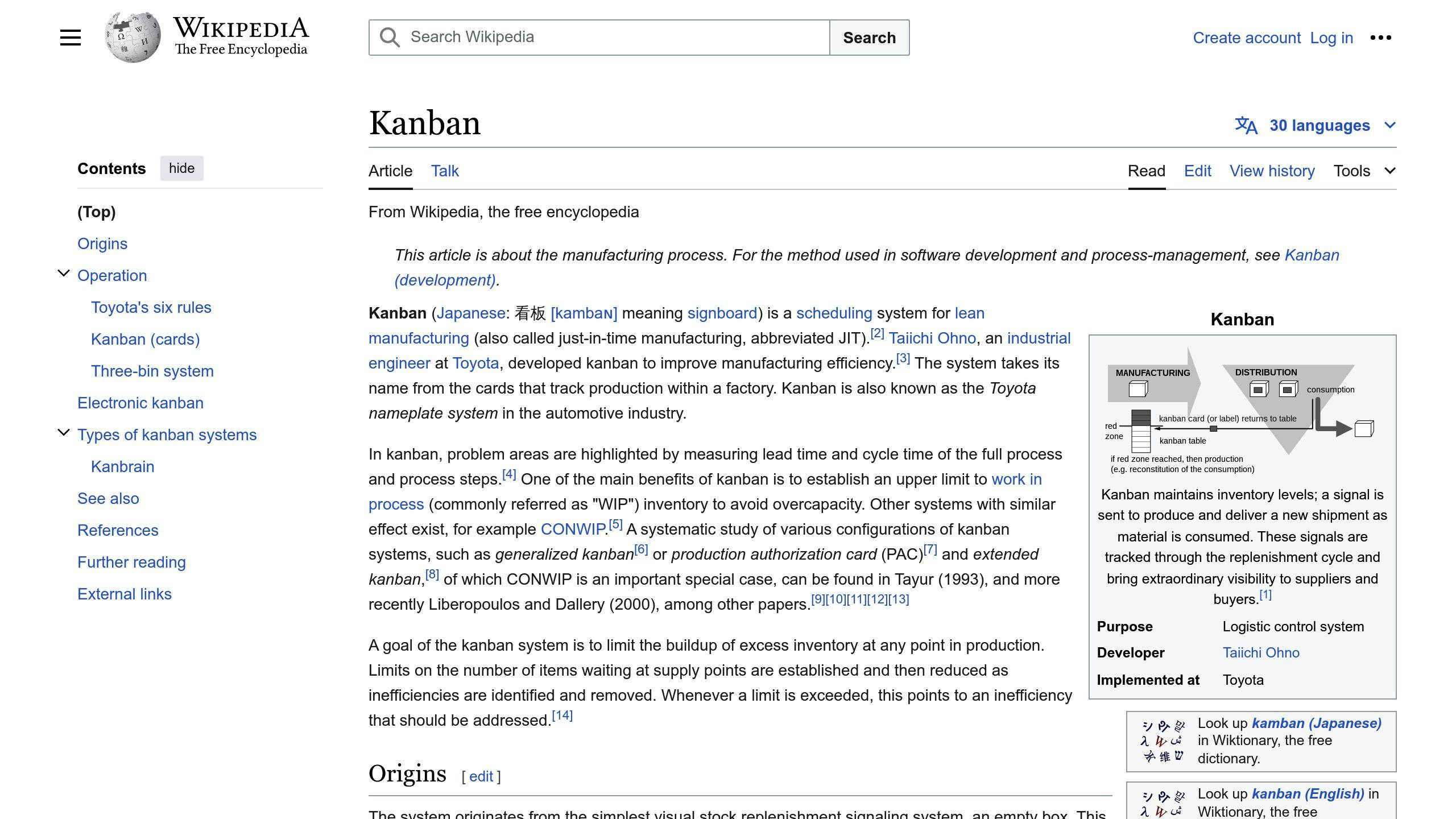
Kanban boards help teams visualize the workflow, identify bottlenecks, and optimize the development process. By setting work limits, teams can focus on a manageable amount of work, reducing the risk of overwhelming and increasing productivity.
To apply Kanban effectively:
1. Define workflow stages and set work limits: Establish clear workflow stages and set limits for each stage to ensure a manageable workload.
2. Visualize the workflow: Use a Kanban board to visualize the workflow, making it easier to identify bottlenecks and optimize the development process.
3. Identify and address bottlenecks: Continuously monitor the workflow and address bottlenecks to ensure smooth task throughput.
4. Continuously improve the workflow: Regularly review and refine the workflow to optimize task throughput and increase productivity.
Enhancing Team Collaboration with Visualization
Effective team collaboration is crucial in agile development, and visualization plays a vital role in achieving this goal. By using visualization tools, teams can improve communication, increase stakeholder engagement, and facilitate more effective decision-making throughout the development process.
Sharing Real-time Data for Decisions
Sharing real-time data is essential for teams to make informed decisions quickly. Visualization tools enable teams to access up-to-date data, facilitating immediate feedback and decision-making. This approach ensures that all team members are on the same page, reducing misunderstandings and miscommunication.
Benefits of Real-time DataDescriptionInformed DecisionsMake quick and informed decisions with up-to-date dataReduced MiscommunicationEnsure all team members are on the same pageImmediate FeedbackFacilitate immediate feedback and decision-making
Supporting Remote Teams Visually
With the rise of remote work, visualization tools have become essential for supporting distributed teams. These tools enable teams to collaborate effectively, regardless of their location. Visualization facilitates remote collaboration by providing a shared understanding of the project's progress, goals, and objectives.
Benefits of Visualization for Remote TeamsDescriptionShared UnderstandingProvide a shared understanding of project progress, goals, and objectivesEffective CollaborationEnable teams to collaborate effectively, regardless of locationSeamless CommunicationFacilitate seamless communication and collaboration
By leveraging visualization tools, teams can enhance collaboration, improve communication, and increase stakeholder engagement. By sharing real-time data and supporting remote teams visually, teams can work more effectively, respond quickly to changes, and deliver high-quality products.
Adapting Processes with Visual Insights
Adapting processes with visual insights is crucial in agile development. By using visualization tools, teams can track project velocity and iteration success, and make data-driven decisions to improve their workflow.
Tracking Project Velocity and Iteration Success
To track project velocity and iteration success, teams can use metrics such as lead time, cycle time, throughput, and defect rate. These metrics provide valuable insights into the development process, enabling teams to identify areas for improvement.
MetricDescriptionLead TimeTime taken for a task to be completed from start to finishCycle TimeTime taken for a task to be completed once it's startedThroughputNumber of work items completed in a certain periodDefect RateNumber of defects per unit of work
Implementing Continuous Improvement
By regularly reviewing and analyzing metrics, teams can identify areas for improvement and implement changes to optimize their workflow. This approach enables teams to respond quickly to changes, improve efficiency, and deliver high-quality products.
For example, by tracking throughput, teams can identify periods of high productivity and implement changes to sustain that level of productivity. Similarly, by tracking defect rate, teams can identify areas where defects are most common and implement changes to reduce defects.
By adapting processes with visual insights, teams can improve their workflow, respond quickly to changes, and deliver high-quality products. By leveraging metrics and visual feedback, teams can optimize their development process and achieve their goals.
Conclusion: The Value of Agile Visualization
Agile visualization is a crucial aspect of app development projects. By using agile visualization, teams can improve collaboration, simplify complex workflows, and make informed decisions. This approach helps teams adapt to changing project requirements, improve efficiency, and deliver high-quality products.
Key Benefits of Agile Visualization
Agile visualization offers several benefits, including:
BenefitDescriptionImproved CollaborationEnhance team collaboration and communicationSimplified WorkflowsBreak down complex workflows into manageable tasksInformed Decision-MakingMake data-driven decisions with real-time insights
Optimizing Development Processes
By leveraging agile visualization, teams can refine their development process, reduce defects, and improve overall project outcomes. This approach fosters a culture of continuous improvement, enabling teams to respond quickly to changes and optimize their workflow.
In today's fast-paced app development landscape, agile visualization is essential for project success. By embracing agile visualization, teams can stay ahead of the curve, deliver high-quality products, and drive business success.
Related posts

10 Tips to Boost App Ratings & Reviews
To improve your app's ratings and reviews, follow these key strategies:
- Smooth Onboarding: Create a positive first impression with a well-designed onboarding process that is simple, personalized, interactive, and continuously improved based on user feedback.
- Respond to Reviews Personally: Respond quickly to reviews with a genuine, empathetic tone, offering helpful solutions and keeping responses concise. This builds trust and loyalty.
- Offer Incentives for Reviews: Ethically offer incentives like rewards, discounts, or exclusive content when users are most likely to feel positive about your app, following app store policies.
- Use Review Management Tools: Streamline review monitoring, sentiment analysis, and response management with tools like Appbot, AppFollow, Apptentive, and Reputation Studio.
- Time Review Requests Strategically: Ask for reviews when users have just experienced a positive interaction, avoiding interruptions during critical moments.
- Provide Multilingual Review Support: Reach a broader audience by collecting and translating reviews from users worldwide, ensuring accurate translations.
- Act on User Feedback: Collect feedback from various sources, prioritize critical issues, respond to users, implement changes, and follow up to demonstrate your commitment to user satisfaction.
- Leverage Analytics: Collect and analyze review data to track key metrics like star ratings, review volume, sentiment, and topics, guiding future improvements.
- Utilize Multiple Review Channels: Request reviews through email reminders, social media, in-app feedback, and push notifications to increase feedback volume.
- Maintain Review Transparency: Respond to all reviews, be transparent about your review process, avoid manipulating or faking reviews, and use multiple channels to build trust.
Continuously integrate user feedback into your app development process to demonstrate a commitment to improvement and show users their voices are heard.
Tip 1: Smooth Onboarding for High Ratings
A smooth onboarding process is crucial for encouraging high ratings from the start. When users first interact with your app, they form an opinion about its usability, functionality, and overall value. A well-designed onboarding process can make all the difference in shaping their experience and, ultimately, their ratings.
To create a positive first impression, focus on the following key elements:
Key Elements of a Smooth Onboarding Process
ElementDescriptionKeep it simpleAvoid overwhelming users with too much information at once. Break down the onboarding process into manageable chunks, and use clear, concise language to guide them through each step.Personalize the experienceUse deep links to direct users to relevant content within your app, making the onboarding process more seamless and impactful.Provide interactive elementsIncorporate interactive tutorials, animations, or gamification to engage users and make the onboarding process more enjoyable.Test and iterateContinuously monitor user behavior and feedback, and make adjustments to the onboarding process to optimize its effectiveness.
By implementing these strategies, you can create a smooth onboarding experience that sets the tone for a positive user experience and encourages high ratings from the start.
Tip 2: Respond to Reviews Personally
Responding to user reviews is crucial for managing your app's reputation and building a positive community. By personally responding to reviews, you can show users that you value their feedback and care about their experience. This can lead to increased user loyalty, improved ratings, and a better overall reputation for your app.
When responding to reviews, focus on the following key elements:
Key Elements of a Personal Response
ElementDescriptionRespond quicklyReply to reviews as soon as possible to show users that you're actively listening to their feedback.Be genuine and empatheticUse a friendly and apologetic tone to show users that you understand their concerns and are committed to resolving issues.Provide helpful solutionsOffer concrete solutions or explanations to address user concerns and show that you're committed to improving their experience.Keep it conciseKeep your responses brief and to the point to avoid overwhelming users with too much information.
Here's an example of a personal response to a negative review:
"Sorry to hear that you're experiencing issues with our app. We're committed to providing the best possible experience for our users, and we're working hard to resolve this bug as soon as possible. In the meantime, please try [insert workaround or solution]. We appreciate your feedback and will keep you updated on our progress."
By responding personally to user reviews, you can build trust and loyalty with your users, which can lead to increased ratings and a better overall reputation for your app.
Tip 3: Offer Incentives for Reviews
Offering incentives can encourage users to leave reviews for your app. However, it's crucial to do so ethically and within app store policies. Here's how to get it right:
When to Offer Incentives
Offer incentives when users are most likely to feel positive about your app. This could be after they've completed a specific task, achieved a milestone, or experienced a significant benefit.
Types of Incentives
You can offer various incentives, including:
Incentive TypeDescriptionRewardsIn-app rewards, such as coins, points, or badges, in exchange for reviews.DiscountsExclusive discounts or promo codes for leaving a review.Exclusive ContentAccess to premium features or early access to new updates in exchange for reviews.
Best Practices
Remember to follow these best practices when offering incentives:
- Be Transparent: Clearly communicate the incentive and the requirements for receiving it.
- Don't Manipulate: Avoid manipulating users into leaving positive reviews by offering incentives in exchange for a specific rating or review content.
- Comply with Policies: Ensure your incentive strategy complies with app store policies and guidelines.
By offering incentives strategically and ethically, you can encourage users to leave reviews and improve your app's overall rating and reputation.
Tip 4: Tools for Review Management
Effective review management is crucial for maintaining a positive app reputation and encouraging user feedback. To streamline the process, consider using review management tools that can help you monitor reviews, analyze sentiment, and identify trends.
Review Management Tools
Several review management tools are available, each offering unique features and benefits. Here are some popular options:
ToolFeaturesAppbotReview aggregation, sentiment analysis, alert notificationsAppFollowCross-platform review management, analytics, reply functionalityApptentiveReview monitoring, sentiment analysis, customer feedback managementReputation StudioConsolidated review monitoring, alert notifications, negative keyword tracking
Key Features to Look for
When selecting a review management tool, consider the following key features:
- Review aggregation: Collect and display reviews from multiple platforms in a single dashboard.
- Sentiment analysis: Analyze review sentiment to identify trends and patterns.
- Alert notifications: Set up custom alerts for negative reviews or specific keywords.
- Reply functionality: Respond to reviews directly from the tool.
By using these tools and features, you can efficiently manage user reviews, identify areas for improvement, and maintain a positive app reputation.
Tip 5: Timing for Review Requests
When asking users for reviews, timing is crucial. You want to catch them when they're feeling positive and engaged with your app, increasing the likelihood of a 5-star review. But, if you ask at the wrong time, you risk annoying them and getting a negative review instead.
Optimize the Timing
Trigger your review request campaign when users have just experienced a positive interaction with your app. For example:
- After completing a level in a game
- After making a purchase
- After achieving a milestone
This way, you're more likely to get a positive review.
Avoid Interrupting the User Experience
Don't ask for a review during a critical moment in the app, such as:
- During a transaction
- When the user is in the middle of a task
This can be frustrating and may lead to a negative review. Instead, look for natural pauses or stopping points where a review request makes sense.
Follow Apple's Guidelines
Apple recommends asking for a rating only after the user has demonstrated engagement with your app. This means waiting until they've had a chance to form an opinion about your app, rather than asking on first launch or during onboarding.
By timing your review requests carefully, you can increase the chances of getting positive reviews and improving your app's overall rating.
Tip 6: Multilingual Review Support
To reach a broader audience and improve your app's overall rating, it's essential to provide multilingual review support. This involves collecting and translating reviews from users worldwide, ensuring that your app is accessible to users from diverse linguistic backgrounds.
Why Translation Quality Matters
Poor translations can lead to user frustration, confusion, and negative feedback. Accurate translations are crucial for users to understand and navigate your application.
Automatic Translation Solutions
To simplify the translation process, consider using review aggregators like Appbot, which collect app reviews from all countries and provide automatic translations to English. This eliminates the need for manual translation, saving you time and resources.
Benefits of Multilingual Review Support
BenefitDescriptionBroader audienceReach users from diverse linguistic backgroundsImproved ratingIncrease your app's overall rating by catering to a wider audienceEnhanced user experienceProvide accurate translations to ensure users understand and navigate your app
By implementing multilingual review support, you can increase your app's visibility, appeal to a broader audience, and ultimately, boost your app's ratings and reviews. In the next section, we'll explore the importance of acting on user feedback and how it can impact your app's success.
sbb-itb-8abf120
Tip 7: Act on User Feedback
Acting on user feedback is crucial to show users that you care about their experience and want to improve your app. By addressing user concerns, you can fix issues, enhance features, and provide a better user experience. This encourages users to leave positive reviews and ratings, ultimately boosting your app's visibility and credibility.
How to Act on User Feedback
To effectively act on user feedback, follow these steps:
1. Collect and analyze feedback: Gather feedback from various sources, including in-app feedback tools, review platforms, and social media. Identify common issues and areas for improvement.
2. Prioritize feedback: Focus on addressing the most critical issues first.
3. Respond to users: Respond to users who provided feedback, thanking them for their input and showing that you value their feedback.
4. Make changes: Implement changes to your app based on user feedback.
5. Follow up: Follow up with users to ensure that the changes you made have addressed their concerns.
Benefits of Acting on User Feedback
BenefitDescriptionImproved user satisfactionUsers feel heard and valued, leading to increased satisfaction and loyalty.Enhanced app qualityFixing issues and enhancing features improves the overall quality of your app.
By acting on user feedback, you can demonstrate your commitment to user satisfaction and improve your app's overall rating.
Tip 8: Analytics for Review Strategies
Analytics play a vital role in tracking the effectiveness of review management strategies and guiding future improvements. By leveraging analytics tools, you can gain valuable insights into user feedback, sentiment, and behavior.
Collecting and Analyzing Review Data
To get started with analytics for review strategies, you need to collect and analyze review data from various sources, including app stores, review platforms, and social media. You can use tools like MonkeyLearn to automate the process of collecting and analyzing review data.
Key Analytics Metrics to Track
Here are the key metrics to track:
MetricDescriptionStar ratingsMonitor the average star rating of your app to identify trends and areas for improvement.Review volumeTrack the number of reviews received over time to identify patterns and sentiment shifts.Sentiment analysisAnalyze the sentiment of reviews to understand user opinions and emotions.Topic analysisIdentify common topics and themes in user reviews to pinpoint areas for improvement.
Acting on Analytics Insights
Once you have collected and analyzed review data, it's essential to act on the insights gained. This may involve addressing user concerns, implementing changes to your app, and responding to user feedback. By taking action on analytics insights, you can demonstrate your commitment to user satisfaction and improve your app's overall rating.
Tip 9: Multiple Review Channels
To gather more feedback and improve your app's rating, use multiple channels to request reviews. This approach helps you reach a broader audience and increases the volume of reviews.
Review Request Channels
Here are some channels you can use to request reviews:
ChannelDescriptionEmail RemindersSend personalized email reminders to users who have interacted with your app, asking them to share their feedback.Social MediaShare a post or tweet asking users to share their feedback, and provide a direct link to your app's review page.In-App FeedbackDisplay a non-intrusive message or popup within your app, asking users to rate and review their experience.Push NotificationsSend a gentle reminder to users who have abandoned their carts or completed a specific task within your app, asking them to share their feedback.
Benefits of Multiple Review Channels
By using multiple review channels, you can:
- Increase the volume of reviews
- Reach a broader audience
- Improve the overall rating of your app
- Gain valuable insights into user feedback
Remember to always follow the guidelines set by each platform and respect users' preferences and boundaries.
Tip 10: Maintain Review Transparency
To build trust and maintain a positive reputation, it's essential to prioritize review transparency. Users want to know that the reviews they're reading are genuine and trustworthy.
Why Authentic Reviews Matter
Fake or manipulated reviews can lead to a loss of trust and credibility. In fact, most consumers trust online reviews as much as personal recommendations.
How to Maintain Review Transparency
Here are some tips to maintain review transparency:
TipDescriptionRespond to all reviewsShow users that you value their feedback and are committed to providing a high-quality experience.Be transparent about your review processLet users know how you collect and display reviews.Don't manipulate or fake reviewsThis can lead to a loss of trust and credibility.Use multiple review channelsThis helps to increase the volume of reviews and provides a more comprehensive view of your app's performance.
By prioritizing review transparency, you're building trust with your users and creating a positive reputation.
Conclusion: Continuous Feedback Loop
Improving your app's ratings and reviews is crucial for its success. By following the 10 tips outlined in this guide, you can increase your app's visibility, credibility, and user satisfaction.
Key Strategies Summary
To recap, the essential strategies for improving app ratings and reviews include:
StrategyDescriptionSmooth OnboardingCreate a positive first impression with a well-designed onboarding processPersonalized Review ResponsesRespond to reviews personally to show users you careIncentives for ReviewsOffer incentives to encourage users to leave reviewsReview Management ToolsUse tools to streamline review management and analysisStrategic Review RequestsTime review requests strategically to increase positive reviewsMultilingual Review SupportProvide review support in multiple languages to reach a broader audienceActing on User FeedbackRespond to user feedback to improve your app and show users you value their inputAnalytics for Review StrategiesUse analytics to track the effectiveness of your review strategiesMultiple Review ChannelsUse multiple channels to request reviews and increase feedbackReview TransparencyPrioritize review transparency to build trust with users
By incorporating these strategies into your app development process, you'll be well on your way to achieving a high rating and fostering a loyal user base.
Integrating Feedback in Development
Finally, it's crucial to integrate user feedback into your app development process. This involves not only collecting and responding to reviews but also incorporating user suggestions and feedback into your development roadmap. By doing so, you'll demonstrate a commitment to continuous improvement and show users that their voices are heard.
FAQs
How to Improve App Ratings and Reviews?
To improve your app's ratings and reviews, follow these steps:
StepDescription1. Ask for FeedbackProactively ask users for feedback to understand their experience.2. Target the Right TimeAsk users for reviews at the right time, such as after a positive interaction.3. Respond to ReviewsDirectly address all reviews, both positive and negative, to show users you value their feedback.4. Act on FeedbackAct on the review feedback to improve your app and make it easy for users to find help.
How to Increase Rating on App Store?
To increase your app's rating on the App Store, focus on:
StrategyDescriptionSmooth OnboardingCreate a positive first impression with a well-designed onboarding process.Personalized Review ResponsesRespond to reviews personally to show users you care.Incentives for ReviewsOffer incentives to encourage users to leave reviews.Review Management ToolsUse tools to streamline the process and analyze the effectiveness of your strategies.
By following these strategies, you can improve your app's visibility, credibility, and user satisfaction.
Related posts

Web App Incident Response & Recovery: 10 Steps
Having a structured incident response plan is crucial for minimizing the impact of cyberattacks on web applications. The key benefits include:
- Respond quickly and effectively to incidents
- Reduce downtime and financial losses
- Protect your business reputation
The 10 essential steps for an effective incident response plan are:
- Prepare: Establish your response framework
- Detect: Monitor and identify security incidents
- Contain: Limit the spread and impact
- Assess: Evaluate the severity and scope
- Eradicate: Remove threats and vulnerabilities
- Recover: Restore normal operations
- Communicate: Notify stakeholders and users
- Learn: Analyze and document lessons
- Test: Evaluate your incident response
- Maintain: Keep your response plan current
By following these steps, organizations can minimize downtime, ensure business continuity, and improve their overall incident response capabilities.
Quick Comparison
StageDescriptionPreparationEstablish a response framework to identify and respond to security incidents.IdentificationMonitor and detect incidents to quickly identify potential security breaches.ContainmentLimit the spread and impact of an incident to prevent further damage.EradicationRemove threats and vulnerabilities to restore normal operations.RecoveryRestore normal operations and improve incident response capabilities.
1. Prepare: Establish Your Response Framework
Preparing for a web application security incident is crucial to minimize the impact of a potential attack. This stage involves identifying your web assets, knowing what data you have, where it resides, who should have access to it, and how critical it is to your business.
To establish a response framework, follow these steps:
Identify Your Incident Response Team
- Identify IT security team members or a dedicated computer security incident response team (CSIRT)
- Assign specific roles and responsibilities to each team member
Define Incident Escalation Paths
- Define escalation paths for incidents that may start as events or lower impact/severity and then increase as more information is gathered
Document Third-Party Web-Hosting Contacts
- Document third-party web-hosting contacts
- Ensure logging levels for account login system components are set to appropriate levels (at least 90 days)
Secure Logging and Backups
- Ensure logging for account login system components are stored in secure locations, preferably on a secondary system such as a SIEM
- Ensure that web application backups are functioning as expected
By preparing your response framework, you can respond quickly and effectively in the event of an incident, reducing the impact on your business and protecting your reputation.
2. Detect: Monitor and Identify Incidents
Detecting incidents is a critical step in web application security incident response. It involves monitoring your web application and its supporting systems to identify potential security incidents. This stage is crucial in minimizing the impact of an incident, as it enables you to respond quickly and effectively.
What is a Security Incident?
A security incident in a web application is any threat that violates the confidentiality, integrity, or availability of sensitive or confidential data stored in the app. These incidents can occur due to various factors, including software vulnerabilities, human error, or malicious attacks. Examples of security incidents include:
- Data breaches
- Distributed Denial-of-Service (DDoS) attacks
- SQL injection attacks
- Cross-site scripting attacks
- Malware infections
Monitoring Web Application Security Event Logs
To detect incidents, it is essential to monitor web application security event logs regularly. This involves reviewing application and virtual server activities to identify potential security threats. Monitoring web application security event logs helps you to:
BenefitsDescriptionIdentify unusual patterns or behaviorsMay indicate a security incidentAnalyze logs to understand the scope and severityDevelop an effective response strategy to contain and eradicate the incident
By monitoring web application security event logs, you can detect incidents early, reducing the impact on your business and protecting your reputation.
3. Contain: Limit the Spread and Impact
After detecting a web security incident, your incident response (IR) team needs to take immediate action to minimize the short-term impact and prevent minor issues from escalating into full-blown incidents. The containment phase is critical in limiting the spread and impact of the incident.
Isolate the Incident
To contain the incident, you need to isolate it from the rest of the web application and prevent further damage. This might involve:
- Setting up your web application firewall (WAF) to block specific attacks
- Preventing unauthorized access to sensitive data
Preserve Evidence
In this phase, it's essential to collect and preserve evidence related to the incident. This will help you:
EvidencePurposeLog filesUnderstand the scope and severity of the incidentNetwork traffic capturesIdentify the root cause of the incidentSystem imagesDevelop an effective response strategy
By containing the incident quickly and effectively, you can reduce the impact on your business and protect your reputation.
4. Assess: Evaluate the Severity and Scope
After containing the incident, it's essential to assess its severity and scope to determine the best course of action for eradication and recovery. This step is critical in understanding the impact of the incident on your web application and business.
Severity Levels
Incident severity levels help prioritize and address problems based on their impact and urgency. There are different severity levels, including:
Severity LevelDescriptionCritical Severity (Sev-1)Problems that severely disrupt or halt essential functionalitiesHigh Severity (Sev-2)Problems that significantly impact business operationsMedium Severity (Sev-3)Problems that moderately impact business operationsLow Severity (Sev-4)Problems that minimally impact business operations
Evaluating the Severity and Scope
To evaluate the severity and scope of the incident, you need to understand the extent of the breach and the impact on your organization. This involves:
- Identifying the affected systems, data, and users
- Determining the root cause of the incident
- Assessing the potential business impact and risk
- Evaluating the effectiveness of your containment measures
By accurately assessing the severity and scope of the incident, you can develop an effective response strategy and prioritize your efforts to minimize the impact on your business and reputation.
5. Eradicate: Remove Threats and Vulnerabilities
In this phase, your goal is to remove the threats and vulnerabilities that led to the incident. This involves identifying the point of entry, resolving the issue, and ensuring the threat is no longer present.
Identify the Point of Entry
To prevent re-infection or the same issue from happening again, it's crucial to identify how the incident occurred. If you're not sure what went wrong, conduct internal log analysis or hire a third-party to assist you in developing a plan to prevent it from happening again.
Resolve the Issue and Ensure the Threat is No Longer Present
To resolve the issue, consider the following aspects:
AspectDescriptionLateral movementIdentify how the threat spread within your systemDropped payloadsRemove any malicious files or codeOperating processesStop any malicious processes or servicesEstablished persistenceRemove any backdoors or persistence mechanisms
Having solid backups and the ability to determine the initial date/time of infection, as well as the option to roll back to shortly before that, is essential. If you don't have backups, it's even more critical to determine the initial point of infection and any indicators of compromise.
Harden and Patch Affected Systems
After removing or recovering from the incident, improve monitoring on affected systems, and don't forget to change the passwords on any accounts that have been compromised or could be compromised. Document any further security hardening that needs to be done to the affected systems. Patching is mandatory to avoid compromising other systems on the network. Keep track of everything you do – it will be useful for the following stages of the incident response plan.
By following these steps, you can effectively eradicate the threats and vulnerabilities that led to the incident, and prevent similar incidents from happening in the future.
6. Recover: Restore Normal Operations
In this phase, your goal is to restore your web application to its normal operating state, ensuring that all systems and functionality are back online and secure.
Restore Web Application Functionality
To restore your web application's functionality, follow these steps:
1. Replace potentially compromised code with a known-good copy.2. Review current web application code to ensure that all code anomalies have been removed.3. Restore impacted systems from a clean backup, taken prior to infection if these backups are available.4. For systems not restorable from backup, rebuild the machines from a known-good image or from bare metal.5. Remediate any vulnerabilities and gaps identified during the investigation.
Implement Additional Security Measures
To prevent similar incidents from happening in the future, consider implementing additional security measures, such as:
Security MeasureDescriptionReset passwordsReset passwords for all impacted accounts and/or create replacement accounts and leave the impacted accounts disabled permanently.Monitor for malicious activityContinue to monitor for malicious activity related to this incident for an extended period.Configure alertsConfigure alerts to aid in quick detection and response.
By following these steps, you can effectively recover from the incident and restore your web application to its normal operating state, while also implementing additional security measures to prevent similar incidents from happening in the future.
sbb-itb-8abf120
7. Communicate: Notify Stakeholders and Users
Effective communication is crucial during a web application incident response. It's essential to notify stakeholders and users promptly and transparently about the incident's impact and actions taken.
Identify Stakeholders and Prioritize Communication
Identify your stakeholders, including customers, partners, employees, regulators, media, investors, suppliers, competitors, and others. Prioritize them according to their level of interest and influence.
Develop a Communication Plan
Establish clear lines of communication that cater to each stakeholder group's unique interests and concerns. Prioritize transparency and timeliness in your updates to keep stakeholders informed and reassured throughout the incident.
Stakeholder GroupCommunication ApproachCustomersProvide regular updates on the incident's impact and resolution via email, social media, and website notifications.PartnersOffer personalized updates and support through dedicated channels, such as phone or email.EmployeesKeep employees informed through internal communication channels, such as company-wide emails or intranet updates.RegulatorsComply with regulatory requirements and provide timely updates on the incident's impact and resolution.
Be Transparent, Helpful, and Empathetic
Communicate the facts of the incident without speculation, and provide solutions and directions for those impacted. Be transparent, helpful, and empathetic in your communication. Ensure that your messages are clear, concise, and free of technical jargon.
By following these guidelines, you can effectively communicate with stakeholders and users during a web application incident, maintaining trust and minimizing the incident's impact.
8. Learn: Analyze and Document Lessons
Analyzing and documenting lessons learned from an incident is crucial to improving your incident response plan and preventing similar incidents from occurring in the future.
Conduct a Post-Incident Review
Hold a post-incident review with all stakeholders, including the incident response team, developers, and management. This review should focus on:
- What went well
- What didn't go well
- Documenting lessons learned
Identify Root Causes and Areas for Improvement
Identify the root cause of the incident and areas for improvement in your incident response plan and procedures. Evaluate:
- The incident response team's performance
- The effectiveness of incident detection and containment
- The communication strategy
Implement Changes and Update the Incident Response Plan
Based on the findings of the post-incident review, implement changes to your incident response plan and procedures. This includes:
ActionDescriptionUpdate incident response playbooksReflect lessons learned and new proceduresProvide additional trainingEnsure the incident response team is equipped to handle similar incidentsRefine proceduresImprove incident detection, containment, and communication
By following these steps, you can ensure that your incident response plan is continually improved and refined, reducing the risk of similar incidents occurring in the future.
9. Test: Evaluate Your Incident Response
Evaluating your incident response plan is crucial to identifying areas for improvement and ensuring that your team is prepared to respond to incidents effectively. Testing your incident response plan helps to validate its effectiveness, identify weaknesses, and refine processes.
Conduct Tabletop Exercises
One way to test your incident response plan is through tabletop exercises. These exercises involve simulated incident scenarios, where your team walks through the response process, discussing roles, responsibilities, and actions to be taken.
Exercise TypeDescriptionDiscussion-basedFocuses on team discussion and decision-makingOperationalInvolves simulated incident response activities
Identify Lessons Learned
After conducting a tabletop exercise, hold a debriefing session to discuss what went well, what didn't, and what can be improved. Document lessons learned to refine your incident response plan and procedures.
By regularly testing and evaluating your incident response plan, you can ensure that your team is prepared to respond to incidents effectively, minimize downtime, and reduce the impact on your business.
10. Maintain: Keep Your Response Plan Current
To ensure your incident response plan remains effective, it's essential to regularly review and update it. This helps your organization stay prepared for evolving security threats and changing business environments.
Why Regular Reviews Matter
Regular reviews help identify areas for improvement, refine processes, and ensure the plan aligns with your organization's goals and objectives. It's recommended to conduct formal and comprehensive reassessments and revisions at least annually.
Post-Incident Reviews
Conducting post-incident reviews helps analyze the effectiveness of your response and identify lessons learned. This feedback can be used to refine your incident response plan, update procedures, and improve overall incident response capabilities.
Benefits of Maintenance
By maintaining a current and effective incident response plan, you can:
BenefitDescriptionMinimize downtimeReduce the impact of incidents on your businessEnsure business continuityKeep your organization running smoothlyImprove incident responseEnhance your team's ability to respond to incidents effectively
By following these guidelines, you can ensure your incident response plan remains relevant, effective, and aligned with your organization's goals and objectives.
Conclusion
Having a robust incident response and recovery plan in place is crucial for minimizing the impact of incidents on web applications. The 10 steps outlined in this article provide a comprehensive framework for preparing, detecting, containing, assessing, eradicating, recovering, communicating, learning, testing, and maintaining a response plan.
Key Takeaways
By following these guidelines, organizations can:
- Reduce financial and reputational losses associated with security incidents
- Ensure business continuity and minimize downtime
- Improve incident response capabilities
Staying Proactive
In today's rapidly evolving threat landscape, it's essential to prioritize web application security and stay proactive in incident response. By doing so, organizations can protect their users, data, and reputation, while maintaining a competitive edge in the market.
Ongoing Process
Remember, incident response is an ongoing process that requires regular review, update, and refinement. By staying committed to incident response and recovery, organizations can build a strong defense against cyber threats and ensure the continuity of their web applications.
FAQs
What are the 5 stages of incident response?
The 5 stages of incident response are essential for minimizing the impact of security incidents and ensuring business continuity. Here's an overview of each stage:
StageDescription1. PreparationEstablish a response framework to identify and respond to security incidents.2. IdentificationMonitor and detect incidents to quickly identify potential security breaches.3. ContainmentLimit the spread and impact of an incident to prevent further damage.4. EradicationRemove threats and vulnerabilities to restore normal operations.5. RecoveryRestore normal operations and improve incident response capabilities.
By following these stages, organizations can reduce financial and reputational losses, improve incident response capabilities, and maintain a competitive edge in the market.
Related posts

Real Device Testing vs. Emulators: Mobile App Testing
When it comes to mobile app testing, there are two main approaches: using emulators (virtual devices) or real devices. Here's a quick comparison:
Emulators:
- Lower cost
- Faster setup and easier to use
- Limited accuracy for performance testing
- Cannot fully replicate real-world conditions
- Wide coverage of OS and device configurations
- Suitable for initial development stages
Real Devices:
- Higher cost
- Slower setup and more complex to manage
- More accurate performance testing results
- Essential for testing real-world conditions
- Limited by available hardware
- Necessary for advanced stages and final validation
To ensure comprehensive testing, it's recommended to combine both approaches:
- Use emulators for initial coding, feature verification, and broad device coverage
- Leverage real devices for final validation, user-centric testing, and accurate performance measurement
Cloud testing platforms offer a scalable and cost-effective solution for accessing a diverse range of real devices and operating systems.
CriteriaEmulatorsReal DevicesCostLowerHigherSetup and UseFaster and easierSlower and more complexPerformance TestingLimited accuracyMore accurate resultsReal-world ConditionsCannot fully replicateEssential for testingRange of TestsWide OS and device coverageLimited by hardware availabilitySuitability forInitial development stagesAdvanced stages and final validation
By combining the strengths of both emulators and real devices, developers can ensure their apps meet the needs of their target audience and provide a better user experience.
What Are Emulators?
Emulators are software programs that mimic the behavior of a specific device or system, allowing developers to test and run their applications in a virtual environment. In the context of mobile app testing, emulators replicate the functionality of a mobile device, such as Android or iOS, on a computer.
Emulator Benefits
Emulators offer several advantages to developers:
BenefitDescriptionCost savingsEmulators eliminate the need to purchase multiple devices for testing, reducing costs and increasing efficiency.Ease of setupEmulators are relatively easy to set up and configure, allowing developers to quickly test their apps.Wide device and OS supportEmulators can simulate a wide range of devices and operating systems, making it possible to test apps on various platforms.
Emulator Drawbacks
While emulators are useful, they also have some limitations:
DrawbackDescriptionInability to replicate real-world conditionsEmulators cannot fully replicate the real-world conditions and interactions that occur on physical devices.Limited sensor simulationEmulators may not be able to simulate certain sensors, such as GPS, accelerometer, or camera, which can affect app performance.Performance differencesEmulators may not accurately reflect the performance of a physical device, which can lead to inaccurate test results.
Testing on Real Devices
Testing on real devices is a crucial part of the mobile app testing process. While emulators can provide a good starting point for testing, they cannot replicate the real-world conditions and interactions that occur on physical devices.
Why Use Real Devices?
There are several scenarios where testing on actual devices is necessary for the integrity of the user experience and app performance. These include:
ScenarioDescriptionAccurate performance testingReal devices provide more accurate and reliable performance measurements, taking into account the implications of specific hardware on performance.Better user interface (UI) validationsTesting on real devices allows for more accurate UI validations, including the accuracy of the UI, usability issues, and how the app behaves when interacting with device hardware and sensors.Improved hardware and sensor-related validationsReal devices enable testing of device-specific features, such as camera, accelerometer, and biometrics, which cannot be fully replicated on emulators.Real-world network condition variabilityTesting on real devices allows for testing in various network conditions, such as weak signal, Wi-Fi, and switching between networks.
Real Device Challenges
While testing on real devices is crucial, it also comes with its own set of challenges. These include:
ChallengeDescriptionHigh costs of hardware acquisitionMaintaining a diverse device library can be expensive, especially when considering the cost of purchasing and updating devices to keep up with the latest technology.Complexity of managing a diverse device libraryManaging a large device library can be complex, requiring significant resources to maintain and update devices, as well as ensure that they are properly configured for testing.
Despite these challenges, testing on real devices is essential for ensuring that mobile apps provide a seamless and high-quality user experience. By understanding the benefits and challenges of real device testing, developers can make informed decisions about their testing strategies and ensure that their apps meet the needs of their target audience.
Choosing Emulators or Real Devices
When deciding between emulators and real devices for mobile app testing, it's essential to understand the advantages and limitations of each option.
When to Use Emulators
Emulators are ideal for:
ScenarioDescriptionInitial coding and feature verificationEmulators offer a cost-effective and efficient way to test applications across a broad range of device configurations.Testing on a wide range of device configurationsEmulators can simulate various screen sizes, resolutions, and operating systems.Automation and quick setupEmulators provide quick setup and automation capabilities, streamlining the testing process.
When to Use Real Devices
Real devices are essential for:
ScenarioDescriptionFinal validation and user-centric feature testingReal devices provide a more accurate assessment of app performance, taking into account the nuances of specific hardware configurations.Testing device-specific features and hardwareReal devices enable testing of device-specific features, such as camera, accelerometer, and biometrics.Accurate performance measurement and UI validationReal devices provide a more accurate measurement of app performance and UI validation.Real-world network condition variability testingReal devices allow for testing in various network conditions, such as weak signal, Wi-Fi, and switching between networks.
By understanding the benefits and limitations of emulators and real devices, developers can make informed decisions about their testing strategies and ensure that their apps meet the needs of their target audience.
sbb-itb-8abf120
Combining Emulators and Real Devices
When it comes to mobile app testing, using both emulators and real devices can provide the most comprehensive coverage. By leveraging the strengths of both approaches, developers can ensure their apps meet the needs of their target audience.
Balancing Both Methods
Emulators: Ideal for Initial Testing
Emulators are cost-effective and efficient for initial coding and feature verification. They allow developers to test applications across a broad range of device configurations.
Real Devices: Essential for Final Validation
Real devices are necessary for final validation and user-centric feature testing. They provide a more accurate assessment of app performance, taking into account the nuances of specific hardware configurations.
To balance both methods, developers can use emulators in the early stages of development to identify and fix bugs, and then move to real devices for final testing and validation.
Cloud Testing Platforms
Cloud-based testing platforms offer a viable solution to accessing a diverse range of devices and operating systems for both automated and manual testing. These platforms provide developers with on-demand access to a vast pool of devices, allowing them to test their apps on a wide range of devices and configurations without the need for physical device ownership.
Benefits of Cloud Testing Platforms
BenefitDescriptionScalabilityScale testing efforts and reduce costsAccessibilityAccess a vast pool of devices and operating systemsAutomationLeverage automated testing and performance monitoringAnalyticsGain insights into app performance and user behavior
By combining emulators and real devices, and leveraging cloud testing platforms, developers can ensure their apps are thoroughly tested and optimized for a wide range of devices and scenarios, resulting in a better user experience and increased customer satisfaction.
Conclusion
Key Points Summary
In conclusion, the debate between real device testing and emulator testing is not a simple one. Both approaches have their advantages and disadvantages. Emulators are ideal for initial testing, allowing developers to test applications across a broad range of device configurations in a cost-effective and efficient manner. Real devices, on the other hand, are essential for final validation and user-centric feature testing, providing a more accurate assessment of app performance.
By combining the strengths of both approaches, developers can ensure their apps meet the needs of their target audience. Cloud testing platforms offer a scalable and cost-effective solution for accessing a diverse range of devices and operating systems.
Key Takeaways
PointDescriptionEmulatorsIdeal for initial testing and feature verificationReal DevicesNecessary for final validation and user-centric feature testingCombinationProvides the most comprehensive coverageCloud TestingOffers a scalable and cost-effective solution for accessing diverse devices and operating systems
By leveraging the strengths of both approaches, developers can ensure their apps meet the needs of their target audience and provide a better user experience.
Emulators vs Real Devices Comparison
Here's a clear comparison of emulator and real device testing to help you make informed decisions about your testing strategy.
CriteriaEmulatorsReal DevicesCostLower costHigher costSetup and UseFaster and easierSlower and more complexPerformance TestingLimited accuracyMore accurate resultsReal-world ConditionsCannot fully replicateEssential for testingRange of TestsWide OS and device coverageLimited by hardware availabilitySuitability forInitial development stagesAdvanced stages and final validation
This table highlights the key differences between emulator and real device testing, enabling you to choose the best approach for your needs.
FAQs
What is the difference between mobile testing emulator and device?
There are two main types of devices for testing: real devices and virtual devices (emulators and simulators). The key difference is that simulators only mimic the software features, while emulators cover both software and hardware.
What is the difference between emulator testing and real device testing?
Here's a comparison of emulator testing and real device testing:
CriteriaEmulator TestingReal Device TestingCostLower costHigher costSetup and UseFaster and easierSlower and more complexPerformance TestingLimited accuracyMore accurate resultsReal-world ConditionsCannot fully replicateEssential for testingRange of TestsWide OS and device coverageLimited by hardware availabilitySuitability forInitial development stagesAdvanced stages and final validation
Real device testing is a recommended component of a comprehensive mobile app testing strategy, especially when used in combination with virtual devices (Android emulators and iOS simulators).
Related posts

10 PWA Cross-Browser Compatibility Tests
Progressive Web Apps (PWAs) are designed to provide a seamless, app-like experience across different browsers and devices. To ensure your PWA works flawlessly, it's crucial to test its compatibility and performance across various platforms. Here are the 10 essential tests to perform:
- Web App Manifest: Validate the manifest file, check icon validation, test the start URL, and verify the display mode.
- Service Workers: Ensure service worker registration, offline functionality, push notifications, and background sync work correctly.
- HTTPS Usage: Verify your PWA uses HTTPS consistently across all pages and resources.
- Responsive Design: Test your PWA's responsiveness across different screen sizes and resolutions.
- Offline Loading and Caching: Evaluate your PWA's offline capabilities and caching strategies.
- Push Notification Testing: Test push notifications for timely and accurate delivery across browsers.
- Page URLs: Verify unique, accessible, and correctly navigated page URLs.
- Browser-Specific Issues: Identify and address browser-specific quirks and issues.
- 'Add to Homescreen': Test the 'Add to Homescreen' feature for a seamless user experience.
- Performance Optimization: Optimize your PWA's performance across different browsers and devices.
TestDescriptionWeb App ManifestEnsure the manifest file is correctly formatted and contains essential information.Service WorkersTest service worker registration, offline functionality, push notifications, and background sync.HTTPS UsageVerify your PWA uses HTTPS consistently across all pages and resources.Responsive DesignTest your PWA's responsiveness across different screen sizes and resolutions.Offline Loading and CachingEvaluate your PWA's offline capabilities and caching strategies.Push Notification TestingTest push notifications for timely and accurate delivery across browsers.Page URLsVerify unique, accessible, and correctly navigated page URLs.Browser-Specific IssuesIdentify and address browser-specific quirks and issues.'Add to Homescreen'Test the 'Add to Homescreen' feature for a seamless user experience.Performance OptimizationOptimize your PWA's performance across different browsers and devices.
By conducting these tests, you can ensure your PWA provides a consistent, high-quality user experience across different browsers and devices.
1. Checking the Web App Manifest
The Web App Manifest is a crucial component of a Progressive Web App (PWA), providing essential information about the app to the browser. It is a JSON file that contains metadata about the app, such as its name, description, icons, and start URL.
Why Test the Web App Manifest?
The Web App Manifest plays a vital role in how the browser interacts with the PWA. If the manifest is not correctly configured or is missing essential information, it can lead to compatibility issues and a poor user experience.
How to Test the Web App Manifest
To test the Web App Manifest, follow these steps:
StepDescription1. Validate the Manifest FileEnsure the manifest file is correctly formatted and contains all required information, such as name, short_name, start_url, and icons.2. Check Icon ValidationVerify that the icons specified in the manifest file are correctly sized and formatted.3. Test Start URLEnsure that the start_url specified in the manifest file is correct and navigates to the correct page.4. Verify Display ModeTest that the display mode specified in the manifest file is correctly applied, such as standalone, fullscreen, or minimal-ui.
By testing the Web App Manifest, you can ensure that your PWA provides a consistent and native app-like experience across different browsers and devices.
2. Testing Service Workers
Service Workers are a crucial part of Progressive Web Apps (PWAs), enabling offline functionality, push notifications, and background sync. Testing Service Workers ensures they are properly registered and operating across browsers.
Why Test Service Workers?
Service Workers play a vital role in providing a seamless user experience, especially when offline or with limited network connectivity. If not correctly configured or registered, Service Workers can lead to compatibility issues, poor performance, and a negative user experience.
How to Test Service Workers
To test Service Workers, follow these steps:
StepDescription1. Validate Service Worker RegistrationEnsure the Service Worker is correctly registered and installed.2. Test Offline FunctionalityVerify the Service Worker enables offline functionality, allowing users to access the app even without a network connection.3. Check Push Notification SupportTest the Service Worker supports push notifications, enabling the app to send notifications to users.4. Verify Background SyncEnsure the Service Worker enables background sync, allowing the app to sync data in the background.
Best Practices for Testing Service Workers
- Use the browser's developer tools to inspect and debug Service Worker registrations and operations.
- Test Service Workers on multiple browsers and devices to ensure compatibility.
- Verify Service Workers are correctly configured and registered in the Web App Manifest.
- Test Service Workers in different network conditions, such as offline and low network connectivity.
By following these best practices and testing Service Workers, you can ensure your PWA provides a seamless and reliable experience for users.
3. Verifying HTTPS Usage
HTTPS (Hypertext Transfer Protocol Secure) is a crucial aspect of Progressive Web Apps (PWAs), ensuring secure connections between the app and users' browsers. Verifying HTTPS usage is essential to prevent mixed content issues in different browsers.
Why HTTPS Matters
HTTPS provides a layer of security and trust between your PWA and users' browsers, safeguarding against eavesdropping, tampering, and unauthorized access.
How to Verify HTTPS Usage
To verify HTTPS usage, follow these steps:
StepDescription1. Check SSL CertificateEnsure your PWA has a valid SSL certificate installed, enabling HTTPS connections.2. Verify HTTPS in the BrowserTest your PWA in different browsers, verifying that HTTPS is used consistently across all pages and resources.3. Inspect Network RequestsUse the browser's developer tools to inspect network requests, ensuring that all requests are made over HTTPS.
Best Practices for HTTPS
Best PracticeDescriptionUse a trusted Certificate Authority (CA)Obtain an SSL certificate from a trusted CA to ensure authenticity.Serve all resources over HTTPSEnsure all resources, including images, scripts, and stylesheets, are served over HTTPS.Use HTTPS consistentlyUse HTTPS consistently across all pages and resources to prevent mixed content issues.Regularly monitor and update your SSL certificatePrevent expiration and security breaches by regularly monitoring and updating your SSL certificate.
By verifying HTTPS usage and following best practices, you can ensure your PWA provides a secure and trustworthy experience for users.
4. Responsive Design Testing
Responsive design testing is crucial to ensure your Progressive Web App (PWA) provides a consistent user experience across various screen sizes and resolutions.
Why Responsive Design Matters
A responsive design ensures your PWA adapts to different screen sizes, resolutions, and devices, providing an optimal user experience. A poor user experience can lead to high bounce rates, low engagement, and a negative impact on your brand.
Approaches to Responsive Design Testing
To ensure your PWA's responsiveness, follow these approaches:
ApproachDescriptionManual TestingTest your PWA on different devices and screen sizes to identify visual differences and inconsistencies.Automated TestingUse automated testing tools to simulate different screen sizes and resolutions, ensuring your PWA's responsiveness.Responsive Design BreakpointsIdentify and test specific breakpoints (e.g., mobile, tablet, desktop) to ensure your PWA adapts correctly.
Best Practices for Responsive Design Testing
Best PracticeDescriptionTest on Real DevicesTest your PWA on real devices to ensure a realistic user experience.Use Responsive Design FrameworksLeverage responsive design frameworks (e.g., Bootstrap, Foundation) to simplify the testing process.Test for AccessibilityEnsure your PWA's responsiveness doesn't compromise accessibility features.
By following these approaches and best practices, you can ensure your PWA provides a responsive and consistent user experience across various devices and screen sizes.
5. Offline Loading and Caching
Offline loading and caching are crucial aspects of Progressive Web Apps (PWAs) that ensure users can access content even when they're offline or have a slow internet connection. To evaluate a PWA's offline capabilities, follow these key strategies:
Caching Strategies
There are several caching strategies to choose from:
StrategyDescriptionStale-While-RevalidateReturns cached content immediately and updates it in the background.Cache First, Then NetworkChecks the cache first and falls back to the network if the resource is not available.Network First, Then CacheChecks the network first and caches the resource if it's available.Cache OnlyOnly serves cached content and doesn't attempt to fetch from the network.Network OnlyOnly fetches from the network and doesn't cache content.
Offline Loading
To ensure offline loading, PWAs should cache essential resources, such as HTML, CSS, JavaScript, and images, using service workers and the Cache API. This allows users to access content even when they're offline.
Best Practices
Best PracticeDescriptionCache Critical ResourcesCache essential resources, such as login pages and error pages, to ensure users can access critical functionality offline.Use Service WorkersImplement service workers to manage caching and offline loading.Test Offline FunctionalityThoroughly test offline functionality to ensure it works as expected.
By following these strategies and best practices, you can ensure your PWA provides a seamless offline experience, even in areas with limited or no internet connectivity.
6. Push Notification Testing
Push notification testing is a crucial aspect of Progressive Web Apps (PWAs) that ensures timely and accurate delivery of notifications across different browsers and platforms. This section will guide you through the process of testing push notifications, including verifying the user opt-in flow.
Understanding Push Notifications
Push notifications allow developers to send notifications to users even when they're not actively using the app. This feature is enabled by service workers, which run in the background and manage caching, offline loading, and push notifications.
Testing Push Notifications
To test push notifications, follow these steps:
StepDescription1. Install the PWA on a deviceInstall the PWA on an iOS or Android device and allow notification permission.2. Head to the Send Notification sectionGo to the dashboard and navigate to the Send Notification section.3. Customize the title, message, and URLCustomize the title, message, and URL for the notification.4. Send the notificationSend the notification, which will be delivered to your device.5. Verify the notificationVerify that the notification is displayed correctly, including the PWA icon, and that it opens the PWA and directs you to the specific page when clicked.
Best Practices
Best PracticeDescriptionClear and concise messagingEnsure that push notifications are clear, concise, and relevant to the user.Respect user preferencesRespect user preferences and only send notifications when necessary.Test thoroughlyThoroughly test push notifications to ensure they work as expected across different browsers and platforms.
By following these steps and best practices, you can ensure that your PWA's push notifications are timely, accurate, and respectful of user preferences.
sbb-itb-8abf120
7. Checking Page URLs
When building a Progressive Web App (PWA), it's essential to have a well-structured URL system. This section will guide you through the importance of checking page URLs and provide steps to do it effectively.
Understanding URL Structure
A PWA's URL structure should be easy to read and accessible across different browsers and platforms. Each page should have a unique URL that can be shared on social media, indexed by search engines, and easily navigated by users.
Testing Page URLs
To test page URLs, follow these steps:
StepDescription1. Verify URL uniquenessEnsure each page has a unique URL that can be shared and indexed.2. Check URL accessibilityTest URLs across different browsers and platforms to ensure they are accessible and render correctly.3. Test URL navigationVerify that URLs navigate correctly when clicked, and that the PWA icon is displayed correctly.4. Check for canonical URLsEnsure that canonical URLs are used to avoid content duplication and improve SEO.
Best Practices
Best PracticeDescriptionUse concise URLsKeep URLs short and descriptive to improve readability and SEO.Avoid using "#" symbolsRemove "#" symbols from URLs to ensure search engines can crawl and index content correctly.Use canonical URLsUse canonical URLs to avoid content duplication and improve SEO.Test thoroughlyThoroughly test page URLs to ensure they work as expected across different browsers and platforms.
By following these steps and best practices, you can ensure that your PWA's page URLs are well-structured, accessible, and optimized for search engines.
8. Browser-Specific Issues
When developing a Progressive Web App (PWA), it's essential to consider browser-specific issues. Different browsers have varying levels of support for PWA features, and some may have unique quirks that require special attention.
Browser-Specific Quirks
Here are some common browser-specific issues to be aware of:
Chrome
IssueDescriptionService Worker CachingChrome has an aggressive caching policy, which can sometimes cause issues with service worker updates.Push NotificationsChrome has a unique implementation of push notifications, which requires a specific configuration.
Firefox
IssueDescriptionService Worker RegistrationFirefox has a different service worker registration process compared to Chrome.Offline SupportFirefox has limited support for offline caching, which can affect the performance of your PWA.
Safari
IssueDescriptionService Worker SupportSafari has limited support for service workers, which can affect the performance of your PWA.Push NotificationsSafari does not support push notifications.
Edge
IssueDescriptionService Worker CachingEdge has a different caching policy compared to Chrome, which can affect the performance of your PWA.Push NotificationsEdge has a unique implementation of push notifications, which requires a specific configuration.
By being aware of these browser-specific issues, you can ensure that your PWA provides a seamless user experience across different browsers and devices. Remember to test your PWA thoroughly on different browsers and platforms to identify and resolve any issues that may arise.
9. Testing 'Add to Homescreen'
Testing the 'Add to Homescreen' feature is crucial for a seamless user experience. This feature allows users to install your Progressive Web App (PWA) on their devices, providing a native app-like experience.
Why Test 'Add to Homescreen'?
Testing 'Add to Homescreen' ensures that your PWA provides a consistent and native app-like experience across different browsers and devices.
How to Test 'Add to Homescreen'
To test 'Add to Homescreen', follow these steps:
StepDescription1. Clear browsing dataClear your browser's data to ensure a fresh start.2. Visit your PWAOpen your PWA in the browser and navigate to the page where the 'Add to Homescreen' prompt is displayed.3. Trigger the promptTrigger the 'Add to Homescreen' prompt by clicking the relevant button or icon.4. Verify the promptVerify that the prompt is displayed correctly, including the icon, name, and description of your PWA.5. Install the PWAChoose to add the PWA to your homescreen and verify that it is installed correctly.6. Test on different browsersRepeat the process on different browsers, such as Firefox, Safari, and Edge, to ensure compatibility and consistency.
Additional Scenarios to Test
Consider testing the following scenarios:
- Custom install button: Test the custom install button on different pages and verify that it triggers the 'Add to Homescreen' prompt correctly.
- Offline installation: Test installing your PWA while offline and verify that it is installed correctly when the user comes back online.
- Icon and metadata display: Verify that the icon and metadata (such as name and description) are displayed correctly on the homescreen and in the browser.
By thoroughly testing the 'Add to Homescreen' feature, you can ensure that your PWA provides a seamless and native app-like experience for your users.
10. Performance Optimization
Performance optimization is a critical aspect of Progressive Web App (PWA) development. It involves examining the performance metrics of PWAs, such as load times and responsiveness, and providing tips for optimization across different browsers.
Key Performance Metrics
Here are the key performance metrics to focus on:
MetricDescriptionFirst Contentful Paint (FCP)Time to render the first piece of content on the screen.Time to Interactive (TTI)Time for the page to become fully interactive.Page Load TimeTotal time to load the page.ResponsivenessAbility of the page to respond quickly to user input.
Tips for Optimization
Here are some tips to optimize the performance of your PWA:
- Minify and compress code: Reduce file size by minifying and compressing code.
- Optimize images: Compress images and use lazy loading to reduce initial load size.
- Leverage browser caching: Reduce server requests by leveraging browser caching.
- Use a content delivery network (CDN): Distribute content across different servers to reduce latency and improve load times.
- Test and iterate: Continuously test and iterate on your PWA's performance to identify areas for improvement.
By focusing on these key performance metrics and following these optimization tips, you can significantly improve the performance of your PWA and provide a better user experience for your users.
Remember, performance optimization is an ongoing process that requires continuous testing and iteration. By staying on top of performance metrics and making adjustments as needed, you can ensure that your PWA remains fast, responsive, and engaging for your users.
Ensuring PWA Cross-Browser Success
Ensuring your Progressive Web App (PWA) works seamlessly across different browsers and devices is crucial for providing a high-quality user experience. By following the 10 essential compatibility tests outlined in this article, you can identify and address potential issues, ensuring your PWA functions optimally across various browsers and devices.
Why Regular Testing Matters
Regular testing helps you detect and fix compatibility issues early on, reducing the risk of errors and improving the overall user experience. By prioritizing testing and iteration, you can ensure your PWA remains fast, responsive, and engaging for your users.
The Goal of PWA Cross-Browser Testing
The goal of PWA cross-browser testing is to provide a consistent, high-quality user experience across different browsers and devices. By focusing on compatibility, performance, and user experience, you can create a PWA that meets the needs of your users, regardless of their browser or device of choice.
By following these guidelines and prioritizing testing, you can ensure your PWA provides a seamless and engaging experience for your users.
FAQs
What is PWA testing?
PWA testing is the process of checking a Progressive Web App (PWA) to ensure it works correctly and provides a good user experience across different browsers, devices, and operating systems.
Why is PWA testing important?
PWA testing is crucial to identify and fix compatibility issues, optimize performance, and ensure the app meets quality and user experience standards.
What does PWA testing involve?
PWA testing involves checking various aspects of the app, including:
AspectDescriptionWeb App ManifestVerifying the manifest file is correctly formatted and contains essential information.Service WorkersTesting service worker registration, offline functionality, and push notifications.HTTPS UsageVerifying the app uses HTTPS consistently across all pages and resources.Responsive DesignTesting the app's responsiveness across different screen sizes and resolutions.Offline Loading and CachingEvaluating the app's offline capabilities and caching strategies.Push Notification TestingTesting push notifications to ensure timely and accurate delivery.Page URLsVerifying page URLs are unique, accessible, and correctly navigated.Browser-Specific IssuesIdentifying and addressing browser-specific quirks and issues.'Add to Homescreen'Testing the 'Add to Homescreen' feature to ensure a seamless user experience.Performance OptimizationOptimizing the app's performance across different browsers and devices.
By following these guidelines, you can ensure your PWA provides a high-quality user experience across different browsers and devices.
Related posts
Ready to Build Your Product, the Fast, AI-Optimized Way?
Let’s turn your idea into a high-performance product that launches faster and grows stronger.